Claude Code Agent Skills: What They Are and How to Build One
Claude Code agent skills are SKILL.md folders that make a session a specialist: how they load, how a subagent runs one, and what to write first.
Monday morning, and you are pasting the same 8 steps into Claude Code again. You have typed that sequence 40 times this quarter, and it still lives in a notes file you copy by hand.
Claude Code agent skills are folders holding a SKILL.md file that gives a coding agent one repeatable procedure, loaded only on a match. They turn a general session into a specialist. The skill carries the method, and a subagent brings the context window and the permissions.
Most pages on this keyword restate the reference docs. I run a set of skills every week, so this walks the build order the docs leave out. It starts with which job earns a file and ends with what a forked skill does with no history.
TL;DR
- A skill is a
SKILL.mdfolder. An agent skill also has a runtime: a subagent that holds the context window, the tools, and the permissions. context: forkplus theagentfield sends a skill to a subagent type. That subagent arrives with no conversation history, so the file has to carry the whole task.- Write the description for the moment the skill should fire, keep the listing entry under 1,536 characters, and delete any skill that stops firing.
What makes a skill an agent skill in Claude Code?
A skill becomes an agent skill when it can finish a job without you in the loop. The SKILL.md carries the procedure. The runtime around it supplies a context window, a tool set, and permissions to act alone.
That split is where the confusion starts, because the two halves live in different places. The portable half comes from Anthropic’s Agent Skills open format. A skill is a folder with a SKILL.md holding the name and description at minimum. Optional folders for scripts, references, and assets ride along when the skill needs them.
Anthropic published that format as a cross-platform standard on Dec 18, 2025. Claude Code then builds past it. The skills documentation adds 3 features on top of the standard.
- Invocation control.
disable-model-invocation: truekeeps a risky skill manual, so/deployruns only when you type it. - Subagent execution.
context: forkhands the skill to a subagent type you name, in a fresh context window. - Dynamic context. Write a shell command in backticks with a
!in front, and Claude Code runs it before the model reads the body and swaps in the real output.
Anthropic ships its own examples. The bundled /doctor, /code-review, /debug, and /loop are prompt-based skills. Each one gives Claude instructions and lets it orchestrate the work with tools.
If you want the plain definition first, what Claude Code skills are covers the basics. This page stays on the part that acts without you.
A skill is a file. An agent skill is that file plus a runtime that can finish the job when nobody is watching.
The 3 gates a job has to pass before it earns a file
I write a skill file only after a job passes 3 checks. A job that fails one of them gets a line in CLAUDE.md, or nothing.
The documentation tells you the format of the file. It cannot tell you whether the job deserves one, because that depends on your week and your rules.
- It repeats. You pasted the same steps twice in 7 days. Once is a prompt. Twice a week is a file.
- A rule lives inside it. The job hits a fork where you apply judgment, like “if the diff touches billing, ask for a second review”. A procedure with no rule is a checklist, and a
CLAUDE.mdline already holds checklists. - The finish is checkable. Someone else could look at the output and call it pass or fail. No finish line, no skill.
Gate 3 rejects most of my candidates. I keep a running list of jobs I do by hand, and it sits at 5 or 6 entries. Every few weeks I read it back and find that half of them have no finish line worth checking.
When a job needs its own context window but has no written procedure, the answer is a subagent definition in .claude/agents/. When the job is a fact, like “we use pnpm here”, it belongs in CLAUDE.md. How to create a skill from scratch covers the folder mechanics for the jobs that pass.
I run an automated outreach system that lands about 200 form submissions a day. That system gave me my easiest first skill, because gate 3 was obvious there. Either the follow-up email matched the approved structure, or it did not.
The gate that filters most candidates is a checkable finish, not repetition.
What goes in the SKILL.md an agent has to follow alone?
A standalone SKILL.md states the trigger and the order of the steps. It gives the rule at each fork and the check that ends the job. Write it for a reader who cannot ask a question and has never seen your repository.
That reader is a subagent on its first turn, holding your file and its own system prompt. The frontmatter is the part it uses to recognize the job at all.
namesets the command. Lowercase letters, numbers, and hyphens, 64 characters at most, and no reserved words likeclaudeoranthropic.descriptiondoes the triggering. Say what the skill does and when to use it, in words you would actually type.when_to_useadds trigger phrases, and counts toward the same character budget.
Loading in stages is what the docs call progressive disclosure. The name and description sit in the prompt from the start. The body loads on a match, and bundled files load only when the body calls for them.
Three rules of the file format cause most of the failures I see. The description and when_to_use text is truncated together at 1,536 characters in the skill listing.
A frontmatter field Claude Code does not recognize is ignored with no error. Frontmatter is also read only when the opening --- sits on the file’s first line, per the frontmatter reference.
That last rule catches people who put a comment or a blank line above the YAML. The file still loads and the body still runs, and the description is gone, so nothing triggers it.
Then the body carries 3 things the docs’ examples tend to skip.
- The threshold. A number that decides, like “flag any pull request over 400 changed lines”.
- The rubric. The order you judge output by, written in your own words.
- The refusal. The thing the skill must not do, stated once and plainly.
My own copywriting skill carries a banned-words list, a sentence length cap, and a refusal to name a client or invent a number. Those lines are why output stays stable between runs. Instructions tell the model what to produce, and refusals keep it out of failures I have already seen.
A body that only makes sense with the conversation that prompted it is a prompt in a folder.
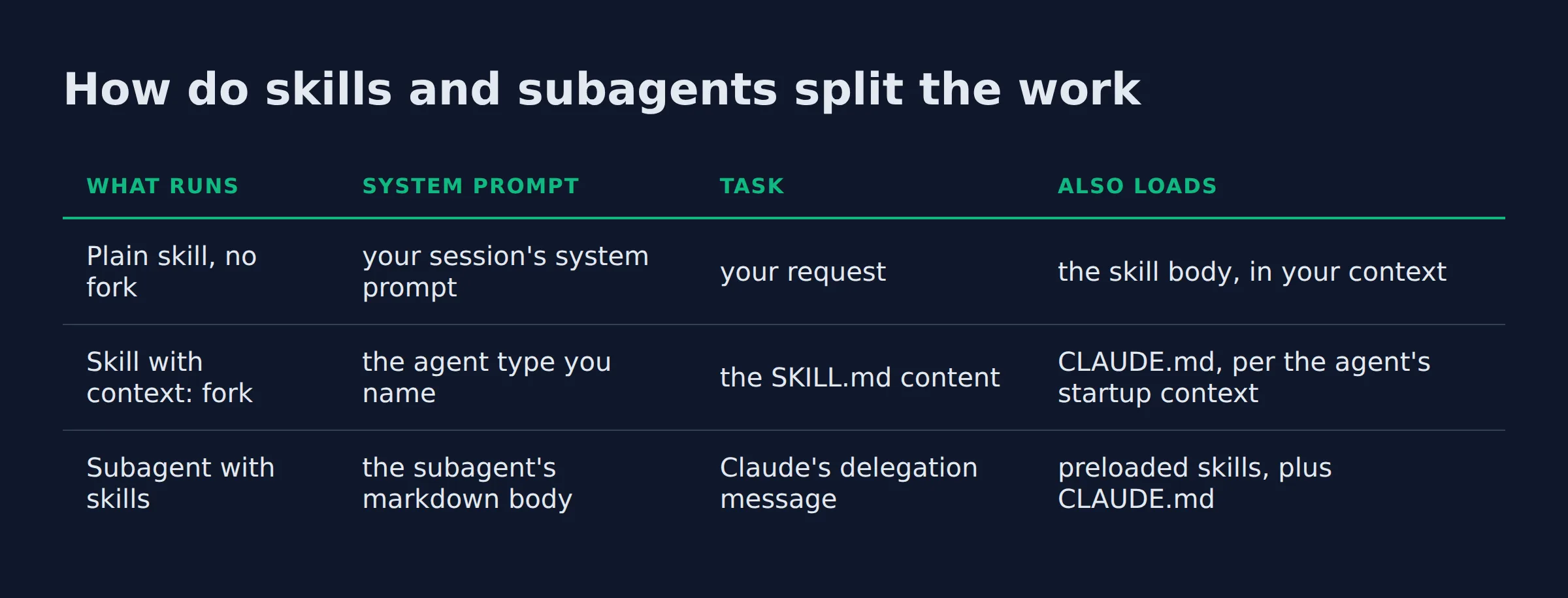
How do skills and subagents split the work?
The skill carries the procedure, and the subagent carries the room to run it. Split the job where your written method ends and the context burden begins, then load the skill on whichever side needs it.
| What runs | System prompt | Task | Also loads |
|---|---|---|---|
| Plain skill, no fork | your session’s system prompt | your request | the skill body, in your context |
Skill with context: fork |
the agent type you name | the SKILL.md content |
CLAUDE.md, per the agent’s startup context |
Subagent with skills |
the subagent’s markdown body | Claude’s delegation message | preloaded skills, plus CLAUDE.md |
All 3 rows are real patterns, and the split mirrors the skills docs. Pick the forked row when your method is written and the job needs isolation. Pick the preloaded row when the worker needs a standing role.
Each subagent runs in its own context window with its own system prompt. It gets specific tool access and independent permissions, as the custom subagents page puts it. Its requests also count toward the same usage limits as your main conversation, which is the clause people miss on a long run.
The cost of a fork is the empty room it starts in. Explore and Plan start without CLAUDE.md and git status to keep their context small. A forked skill using agent: Explore begins with your file and the agent’s system prompt, and nothing else.
A file of guidelines with no task produces a subagent that reads the guidelines and returns nothing useful. The context: fork flag earns its keep only when the skill states a job with inputs and an output.
Put the task in the skill, because the subagent starts with your file and nothing else.
How do you wire a skill to a subagent type, step by step?
Add context: fork to the frontmatter and name the executor in agent. The skill body becomes that subagent’s prompt, so it has to hold the whole task. Set background: false when the next step needs the result.
- Write the body as a complete work order. Name the inputs, the steps, the rule, and the output format.
- Add
context: forkto the YAML frontmatter. - Set
agentto the executor.Exploresuits read-only search. Put a custom type in.claude/agents/when the job needs its own tools. - Decide whether the turn waits. Forks run in the background by default, and
background: falseholds the turn open. - Test with the
-pflag. Non-interactive runs wait for the result every time, so the output lands in one pass. - Read what comes back. A thin summary usually means the body is missing an input.
| Frontmatter | What it changes | Set it when |
|---|---|---|
context: fork |
runs the skill in a subagent | the job needs a clean context window |
agent |
picks the subagent type | every fork needs one |
background: false |
the turn waits for the result | the next step needs the output |
disable-model-invocation: true |
no automatic loading | the skill deploys, deletes, or sends |
Two quirks matter once you run these for real. A backgrounded fork runs with the narrower tool set given to background subagents. Set background: false if the job needs a tool outside that set. Edits from a background fork also sit outside your checkpoints, so /rewind leaves them alone.
Claude Code also waits in 4 other cases.
- A
-prun or the Agent SDK. - A second invocation of the same skill while one is still running.
- A scheduled task using the skill as its prompt.
- An agent in a dynamic workflow that invokes the skill.
The first forked skill I wrote pointed at a log path I had mentioned in chat an hour earlier. The subagent started clean, found no file, and returned a tidy report about nothing. The body now names the path, the branch, and the output shape before the first instruction.
Name the input inside the body, because the subagent will not remember where it came from.
What does a working agent skill look like end to end?
A working agent skill reads like a short work order. It names the job and the inputs, then the steps in order and the finish check. Everything else is commentary you can cut.
Here is the release-notes skill I would hand a new teammate, written for a forked subagent.
- Job: draft release notes from the commits between the last 2 tags.
- Inputs: the 2 tags, the changelog path, and the audience.
- Steps: list the commits, group them by user-visible change, drop internal work, write one line each.
- Rule: if a commit touches auth, billing, or data deletion, put it at the top with a warning.
- Finish: fewer lines than commits, and every line names something a user can now do.
- Permissions:
allowed-tools: Bash(git log *) Read Write.
The frontmatter runs 5 lines: name, description, context: fork, agent, and allowed-tools. That last field pre-approves the listed tools for the turn that invokes the skill, and the grant clears when you send your next message. It does not restrict which tools exist, per the pre-approve tools section.
A forked run leans on that field harder than an interactive one does. Nobody is at the keyboard to approve a git log call, and the background tool set is narrower than the interactive one.
The skills I ship carry more than a docs example does. My citation builder names the source types it accepts and refuses a number with no source. My reviewer skill carries the fix list from the last pass, so a defect that came back shows up again. Both rules came from watching output fail on real work.
The lines that make a skill reliable are the threshold, the rubric, and the refusal.
Where do you get agent skills you did not write yourself?
Start with Anthropic’s public repository for working examples and the official plugin marketplace for installable ones. Write your own for the job that only your business runs, because a borrowed skill follows someone else’s rules.
anthropics/skills holds self-contained skill folders, including the document skills behind Claude’s file editing under skills/docx and skills/pdf. It also carries a spec/ folder, a template/, and a .claude-plugin/marketplace.json. Many of its skills are Apache 2.0 licensed, and the repo showed 184k stars when I checked it.
skill-creator is the one I would install first if you plan to tune descriptions. In a terminal, /plugin install skill-creator@claude-plugins-official installs it. If the install reports a missing marketplace, /plugin marketplace add anthropics/claude-plugins-official adds it.
A skill inside a plugin lives at <plugin>/skills/<skill-name>/SKILL.md and runs as /plugin-name:skill-name. That namespace is the reason a plugin skill never collides with yours, and both load. Remove one by uninstalling the plugin.
Security is the part to slow down on. A skill can grant itself tool access. Claude Code applies a project skill’s allowed-tools even in a -p run inside a folder you have never trusted.
Anthropic’s Agent Skills overview warns that a malicious skill can direct Claude to run code that does not match its stated purpose. Read every bundled script before you run one.
The specification site lists the format and the clients that support it. My own skills bundle is where the skills I use daily live, all of them for $99.
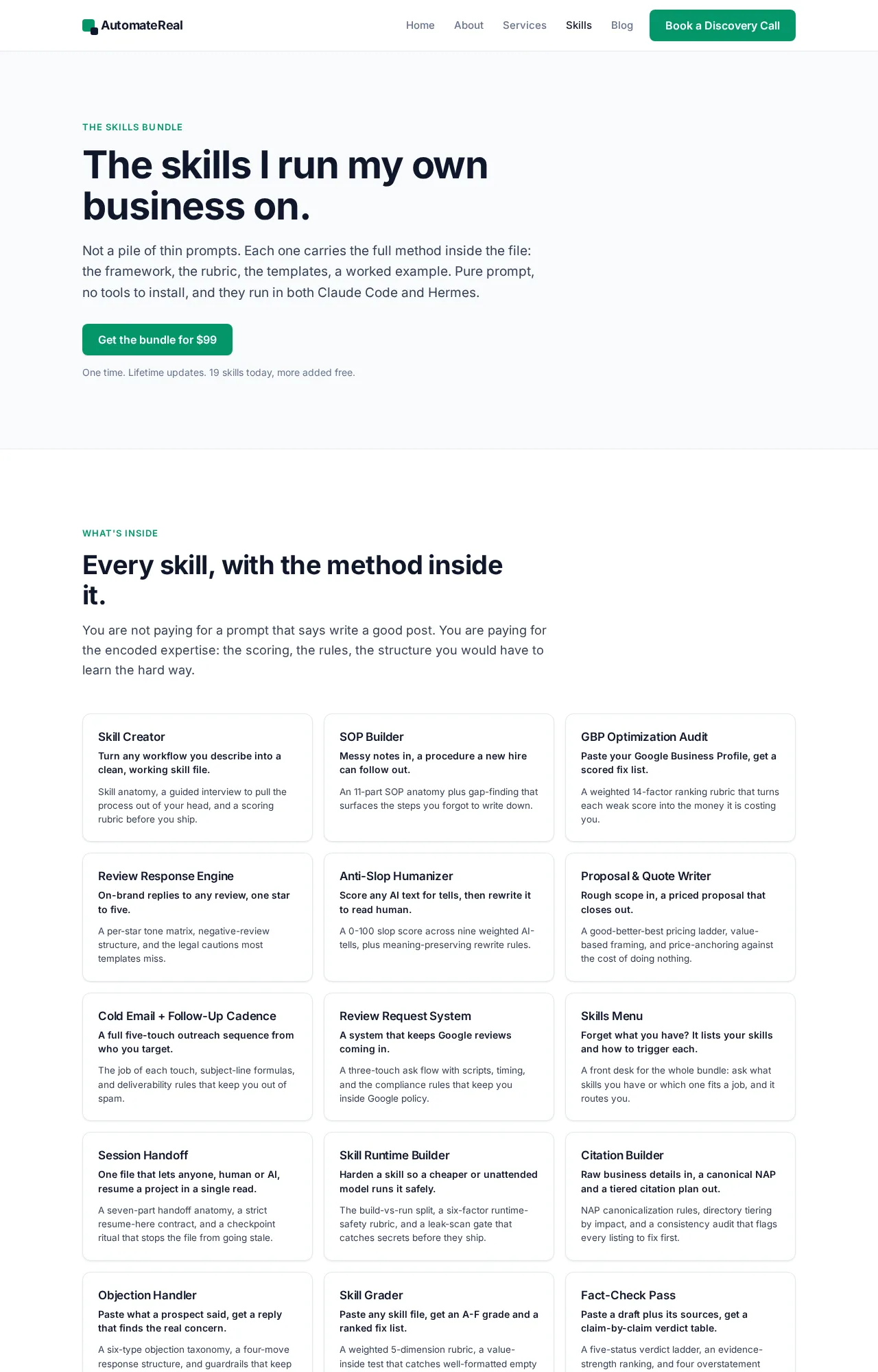 The skills bundle page those skills live on.
A borrowed skill follows someone else’s rules, including the permission grant it wrote for itself.
The pruning pass
Every skill in the listing costs context on every turn, whether or not Claude ever uses it.
That is the sentence in the docs I reread most, because it turns skill collecting into a budget question. The /skill-doctor command names the highest-cost skills first and flags the ones that have never fired. It needs Claude Code v2.1.252 or later.
A long session pays a second time. After a compaction, Claude Code re-attaches the most recent invocation of each skill. It keeps the first 5,000 tokens of each, inside a combined 25,000-token budget.
The paragraph I cut from my humanizer skill told the model to sound natural. It ran on every pass and changed nothing. What stayed is a short list of rules tied to failures I had already seen, and none of them is advice. The file got shorter and the output got steadier.
A skill that never fires usually has a description problem. The first version of my proposal writer said it “helps with proposals”, which matches nothing anyone types. It now names the moment, and it fires when a prospect asks for a scope.
If the description reads fine and the skill still stays quiet, run claude plugin validate .claude/skills to find frontmatter that fails to parse. A malformed file loads its body with empty metadata and then never matches.
Delete the skill that stops firing, because its listing line spends context either way.
FAQ
Where do Claude Code agent skills live on disk, and which folder wins when two skills share a name?
Personal skills live in ~/.claude/skills/<skill-name>/SKILL.md, project skills in .claude/skills/, and enterprise skills in a managed settings directory. Claude Code resolves a name clash enterprise first, then personal, then project. A skill also beats a same-named file in .claude/commands/, and it replaces a bundled command without replacing that command’s aliases.
Do agent skills work as plugins, and what changes when a skill ships inside one?
Yes. A skill in a plugin lives at <plugin>/skills/<skill-name>/SKILL.md and runs as /plugin-name:skill-name. The namespace is the change: it never collides with a personal or project skill, so both load. To remove it, uninstall the plugin.
Can I share or publish an agent skill, or is it locked to my machine?
The folder is the unit, so sharing is copying it or committing it. Agent Skills went out as an open standard on Dec 18, 2025 for cross-platform portability. The anthropics/skills repo publishes examples, many under Apache 2.0. Audit any skill you did not write before you run it.
Do agent skills work in claude.ai and the API, or only in Claude Code?
All 3 support Agent Skills, and none of them syncs with the others. Skills uploaded to claude.ai need a separate upload to the API, and Claude Code skills are filesystem-based and separate from both. Upload the skill once per surface where you want it.
How many skills can I load before the listing starts costing context?
Claude Code sets no fixed count. Each skill adds a listing entry on every turn. The description and when_to_use are truncated at 1,536 characters, which caps what one entry can cost. /skill-doctor shows the real cost per skill in your session.
Start with the job you did twice this week
Pick that job, write the 3 gates against it, and give the file a finish line someone else could check. The first skill rarely needs a subagent. The second one usually does.
If you want help finding the first workflow worth a file, a discovery call maps it in about thirty minutes.
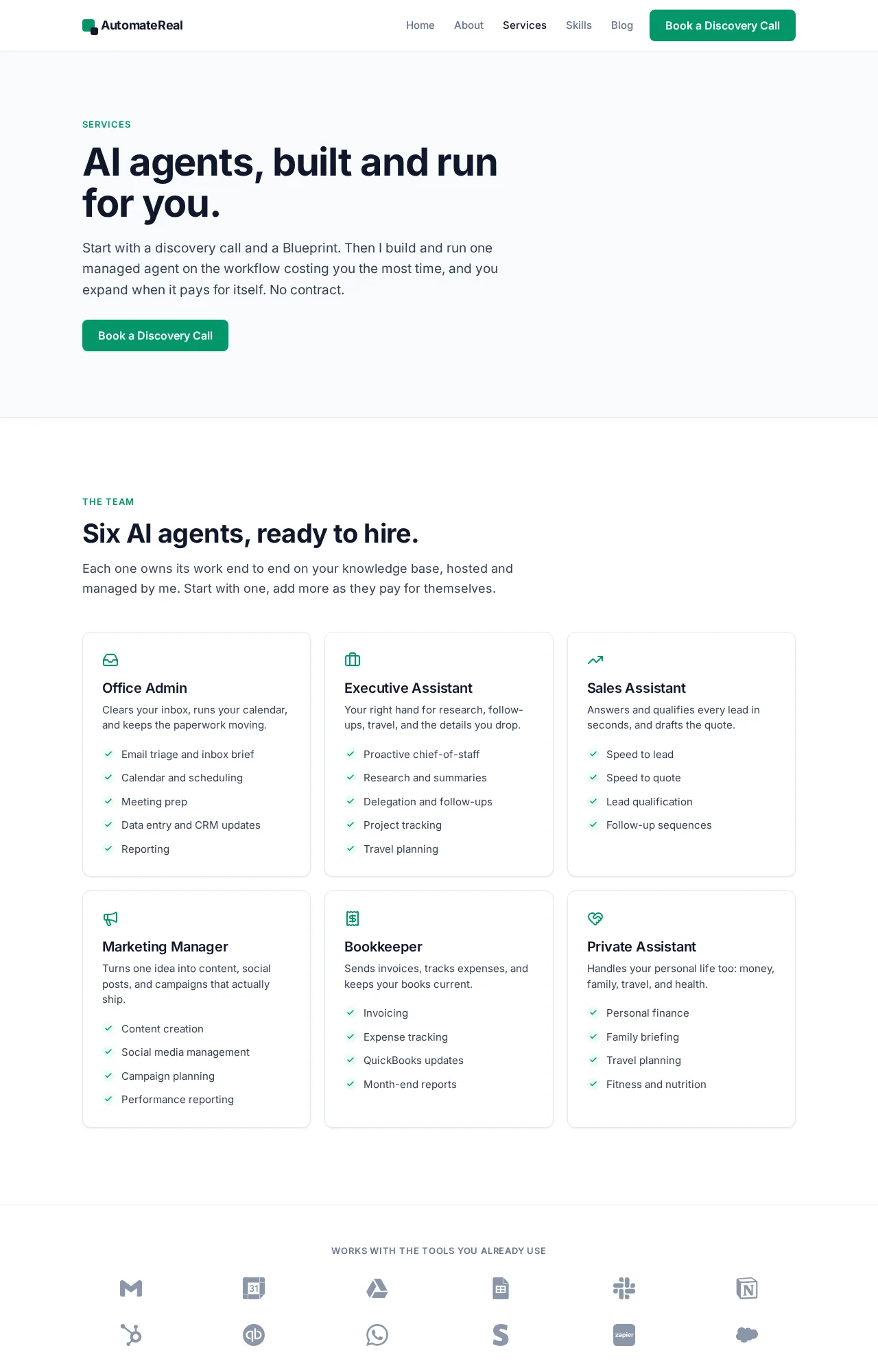 The AI services page, where the discovery call starts.