Claude Code Skills on GitHub: Where to Find and Vet Them
Claude Code skills on GitHub: the official Anthropic repo, the community libraries worth cloning, and how to vet a skill before you install it.
The GitHub topic page for claude-skills listed 10,195 repositories the day I counted. Every one is a folder Claude can read mid-task. A few also run code. A skill can carry a script, and Claude runs that script on your machine with your permissions.
Which Claude Code skills can I find on GitHub, and how do I pick one I can trust?
Claude Code skills live on GitHub in Anthropic’s official anthropics/skills repository and in community libraries such as awesome-claude-skills and VoltAgent/awesome-agent-skills. You install a repo 2 ways. Add it as a plugin marketplace with /plugin marketplace add, or clone it and drop the skill folder into your skills directory.
The 2 pages that rank for this keyword are inventories. One is a repository README, the other a link list with one-line entries. Neither tells you how to choose. This page covers the checks I run on a repo before an install, and how a clone differs from a marketplace add.
TL;DR
- Anthropic publishes 1 repository of skills itself. The rest are community indexes that collect other people’s folders.
- Install in 2 commands,
/plugin marketplace add <owner>/<repo>then/plugin install <plugin>@<marketplace>, or clone the folder by hand. - Check 5 things before you run anything: the license, the last commit, the owner, the bundled scripts, and
allowed-tools. - A skill teaches a workflow. An MCP server hands over tools. A subagent gets its own context window.
Where can I find Claude Code skills on GitHub?
One repository in this field is Anthropic’s own. Everything else is community work. The most-starred indexes are ComposioHQ/awesome-claude-skills, VoltAgent/awesome-agent-skills, and travisvn/awesome-claude-skills.
Those 3 are name-finders. Reading one tells you a folder exists and nothing more, because every entry repeats the same one-line install command. The entries range from a Playwright skill to Trail of Bits security skills and the shadcn/ui component pack.
Single-author collections sit beside the lists, such as alirezarezvani/claude-skills and Jeffallan/claude-skills.
Search GitHub for the term on its own and you land on that same topic page. It carries every repo with the label and sorts them by star count. It stops there. Stars track attention, which is a weak signal for code that runs.
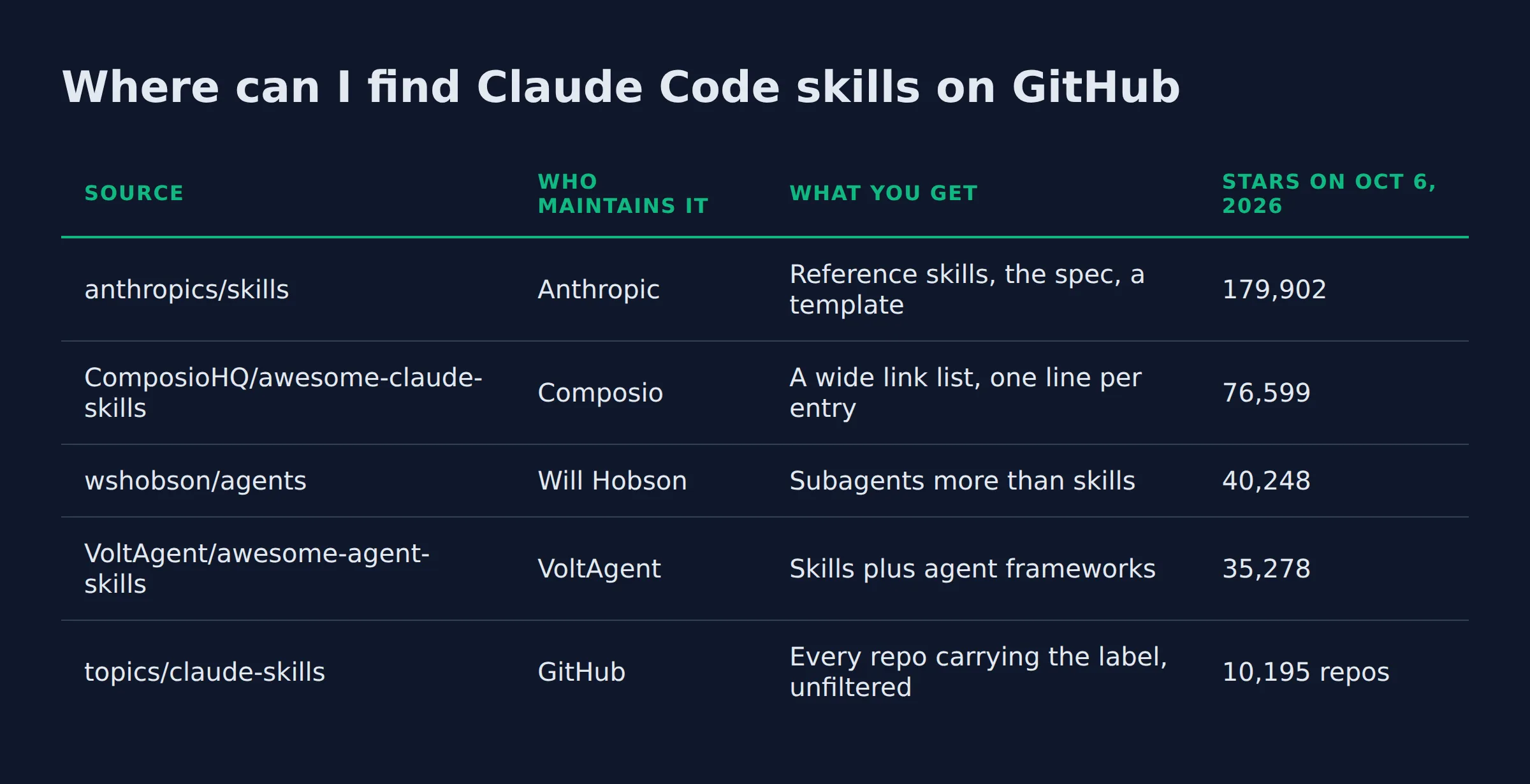
| Source | Who maintains it | What you get | Stars on Oct 6, 2026 |
|---|---|---|---|
anthropics/skills |
Anthropic | Reference skills, the spec, a template | 179,902 |
ComposioHQ/awesome-claude-skills |
Composio | A wide link list, one line per entry | 76,599 |
wshobson/agents |
Will Hobson | Subagents more than skills | 40,248 |
VoltAgent/awesome-agent-skills |
VoltAgent | Skills plus agent frameworks | 35,278 |
topics/claude-skills |
GitHub | Every repo carrying the label, unfiltered | 10,195 repos |
The star counts and commit dates above came from the GitHub API on October 6, 2026. Treat them as a snapshot. A repo that stopped moving last spring is the check that matters more than its star count.
The skills.sh badge on the official repo is the fastest way to confirm you landed on Anthropic’s copy. I keep 2 of those community lists open while I work. I use them the way I use a phone book. Find a name, then leave.
A topic page is a search tool. A list is a reading list. Neither one is a review.
What does Anthropic’s official anthropics/skills repository contain?
The repo holds Anthropic’s own skills. Its document folders come with extra terms. Example skills are open source under Apache 2.0, while the 4 document skills are source-available, so read the license on the folder you want.
The groups run from creative and design work through development and testing. One set covers enterprise communication. The document set is the same code that powers Claude’s file creation, which is why those folders ship as reference examples.
Anthropic’s own README carries the license terms and the install path. Two commands do it. Run /plugin marketplace add anthropics/skills first, then /plugin install document-skills@anthropic-agent-skills for the document set. A partner entry for Notion sits at the bottom of that same page, and the example-skills plugin covers the rest.
The same folders load in Claude.ai, and the Claude API serves them through a /v1/skills endpoint.
Every folder follows one shape. That one file is the whole format. It opens with YAML frontmatter holding 2 fields, name and description. The markdown below is the instruction set Claude follows once the skill matches. The ./spec folder holds the Agent Skills specification, ./template holds the template-skill starter, and the engineering post points to Anthropic’s skills cookbook for worked examples.
I start at the official repo when a task looks generic, because each folder there is short enough to read in one sitting.
The license sits on the folder, not on the repository, so the document skills need a different read than the examples.
How do I install a Claude Code skill straight from a GitHub repo?
A repo installs as a plugin in 2 commands: /plugin marketplace add <owner>/<repo>, then /plugin install <plugin>@<marketplace>. The other path is a clone. Copy the folder into ~/.claude/skills/ for every project, or into .claude/skills/ inside 1 repo.
Both paths end with the same file on disk. The difference is who keeps it current. A marketplace add reads the repo’s .claude-plugin/marketplace.json, so an update can land without you touching anything. A clone stays exactly as you copied it.
| Path | What you type | Where it lands | Updates |
|---|---|---|---|
| Plugin marketplace | /plugin marketplace add <owner>/<repo>, then /plugin install <plugin>@<marketplace> |
Claude Code’s plugin cache, named /plugin-name:skill-name |
Follows the repo’s auto-update setting |
| Clone by hand | git clone <repo-url> |
~/.claude/skills/<skill-name>/SKILL.md, or .claude/skills/ in 1 project |
You, by hand |
| Added directory | /add-dir <path> |
That folder’s .claude/skills/ |
You, by hand |
Claude Code watches your skills folder during a session. Edit a SKILL.md and it reloads. A plugin skill mounts under its plugin name, so one skill can appear twice under 2 names.
If this is your first install, install a skill from a repo walks through the copy step with the folder open.
A clone gives you a frozen copy that only you change. A marketplace add gives you a copy that can change under you.
What should I check in a skills repo before I install it?
Vet a repo on 5 points before you run anything from it. The license comes first. It decides what you can do with the code. Then the last commit date, the owner’s track record, the bundled scripts, and the allowed-tools grant.
Anthropic’s security note on Agent Skills says to install skills only from trusted sources and to audit the bundled files first. A skill can run arbitrary code. The awesome-claude-skills list repeats that warning, so watch the code dependencies and the scripts.
| Check | What passes | What makes me close the tab |
|---|---|---|
| License | Apache 2.0 or MIT in the repo root | No license file, or all rights reserved |
| Last commit | Activity in the last few months | A year of silence on a folder that runs code |
| Owner | A person or vendor with other public work | An account with 1 repo and no history |
| Bundled scripts | Short, readable, no network calls | Obfuscated code, or a script that posts data out |
allowed-tools |
A narrow list, or none at all | Blanket pre-approval of shell and file writes |
The allowed-tools field pre-approves tools for the turn that invokes the skill. That grant clears on your next message. A custom skill that grants itself shell access and file writes is asking for more than the task needs.
The numbers back the checks up. The trailofbits/skills repo ships under CC-BY-SA-4.0, so read those terms before you reuse it. The expo/skills and wshobson/agents repos ship under MIT. The travisvn list pushed last on April 28, 2026, while obra/superpowers pushed the day I checked.
My own lead-gen system takes about 200 form submissions a day. The skills behind it read files and call APIs. Some write rows into my sheets. A bundled script that phones home is a real risk there. That is why I open every script in a folder before the first run.
Stars measure attention. The files that run are what you are trusting.
How are GitHub skills different from subagents and MCP servers?
Four shapes extend Claude. A skill is a folder of instructions Claude loads when a task matches. A subagent runs in its own context window with its own tools. An MCP server is a live process that exposes tools over a protocol.
| Extension | What it is | What it loads | Where it lives |
|---|---|---|---|
| Skill | A folder with 1 SKILL.md |
Name and description first, the body on a match | ~/.claude/skills/, or .claude/skills/ in a project |
| Subagent | A separate agent with its own context | Its own prompt and tool list | .claude/agents/ |
| MCP server | A process that serves tools | Tool schemas into the session | Configured in settings |
CLAUDE.md |
A project brief | Always in the prompt | The repo root |
The 4 shapes stack. Anthropic’s engineering post describes skills as complementary to MCP servers, because a skill can teach the steps that use the tools a server exposes. The Claude Code docs note that custom commands were merged into skills. A file at .claude/commands/deploy.md and a skill at .claude/skills/deploy/SKILL.md both create /deploy.
Load order is the part that matters for a repo you found on GitHub. Only each skill’s name and description load at startup. That is about 100 tokens per skill. The body loads only on a match. That is progressive disclosure, and it keeps a large folder cheap until 1 skill fires.
A skill teaches the steps. MCP hands over the tools. A subagent gives both room without crowding your session.
Can I publish my own Claude Code skills to GitHub?
Publishing your skill costs 1 public repository. A skill is 1 folder with a SKILL.md file whose frontmatter holds a name and a description. Push the folder, and anyone can clone it or add your repo as a marketplace.
Those 2 frontmatter fields are the floor. The folder name is the command. A folder named summarize-changes gives you /summarize-changes. Add a .claude-plugin/marketplace.json file to the repo, and the same folder installs with /plugin marketplace add <owner>/<repo>. That file is the mechanism behind every community list here.
The format is open. Anthropic published Agent Skills on October 16, 2025. It released the format as an open standard for cross-platform portability on December 18, 2025, and the spec is published at agentskills.io for any vendor to implement. That timeline is why nobody has a decade of skill-market experience to sell you.
Git is the normal way to share a skill, because the format is just a folder. The awesome-claude-skills list answers the sharing question the same way. An entry there takes a pull request.
One folder, 2 frontmatter fields, and a public repo is the whole publication process.
What most skills lists leave out
A list stops at the link. What decides whether a skill earns its place is the first session after you install it. No catalog can show you that. Each installed skill adds its description to every turn, so a folder you never use is a tax on each message.
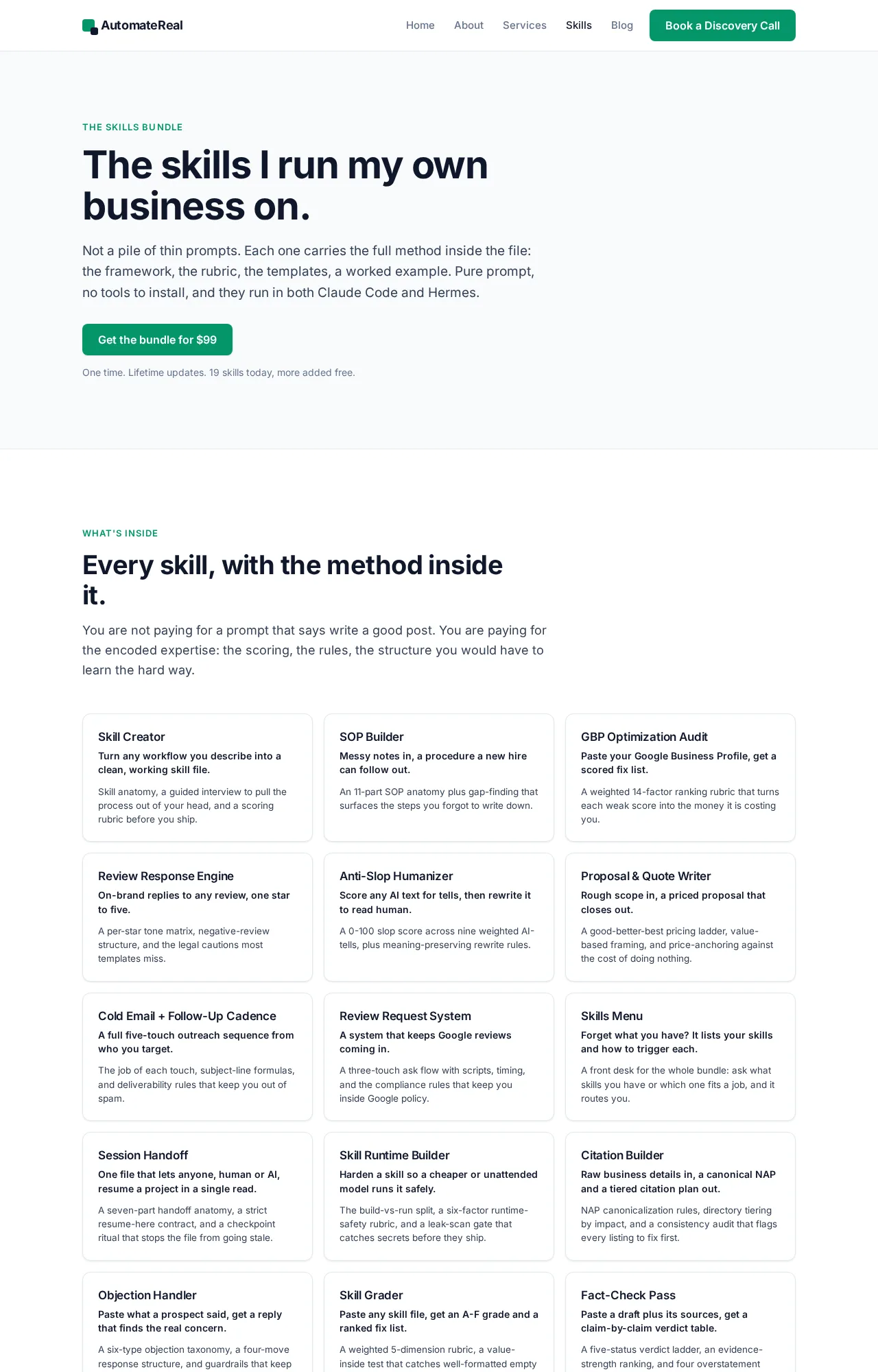
Every skill I run started as a fix in my own week. I sell that set as one bundle for $99 on the skills bundle page, described plainly as all the skills you can eat. I wrote them for myself first.
 AutomateReal skills
The read is short. Install 1 skill, run it on a job you do weekly, and keep it only if it beats doing the job yourself. If you want the wider set of places skills come from, the Claude skills library roundup covers the catalogs beyond GitHub.
I built this page with an agent team that runs on the same format. Those folders are the engine behind it. Pages that only list repositories cannot show you that.
Install 1 skill, run it on a real job, and keep it only if it beats your own hands.
Related: How to Create Claude Code Skills
Related: What Are Claude Code Skills? A Plain-English Guide
Related: The Best Claude Code Skills to Install in 2026
FAQ
Are Claude Code skills on GitHub free, and what license do they use?
Most are free to install, because the files sit in public repositories. Licenses differ. Anthropic’s example skills are mostly Apache 2.0, and its docx, pdf, pptx and xlsx skills are source-available. Community repos range from MIT to CC-BY-SA-4.0.
Can I share or publish my own Claude Code skills on GitHub?
Yes. Push a folder holding 1 SKILL.md file to a public repo, and add a .claude-plugin/marketplace.json if you want it installable by command. The format is an open standard, so the folder travels to other tools.
Where do Claude Code skills live on disk after I install them?
Personal skills live at ~/.claude/skills/<skill-name>/SKILL.md and load in every project. Project skills live at .claude/skills/<skill-name>/SKILL.md inside 1 repo. Plugin skills mount as /plugin-name:skill-name. You do not pick that path.
Do Claude Code skills work as plugins?
Yes. A skill folder that carries a .claude-plugin/plugin.json file loads as a plugin. From there it can bundle agents, hooks, and MCP servers together. Without that file it stays a plain skill.
Start with 1 repo you can read
Pick 1 repository. Read its license and its last commit date. Then install a single skill from it. Run that skill on a job you already do by hand, and keep it only if the result beats your own work.
That habit beats any list, because the only signal that survives a repo going quiet is your own read of the files that run.
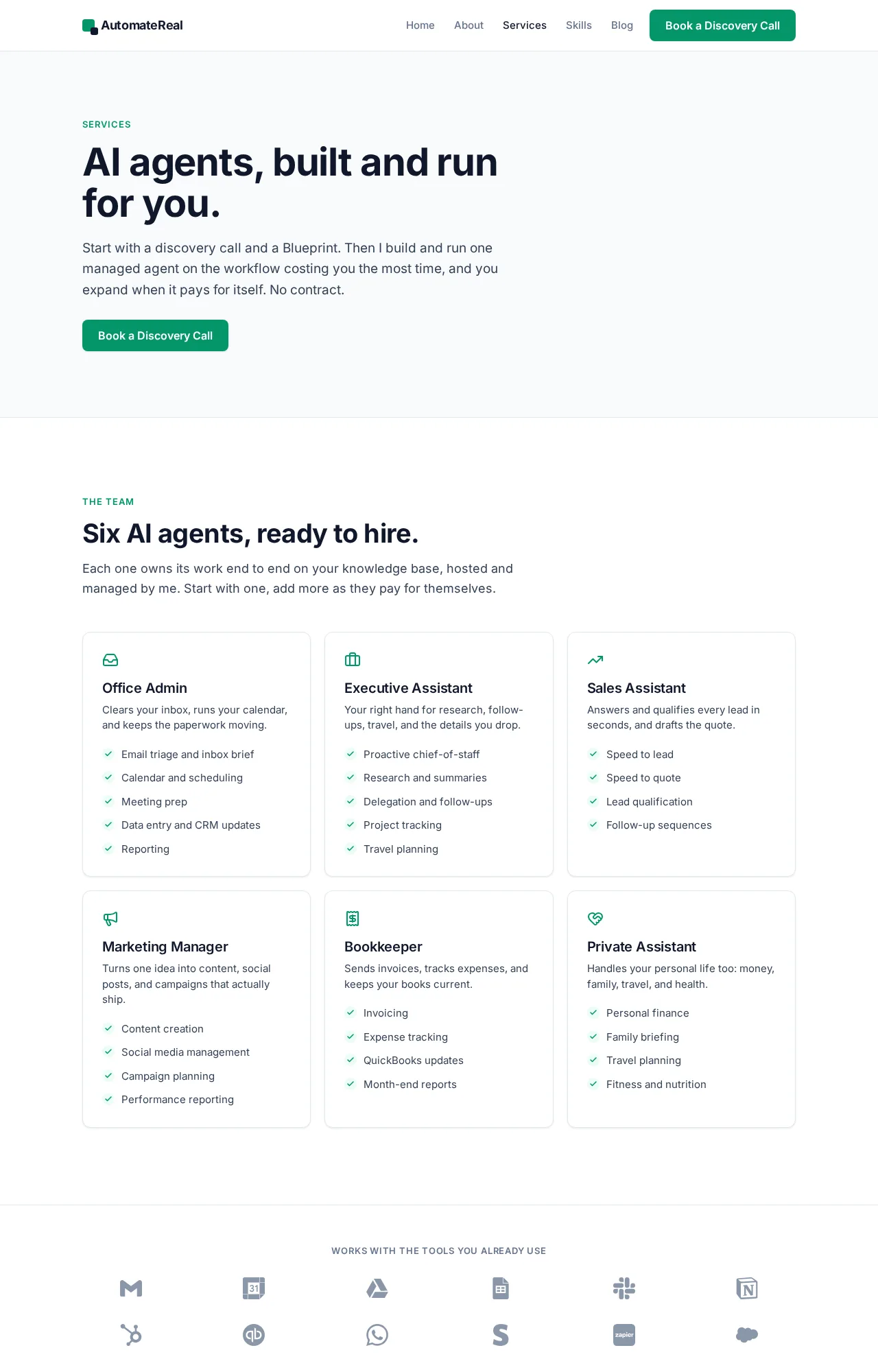
If you want help working out which repo to trust, or which workflow to automate first, a discovery call maps it in about thirty minutes.
 AutomateReal services