Claude Skills Library: Where to Find and Install Them
A Claude skills library holds ready-made SKILL.md folders you install on command. See the biggest libraries and how each one installs.
A catalog can list 114 skills or 229 of them. The count is the one number on the page that cannot help you. What matters is what happens on your machine after you run the install command.
Where do you find a Claude skills library, and how do you install one?
A Claude skills library is a folder of ready-made SKILL.md files you install instead of writing your own. The main sources are Anthropic’s plugin marketplace, public GitHub repositories, and package registries like AIPM. Most install in one command.
Most pages on this search hand you a catalog. This one shows the install, the disk path, and the file you read before you trust it. It also covers the cost a library adds to a session, which a plain listing never shows.
TL;DR
- A library is a folder of ready-made
SKILL.mdfiles. A marketplace is the catalog that lists them. A plugin is the package that carries them. - The biggest libraries: frankxai’s 114-skill catalog, OneWave AI’s 229-skill catalog, and AIPM’s versioned registry.
- A library installs as a plugin in 2 commands:
/plugin marketplace add <owner>/<repo>, then/plugin install <plugin>@<marketplace>. - Personal skills live in
~/.claude/skills/, project skills in.claude/skills/, and plugin skills mount as/plugin-name:skill-name.
What is a Claude skills library?
A Claude skills library is a bundle of SKILL.md folders an agent loads on demand. Each folder teaches 1 task, and the library adds a license, a version, and an install command on top.
Claude skills are a folder containing a SKILL.md file, per the Agent Skills specification. Anthropic developed the format and released it as an open standard, and other agent products have adopted it since.
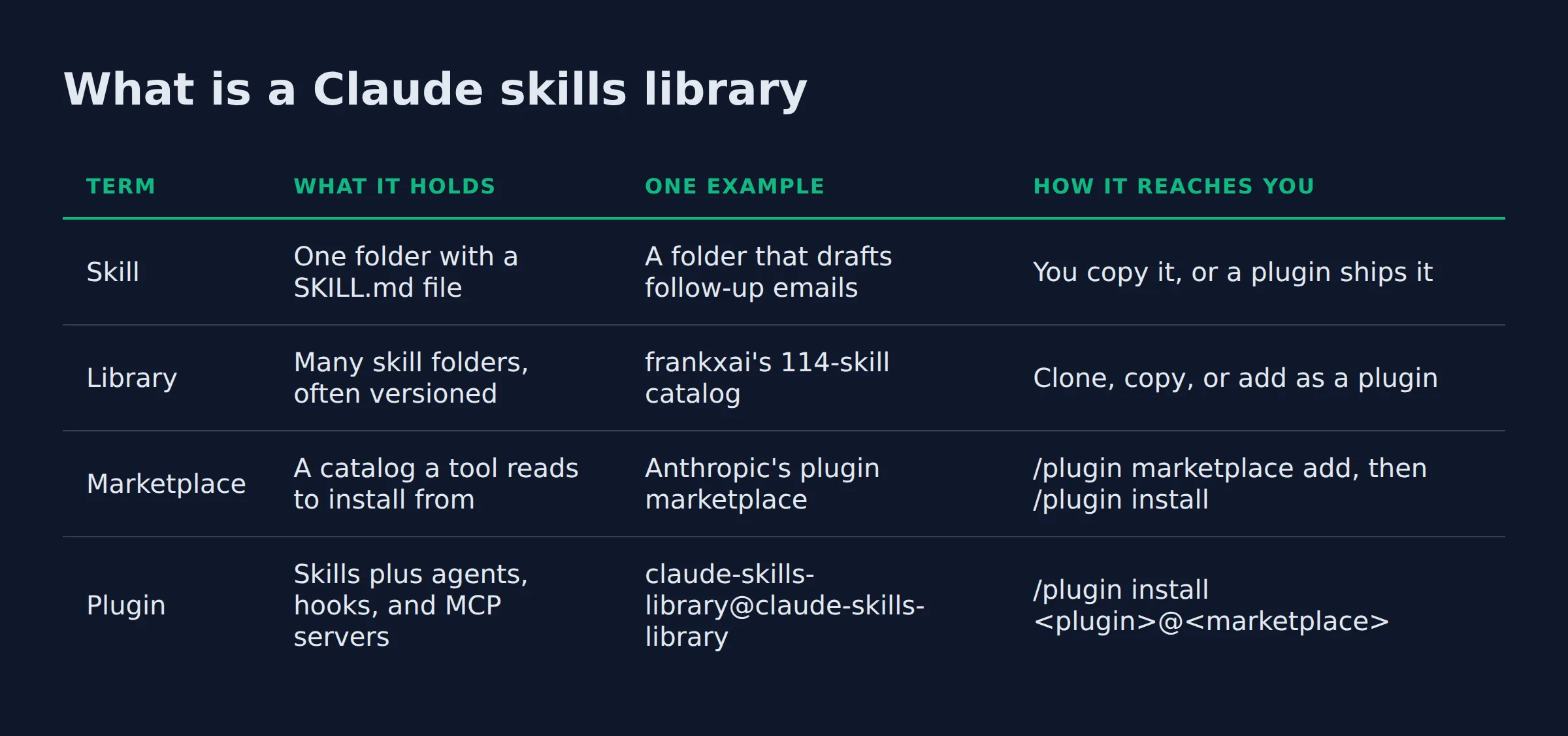
Three words get swapped for each other in this space, so keep them apart.
| Term | What it holds | One example | How it reaches you |
|---|---|---|---|
| Skill | One folder with a SKILL.md file |
A folder that drafts follow-up emails | You copy it, or a plugin ships it |
| Library | Many skill folders, often versioned | frankxai’s 114-skill catalog | Clone, copy, or add as a plugin |
| Marketplace | A catalog a tool reads to install from | Anthropic’s plugin marketplace | /plugin marketplace add, then /plugin install |
| Plugin | Skills plus agents, hooks, and MCP servers | claude-skills-library@claude-skills-library |
/plugin install <plugin>@<marketplace> |
One repository can do 2 jobs at once. frankxai’s library is also its own marketplace, so the same GitHub URL serves both. For the catalog end of this, see the Claude skills marketplace guide.
The format travels across tools. OpenAI’s API docs call a skill a directory of files with a SKILL.md manifest, and Cursor’s docs document the same folder shape. That portability is why one library can promise more than one runtime.
A library holds the folders and a marketplace only lists them, so one repository often plays both roles at once.
Where can you find a Claude skills library?
Claude skills libraries live in 3 places: Anthropic’s plugin marketplace, public GitHub repositories, and package registries like AIPM. Two GitHub catalogs lead on size, frankxai’s 114 skills and OneWave AI’s 229. Aggregators like mcpservers.org collect official skills from vendors such as Anthropic, OpenAI, and Microsoft.
| Library | Size | How it installs | Best for |
|---|---|---|---|
| Claude Skills Library (frankxai) | 114 MIT-licensed skills | /plugin marketplace add frankxai/claude-skills-library, then /plugin install |
Broad coverage with auto-updates |
| OneWave AI claude-skills | 229 skills in 3 pillars | Clone and copy into ~/.claude/skills/ |
Business, life, and coding skills in one repo |
| AIPM registry | Versioned, pinned releases | npm install -g @aipm-registry/cli, then aipm add |
Teams that want pinned versions |
| Anthropic plugin marketplace | Official and partner plugins | Added on your first terminal session | Anything Anthropic maintains |
| mcpservers.org/agent-skills | Aggregated directory | Links out to each vendor’s own repo | Finding a vendor’s official skills |
The Claude Skills Library is the one most people find first. It ships 114 SKILL.md files under an MIT license and installs as a single plugin. Two smaller sets sit beside the full catalog, and you add them with npx skills add frankxai/skills or the creator set.
OneWave AI’s catalog runs 229 skills across business, everyday life, and coding. It stays single-file and zero-dependency, which keeps each skill easy to read.
AIPM treats a skill like an npm package. You pin a version, review the source, then run aipm add against Claude Code or Codex.
mcpservers.org is a directory rather than a library. It groups official skills by vendor, from Anthropic, OpenAI, and GitHub to Microsoft, Cloudflare, Figma, Vercel, and Google Workspace. The same site catalogs MCP servers from names like Notion and Stripe.
Size is the weakest signal a library gives you, so judge one by its maintainer, its license, and its update path.
How to judge a library before you install it
Four checks decide whether a library goes on my machine, and 3 of them take under a minute.
- Who maintains it. A named team and a real commit history beat an anonymous upload.
- What the license says. MIT lets you copy and edit. No license means you cannot legally reuse it.
- How it updates. An auto-updating plugin can change under you. A pinned version cannot.
- What runs code. The
SKILL.mdbody is text. A hook or a script is a command.
That 4-check list is mine, from running my own setup. No directory prints it, and none of the counts above replace it.
A plugin installs more than skills. One install can add agents, hooks, and MCP servers. The install and manage plugins page shows the details panel lists each one before anything reaches disk.
My own outreach pushes about 200 form submissions a day, and I built that system from scratch. A folder I cannot read is a folder I cannot debug on a Sunday night, so I open every one first.
Open the folder and read what executes before you install, because a hook runs commands with your own permissions.
Where does a library put the skills on disk?
Personal skills land in ~/.claude/skills/ and run in every project. Project skills land in .claude/skills/ and run only inside that repository. A plugin mounts its own skills under ~/.claude/plugins/, referenced as /plugin-name:skill-name.
| Where the skill lives | Path | When it loads |
|---|---|---|
| Personal | ~/.claude/skills/<skill-name>/SKILL.md |
Every project on your machine |
| Project | .claude/skills/<skill-name>/SKILL.md |
Every session opened inside that repo |
| Plugin | <plugin>/skills/<skill-name>/SKILL.md |
Wherever the plugin is enabled |
| claude.ai account | Synced to your account | Cowork, cloud, and signed-in terminal sessions |
The Claude Code skills documentation keeps personal skills in ~/.claude/skills/ so they follow you across projects. Project skills live in .claude/skills/ inside 1 repository, and a fresh checkout asks you to accept the workspace trust dialog before it loads them.
Copying is enough for a personal skill. The frankxai library shows that route, a git clone followed by a copy of each folder into ~/.claude/skills/. A plugin skips the copying and mounts the same folders for you.
In a monorepo, project skills load from .claude/skills/ in the folder where you start Claude Code and in every parent up to the repository root. If the install steps are new to you, how to install and run a Claude Code skill walks the first folder end to end.
Use the personal folder for skills you want everywhere, and the project folder for anything tied to 1 repository.
What is inside each skill in a library?
Every skill in a library is 1 folder with a SKILL.md file. The file opens with YAML frontmatter that holds the name and description, plus optional keys like allowed-tools and context: fork. The rest is plain markdown instructions.
| Field | What it does |
|---|---|
name |
The skill’s id, used in /skill-name |
description |
When Claude should fire the skill, the main trigger |
allowed-tools |
Tools the skill may use without a fresh prompt |
context: fork |
Runs the skill in its own subagent context |
disable-model-invocation |
Stops Claude from firing the skill on its own |
The description does most of the work, because it decides when the skill fires. Claude Code truncates the combined description and when-to-use text at 1,536 characters in the skill listing, per the skills docs. A vague description is the usual reason a good skill sits unused.
The rest of the folder loads later, through a pattern the Agent Skills overview calls progressive disclosure. Level 1 is the name and description, loaded at startup. Level 2 is the SKILL.md body, loaded when a task matches. Level 3 is bundled scripts and reference files, loaded only if the skill calls them.
Skills run in a code execution environment with filesystem and bash access, the same overview notes. That is why the body of a library skill deserves a read before it runs on a machine that holds your client files.
A skill’s description is its on switch, so a library lives or dies on how well each description names its trigger.
What a loaded library costs in context
A loaded library costs almost nothing until a skill fires.
Only the name and description of each skill sit in context on every turn. The body and any bundled files load only on a match. That is the same 3-level split above, applied to cost.
So a 229-skill folder will not slow a normal session on its own. The names ride along, and the work stays on disk. Keep the skills you never use out anyway, because every installed skill adds its description to every turn.
Unmatched skills only add a name and a description, so the cost tracks what fires, not what is installed.
Can you publish your own skills to a library?
Yes. A skill you write is the same SKILL.md folder a library ships. Push it to a public repository, add it to a marketplace, or keep it private. Nothing in the format needs Anthropic’s approval.
The Claude Skills Library is one contributor’s public repository, MIT-licensed and open to pull requests. AIPM lets a publisher release a versioned package that others install by name.
Private skills need no repository at all. The 2 folders from the disk section cover it: ~/.claude/skills/ for your machine, .claude/skills/ for your team inside 1 repo.
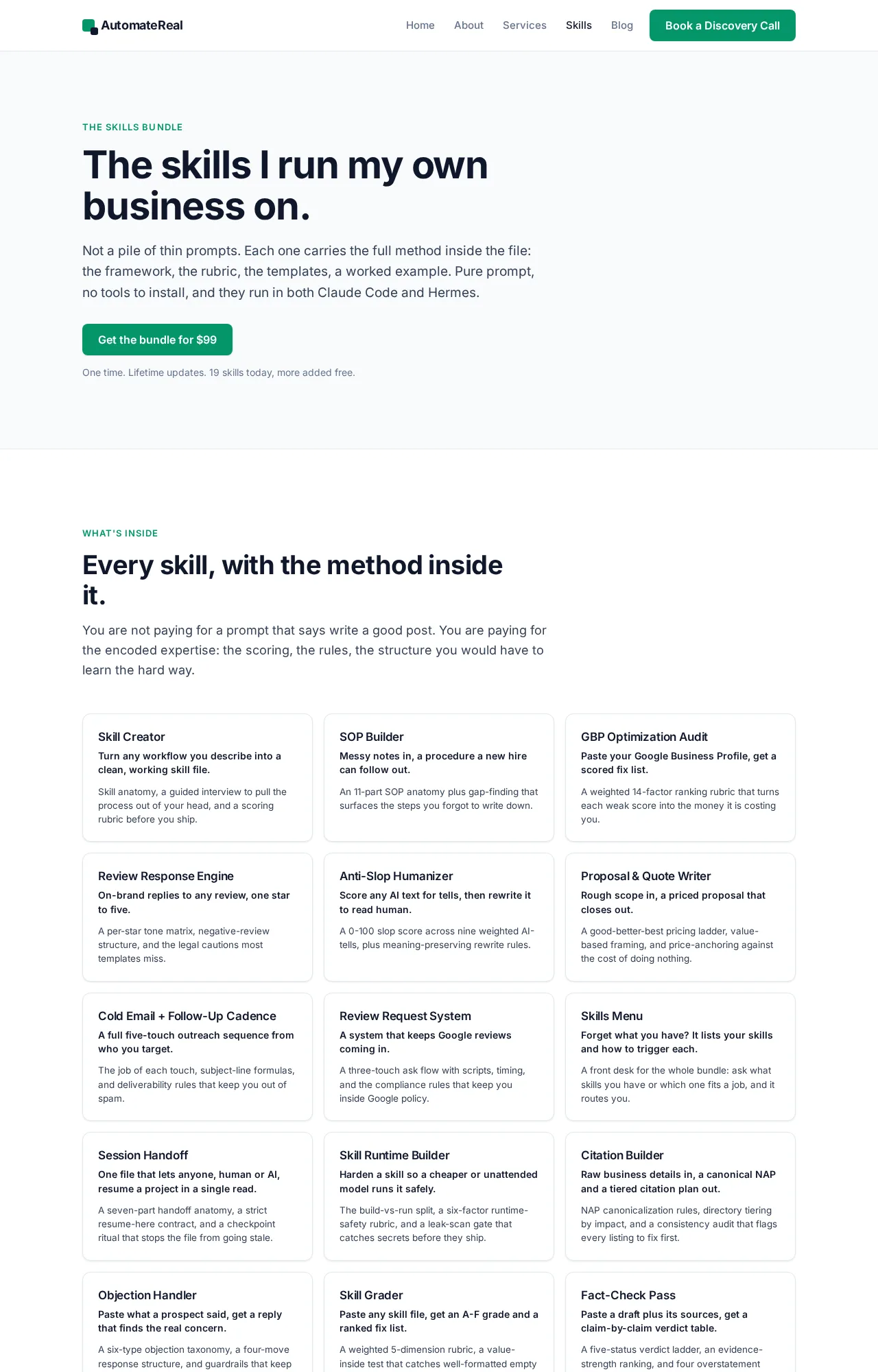
I publish my own set as a skills bundle for $99, all of them. Writing those folders is how I stopped retyping the same instructions every week, and it is the same format every library here uses.
AutomateReal skills
The format is open, so publishing is free and the only gate is whether people trust your folder enough to install it.
Related: Claude Code Skills for Marketing: How to Build One
Related: Claude Skills for Small Business: A Practical Guide
Related: Claude Code Skills for SEO: How to Build One
FAQ
Are Claude skills libraries free?
Most are. The frankxai and OneWave AI catalogs are free and MIT-licensed, and the files sit in public repositories. Money shows up at the edges, through a paid directory plan or a paid bundle. Mine sells all skills for $99.
How many skills can I install before Claude slows down?
There is no published cap. Only each skill’s name and description load at startup, so a folder of 229 costs little until a skill fires. Keep the set you never use out anyway, because each one adds a description to every turn.
Do library skills work in Cursor, Codex, and claude.ai?
The SKILL.md folder travels, because the format is an open standard. OpenAI’s API docs and Cursor’s docs both describe the same folder shape, and claude.ai loads skills from your account. Install commands, plugin mounts, and hooks stay inside Claude Code.
How do I know a skills library is safe to install?
Check who maintains the repository and read the license. Open every file that runs code, because a plugin’s hooks run shell commands with your permissions. A library you cannot read in full is not safe to trust.
What is the difference between a skills library and a skills marketplace?
A library holds the skill folders. A marketplace is the catalog a tool reads to install them, and a plugin is the package that carries them. One repository can be both, which is why the words get swapped.
Start with one library you can read
Pick 1 library and install 1 skill from it. Run it on a real task, then keep it only if it earns the space. That habit teaches more than any catalog count.
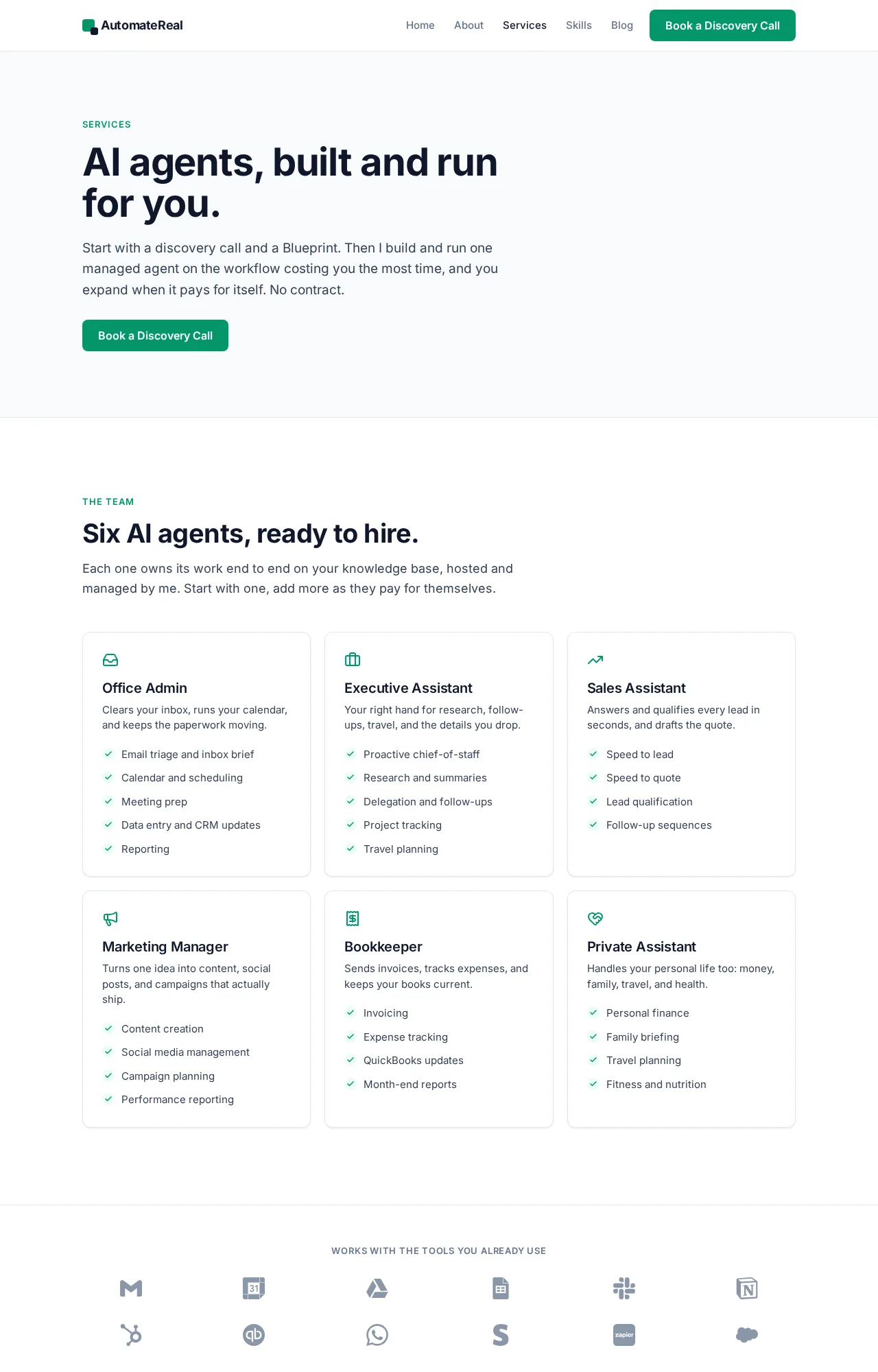
If you want help working out which workflow to automate first, a discovery call maps it in about thirty minutes.
AutomateReal services