Gemini Agent Mode: What It Is and What It Costs
Gemini Agent Mode plans and runs multi-step tasks across your Google apps. Here is what it does, which Google AI plan you need, and where it stops short.
You pay for a Google AI plan and still clear the same inbox and admin work by hand. The setting that changes that is one toggle most owners never open.
Gemini Agent Mode is Gemini running a task instead of answering a question. You give it a goal, it plans the steps, and it works through them across your Google apps and the web. It checks with you before major actions. It needs a paid Google AI plan, not the free tier.
The pages that rank for this term are Google’s marketing copy, which skips the price. The Cloud docs are written for engineers. This is the owner’s version.
TL;DR
- Gemini Agent Mode is Gemini finishing a task instead of replying to a question.
- It is not free. The cheapest plan that runs it is Google AI Pro at $19.99 a month.
- The always-on version is called Gemini Spark, and it works in the background on schedules you set.
- It stops at the edge of your Google account. A task that writes to your CRM needs a built agent.
What is Gemini Agent Mode?
Gemini Agent Mode is Gemini set to complete a task instead of answer a question. You state the goal, it splits the work into steps, and it acts in your Google apps and on the web until the job is done.
Google announced an Agent Mode for the Gemini app at I/O 2025. The same keynote added Project Mariner, the browsing agent that can now oversee up to 10 tasks at once. A feature called Teach and Repeat learns a plan from one demonstration.
The first version was experimental and subscriber-only.
The consumer name for the always-on version is Gemini Spark. Google describes it as a 24/7 agent that works in the background even when your phone and laptop are off, always under your direction.
Three pieces make it run: Tasks, Skills and Schedules. A skill records how you want a repeated job handled. A schedule decides when it fires.
The Gemini agent also pulls from Connected Apps, chats, Personal Intelligence and sites you are signed into. Tom’s Guide points owners at the Agent Mode toggle in the prompt bar. That toggle turns on Reasoning Chains on Gemini 3.1 Pro, the behavior that splits a goal into a dozen smaller steps.
Owners still hunt for it. On a Google support thread, a Pro subscriber asks where the agent tool went, and 13 other people clicked that they have the same question.
One feature, several names: Agent Mode in the app, Gemini Spark on its own, Project Mariner in the browser.
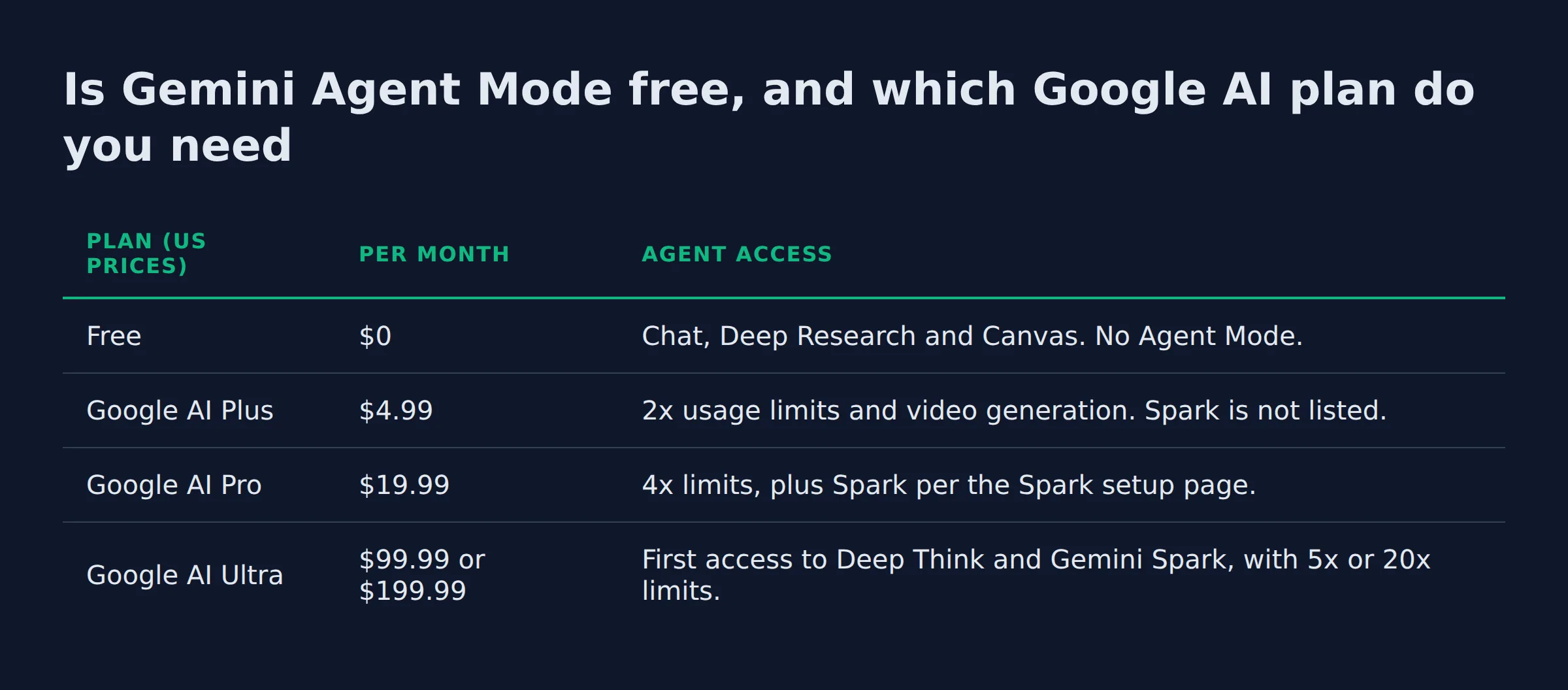
Is Gemini Agent Mode free, and which Google AI plan do you need?
No. Every agent feature sits behind a paid plan. Gemini Spark needs Google AI Pro at $19.99 a month or Ultra from $99.99, a personal Google account, and Activity on.
Google’s own US pricing page lists four tiers. The free row carries no agent access at all.
| Plan (US prices) | Per month | Agent access |
|---|---|---|
| Free | $0 | Chat, Deep Research and Canvas. No Agent Mode. |
| Google AI Plus | $4.99 | 2x usage limits and video generation. Spark is not listed. |
| Google AI Pro | $19.99 | 4x limits, plus Spark per the Spark setup page. |
| Google AI Ultra | $99.99 or $199.99 | First access to Deep Think and Gemini Spark, with 5x or 20x limits. |
Two changes landed at I/O 2026. Google launched a $100 a month AI Ultra plan for developers and technical leads. It also cut the top Ultra tier from $250 to $200. That post lists Spark on the Ultra tiers and marks it US only.
The rest of the requirements are narrow. Google’s page on what you need to use Gemini Spark names four. Be 18 or over, and sign in with a personal Google account.
You also need a Pro or Ultra plan, and Activity has to stay on. Work and school logins are excluded. So are the EEA, Nigeria, Switzerland and the UK.
A company that needs agents on a managed work account gets pointed at Gemini Enterprise agents instead.
A personal account on a paid plan is the gate. A work or school login does not qualify.
What can Gemini Agent Mode do for a small business?
It clears the admin that lives inside Google apps. The jobs that fit include inbox triage, meeting notes, document drafting and booking research. All of it runs in your own account, under your direction.
| Job an owner hands off | What the agent does | What still needs you |
|---|---|---|
| Inbox triage | Summarizes Gmail, archives newsletters, drafts replies | The send. AI Inbox in Gmail is US only. |
| Meeting follow-up | Takes notes, pulls the action list, drafts the recap | Very little. This is the safest first job. |
| Quote and invoice chase | Drafts the follow-up from the thread, sets a reminder | Any write into your accounting tool. |
| Booking and research | Compares options in a browser, books travel, makes reservations | Payment details, entered by hand. |
I run a local SEO agency, so my week looks like yours. Follow-up, quotes and a queue of small admin jobs fill it.
My own lead-gen runs on an automated system that takes about 200 form submissions a day. That stack taught me where the line sits. An agent handles the step with one right answer. A person keeps the step that ends in a send.
Start where the right answer is obvious. Inbox triage and meeting notes qualify. Client email does not.
The handoff line I use before an agent gets a task
I let an agent own a job when I can check its output in under a minute. When a job ends in a send, I keep that last step myself.
Three questions decide it for me:
- Does the job end in a write to a system that matters, like a CRM or an invoice? Then a person approves the last step.
- Can I check the output in a minute or less? If not, the agent moved the work around instead of removing it.
- If it fails quietly, will I find out without opening the tool? If not, it needs a check I actually run.
I build free sites for prospects before they pay, so I live in the last mile of a job. The final 10 percent is where the hours hide, and it is the part an agent gets wrong first. That is why every automation I keep has an owner and a check attached.
Let the agent do the work. Keep the send.
How do you turn Agent Mode on, and which apps does it connect to?
You turn it on inside Gemini, with the toggle in the prompt bar. Then you describe the goal in plain words and let it work. Every app connection starts switched off, so you enable Gmail, Calendar or Drive yourself.
Spark connects natively to your Google apps. Gmail, Calendar and Drive cover the admin work. Docs, Sheets, Slides, YouTube and Maps sit on the same list.
Those connections are off by default until you turn them on in settings.
For web tasks, auto browse is the piece to know. It is experimental and US only. You also need a personal account on a Pro or Ultra plan.
Auto browse needs Safe Browsing set to Enhanced or Standard. It does not run in Incognito or on iPhone and iPad. Google also notes that only Spark in desktop Chrome can drive your local browser, and that it may use a separate remote browser instead.
Connections start off. Until you turn one on, nothing in that app gets read.
Which Gemini “agent mode” is which: app, Chrome, Code Assist, Android Studio?
Four products carry the same words. Agent in the Gemini app runs consumer tasks. Auto browse runs web tasks in Chrome, and Code Assist agent mode edits code inside an IDE. Android Studio Agent Mode builds Android apps.
| Where the words appear | What it runs | Who it is for |
|---|---|---|
| Gemini app | Gmail, Calendar and Drive tasks, plus browsing | You |
| Gemini in Chrome | Multi-step web tasks in a tab, US only | You |
| Code Assist | Code edits in VS Code and IntelliJ | Your developer |
| Android Studio | Multi-stage Android work, with approval per change | Your developer |
| Gemini Enterprise | Workflow Builder, Agent Studio, ADK | The business |
People search Gemini Agent Mode vs Code Assist because the names collide. In agent mode in Code Assist, your prompt goes to the Gemini API with a list of available tools. The agent plans edits across files before it touches them.
You approve that plan first, and MCP servers extend what the agent can reach.
Android Studio Agent Mode takes a high-level goal and changes several files. It waits for you to accept or reject each change, and it reads an AGENTS.md file for project rules.
The business side runs on the no-code Workflow Builder, Agent Studio, the Agent Development Kit and the Agent2Agent protocol. All of it is listed on Google’s Gemini Enterprise agents page.
If you are the owner and not a developer, only the first two rows are yours.
Where does Agent Mode stop and a built agent start?
Agent Mode stops at the edge of your Google account. It cannot post into your CRM, your invoicing tool or a niche app, and it does not know your business rules. A built agent is wired into those systems on purpose, with your rules and your approvals.
Google is direct about the failure modes on its own pages. The setup help page warns that Gemini can still make mistakes, and tells you to steer clear of tasks you find sensitive.
It adds that if a schedule runs while you are offline, you may not be able to stop an unintended action.
The gap shows up as soon as the job leaves Google. Your quotes live in a quoting tool. Your invoices live in accounting. Your leads live in a CRM. A toggle in an app cannot reach any of those.
I built the pipeline that wrote this post: five agents, each with a written brief and one fixed job. That is what a built agent looks like, a system with your rules in it.
ChatGPT’s agent runs in the same shape on the other side, and it also asks permission before actions of consequence while letting you take over the browser.
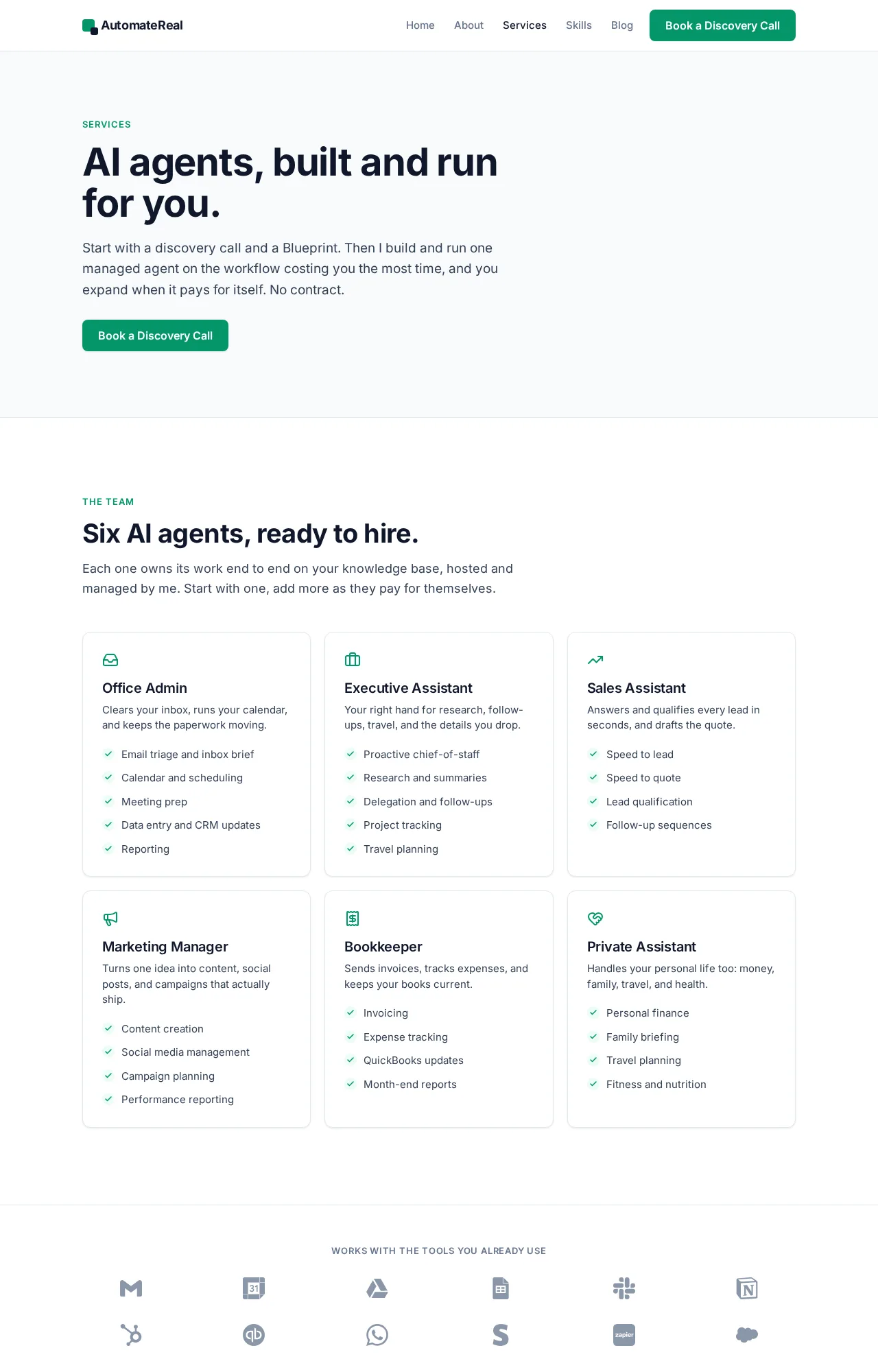
If the job you want off your week touches your quoting, your invoicing or your CRM, that is a build. The AI services page is where that starts.
AutomateReal services
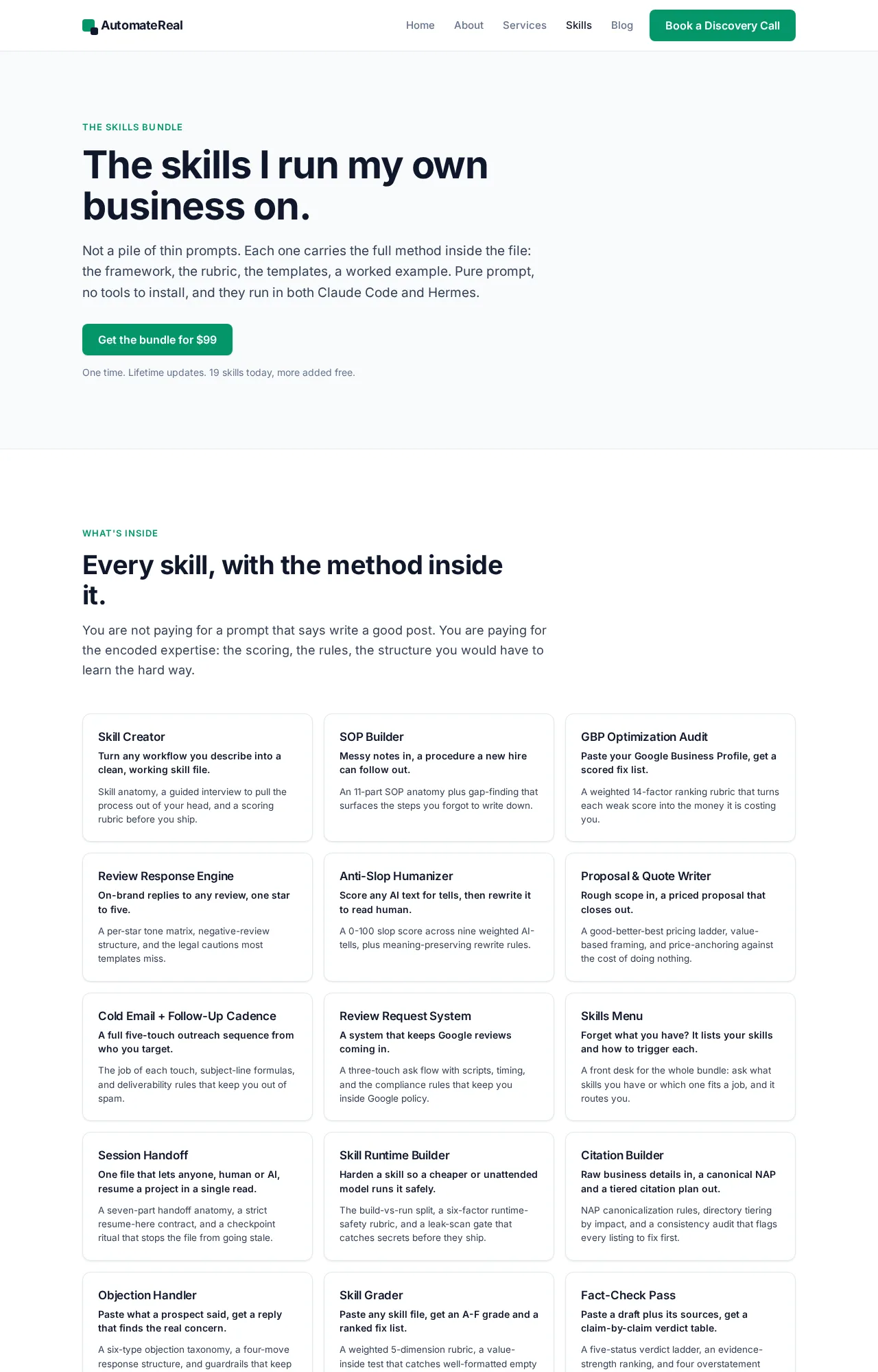
For the wider picture, see AI agents for small business and the real AI agent examples for a small business. The skills I run my own pipeline on sit at automatereal.com/skills, all of them for $99.
AutomateReal skills
A mode in an app is a starting point. A task that has to write to your CRM is a build.
Test it on one job before you build anything
Pick one job you do every week, run it through the agent for 5 working days, and log the minutes you spend fixing its output.
Keep the log simple: the job, the day, what it got wrong, and the minutes to correct it. Compare that total to the time the job used to take. A job that takes 20 minutes by hand and 14 minutes of fixes is just moving work around. A job that takes 40 minutes and needs one correction is worth keeping.
Give it the messy version on purpose. Real inboxes hold threads with 9 replies and a customer who changes their mind twice. A clean test tells you nothing useful about your own week.
The fix count decides it, not the demo.
FAQ
What is the Gemini AI agent?
The Gemini AI agent is the part of Gemini that acts instead of replying. Google’s consumer version is Gemini Spark. It takes a task like inbox triage or research, plans it, and runs it inside your own account.
Gemini Agent Mode is not available to me, why?
Check the account first, then the plan. Spark wants a personal Google account and a Pro or Ultra subscription. Activity must be on, and you must be 18 or over. It also will not run in the EEA, Nigeria, Switzerland or the UK.
Does Gemini Agent Mode work in Chrome?
Yes, as auto browse, and only under conditions. It needs a US location and a personal account on Pro or Ultra. Safe Browsing must be at Enhanced or Standard. Incognito is out, and so are iPhone and iPad.
Gemini Agent Mode vs ChatGPT agent mode, which should a small business use?
Start with where the files already live. Gemini’s agent reaches Gmail, Calendar and Drive with nothing more than a settings toggle. A Google-run business gets there first. If your work sits in someone else’s web app, the browser decides it, and both products pause for your approval before they act.
Can Gemini Agent Mode run tasks while I am offline?
Yes, that is what a schedule is for. Google notes that a schedule can run while you are away. It warns that you may not be able to stop an unintended action if it fires while you are offline.
If you want help finding that first workflow, a discovery call maps it in about thirty minutes.