A Practical Guide to Building Agents for Small Business
OpenAI's guide covers design and guardrails. This is the small business version: what to build first, what it costs, and what breaks in week two.
You already know which job you would hand off first. It lands at 9pm, it comes back tomorrow, and it has been on your list for a year.
Most agent guides are written for a product team with an engineer and a staging server. This is the owner’s version, written from the systems I actually run. The lead intake handles around 200 form submissions a day, and the bid-sourcing agent posts to a team chat every morning.
Building an agent takes 3 parts: a model, tools, and written instructions. Pick one repeated task. Connect the 2 or 3 apps it touches. Write the rules and the edge cases, then run it with a person checking the output. One agent first. A platform can wait.
TL;DR
- An agent picks its own next step. A workflow follows the path you wrote. That one difference decides which one your task needs.
- The build is 3 parts: model, tools, instructions. Anything past that is upkeep.
- The setup month costs more than the software. Training, integration, and data work are where small firms underspend.
- My first shipped agent posted the same record twice and linked a directory page where an apply link belonged. A person caught both.
What counts as an agent, and what is only automation?
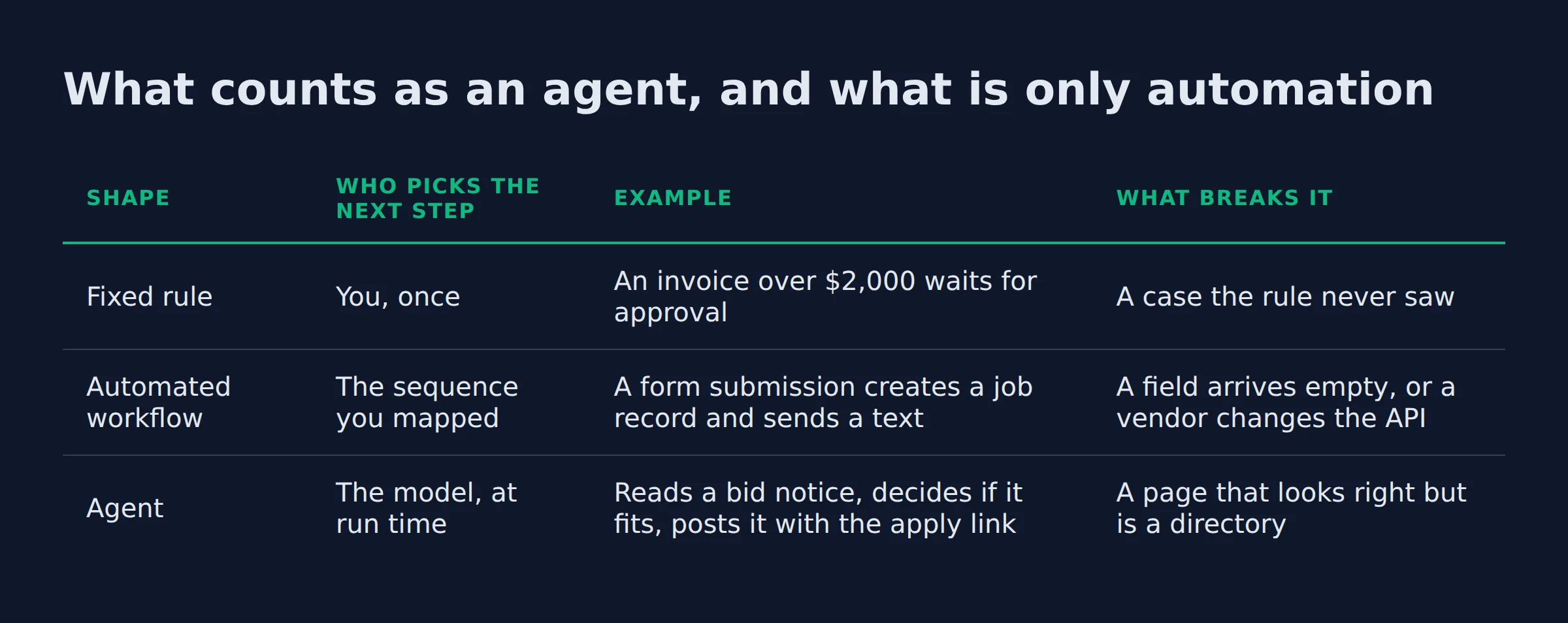
An agent chooses its own next step and its own tool. Automation runs a path you fixed in advance. When a surprise arrives, automation stops and an agent picks a new route.
Anthropic draws the line in the same place in its agent design guidance. Workflows orchestrate models through predefined code paths. Agents direct their own process and tool use, so the decision moves from your map to the model.
That difference has a price. Anthropic notes that agentic systems trade latency and cost for better results on open-ended tasks, and it recommends the simplest option that clears the bar.
| Shape | Who picks the next step | Example | What breaks it |
|---|---|---|---|
| Fixed rule | You, once | An invoice over $2,000 waits for approval | A case the rule never saw |
| Automated workflow | The sequence you mapped | A form submission creates a job record and sends a text | A field arrives empty, or a vendor changes the API |
| Agent | The model, at run time | Reads a bid notice, decides if it fits, posts it with the apply link | A page that looks right but is a directory |
This is where most agentic ai for business projects fall over. The agent does real work for days, then meets a page that looks like the one it knows and posts the wrong link.
If the task needs a fresh decision every time, you need an agent. If the path never changes, a rule is cheaper and easier to keep alive.
When should you build an agent instead of a rule?
Build an agent when the rules have grown into a pile of exceptions, when the input is messy text or a document, or when the call depends on context. If you can write the path down once, skip the agent.
The test for when to build an ai agent comes from OpenAI’s practical guide to building agents. It names 3 cases:
- Decisions with nuance and exceptions
- Rulesets that have become unwieldy to maintain
- Work that leans on unstructured data
The guide adds a check before you commit, because a fixed solution often does the job for less.
The step most owners skip is the boring one. Small firms trail large ones furthest on robotic process automation, a 16.7 point gap in the Census Bureau’s BTOS survey, SBA data on small business AI use.
Plain automation is the work that never got mapped. An agent stacked on an unmapped process fails faster.
A rule is the cheapest test of whether you understand the task. Write it, watch it fail, then decide whether the failure was a missing branch or a missing judgment.
Write the rule first. Whatever still needs a judgment call after that is agent work.
What are the three parts every agent needs?
Every agent is a model, a set of tools, and written instructions. The model reasons, the tools touch your systems, and the instructions say what it does and never does. Memory and a stop condition sit on top of those 3.
OpenAI’s guide lists the 3 core components. It splits tools into data tools that read, action tools that change something, and orchestration tools where one agent calls another. The tool calls run on function calling, where the model returns a structured request instead of prose, and the Agents SDK ships that pattern in Python.
| Part | What it is in your business | Where it usually goes wrong |
|---|---|---|
| Model | The engine that reads the request and picks the next step | You pay for the largest model on a job a smaller one handles |
| Tools | The connections to your inbox, CRM, sheet, or calendar | A permission expires and nobody notices for a week |
| Instructions | The written rules, including what the agent never does | The edge cases were never written down |
Anthropic describes the same block with the additions that make it work: an LLM augmented with retrieval, tools, and memory. Retrieval, or RAG for retrieval augmented generation, means the agent looks something up before it answers.
Memory splits into short term and long term. Short term is the context window it sees right now. Long term is the stored state it carries between runs.
Multi-agent setups take 2 shapes. A manager agent routes work to specialists, or agents hand off to each other in a chain. Both add failure points, and the same guide advises one agent first.
Model choice is the part people overthink. OpenAI suggests building the prototype on the strongest model to set a performance baseline, then swapping smaller ones in where quality holds. The comparison you make that swap against is an eval: a fixed set of test cases you run before and after every change.
Input shape matters too. Models now take multimodal input, meaning text, images, and audio. That is the difference between an agent that opens a scanned work order and one that asks a person to retype it.
How to build an ai agent for a small business starts with those 3 parts. The click-by-click build, with the 4 steps and the tool list, is in how to build an AI agent step by step. This page covers what happens after the first successful run.
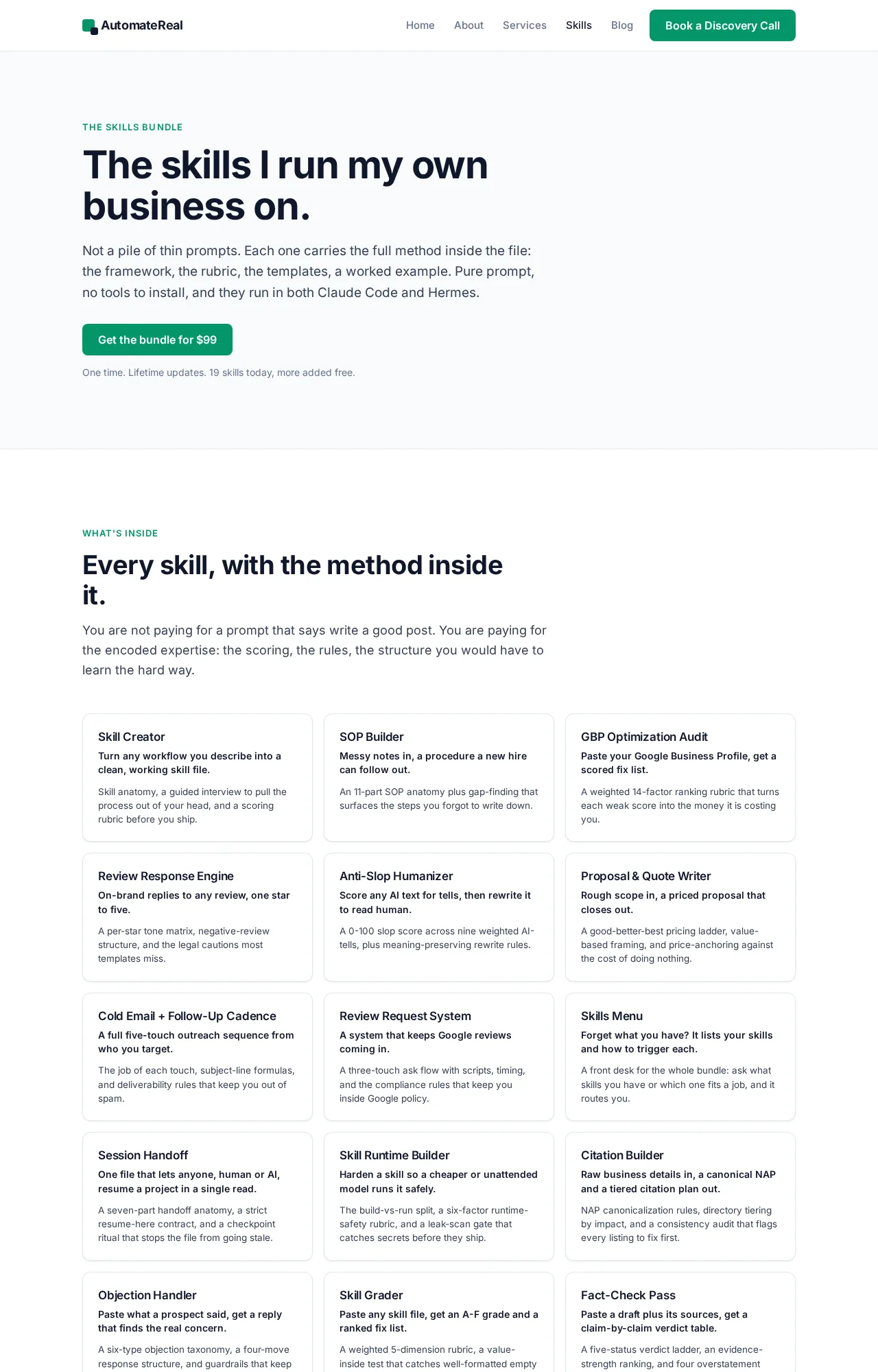
The AutomateReal skills page: the 3 parts packaged as a build.
Most first builds fail in the instructions. That is good news, because instructions are a text file you can edit.
What does an agent cost to build and run?
The software bill is the small line. Model usage and one tool plan are monthly. The real cost is the setup month. That month covers the mapping, the rules, and the data cleanup.
The ai agent cost for a small business has 2 shapes, and only one of them shows up on a pricing page. Published software prices are easy to compare, which is why they get all the attention. The spend that decides whether a build pays off is the setup work.
About half of the small firms already using AI invested nothing in it, small firms skip the setup spend. That count includes staff training, capital spending, and process work. Where the money does go, small firms trail large ones by:
- 8.6 points on training staff
- 5.2 points on hiring a vendor or consultant to integrate the tools
- 4.2 points on changing how data is collected and managed
Those 3 lines are what makes an agent reliable, and they carry the widest gaps in the SBA’s comparison with large firms.
| Line | Billed by | What moves the number |
|---|---|---|
| Model usage | Tokens in and out | Length of your instructions and the size of the documents it reads |
| Tool access | The app’s own plan | How many seats need write access |
| Build time | Your hours or a builder’s | How many edge cases exist |
| The weekly check | Someone’s attention | How many exceptions the gate catches |
Models bill by tokens, the chunks of text they read and write. That is why model usage is the line owners cannot predict at first. A routine stuffed with examples costs more per run than a short one.
Budget the month of mapping and rule writing before you compare software prices. That month decides the return.
Which agent should you build first?
Build the one with daily volume, a document or message behind every case, and a person who already reads the output. Intake work and first replies beat anything customer facing and hard to undo.
The scale question resolves fast. Among small firms already using AI, the average number of use cases is 2.0 against 2.1 at large firms, the SBA’s survey data.
One working agent puts you level with the middle of the field.
I started with intake because it passed all 3 tests. The first version sorted those submissions with rules I wrote by hand, and anything that matched no rule reached me. That queue turned out to be the useful part.
The ai agent examples for small business worth building first are unglamorous:
- Quote and estimate requests
- Invoice coding
- Review replies
- Bid and RFP screening
- Appointment reminders
Each one arrives with a document or a message, repeats daily, and produces an output a person can read in seconds.
The ordering logic, and why a sales agent rarely goes first, is in which agent to build first.
A first agent should fail in front of you. A customer should never be the one who finds the mistake.
What guardrails keep an agent inside its lane?
Guardrails are the checks a run passes before it acts. They flag off-topic or unsafe input, strip personal data, and cap what each tool can touch. Use several, because one rarely holds alone.
OpenAI’s guide lists the layer types a small build can copy:
- Relevance classifier, which flags requests outside the agent’s job
- Safety classifier, which catches jailbreaks and prompt injection
- PII filter, which vets output for personal data
- Moderation, which flags harmful input
- Tool safeguards, which rate each tool low, medium, or high risk by read versus write access and financial impact
- Rules-based protections, such as blocklists, input length caps, and regex filters
- Output validation, which checks the answer against your format and brand rules
The tool rating is the one to steal first. A tool that reads a sheet is reversible. A tool that sends a message or moves money is not.
Prompt injection and excessive agency are 2 of the top LLM application risks, OWASP LLM Top 10. Prompt injection is someone hiding an instruction in text the agent reads. Excessive agency is an agent holding more permission than the job needs, which is why the tool rating matters more than prompt wording.
NIST frames the whole exercise as 4 functions: govern, map, measure, and manage, NIST AI Risk Management Framework. The mapping step pays off fastest for a small business. Write down what the agent reads, what it changes, and who hears about it when it acts.
I keep one action off my agents. A final quote never leaves without a person sending it. A wrong number in a quote is a promise, and the agent cannot un-promise it.
OpenAI reaches the same conclusion from the other side, listing payments and large refunds as actions that keep a human in the loop until trust is earned.
Give the agent the smallest permission set that still finishes the job, and put a person in front of anything that writes.
The review gate I run on every output
Every record my agents produce passes 4 checks before a person acts on it, in the same order, every time.
My first shipped agent taught me why. One morning it posted the same bid notice twice. On another run it posted a link to a directory page where the apply link belonged.
Both errors were plain to a reader and invisible to the agent. It had done exactly what its instructions allowed.
| Check | What a miss looks like | What fixed it for good |
|---|---|---|
| Right record | The same item posts twice | A dedupe key built from the source and the posting ID |
| Right link | The link opens a directory, not the application | A rule that only public, apply-able links pass |
| Right recipient | The post lands in the wrong thread | A fixed channel map, checked at run time |
| Right state | A row says sent before it sent | A status field the agent writes last |
None of those 4 fixes came from a vendor. Each one came from a person reading the output and asking why it looked wrong.
That is the part a vendor guide cannot hand you. The gate is a list of checks, and the list grows every time something slips through. After a month, the gate is your quality bar, written down where the agent can read it.
Every miss the gate catches should become a rule, so the same miss cannot ship twice.
What breaks in week two, and what keeps it running?
Three things break: a connection dies when a vendor changes its API or a password rotates, the input changes shape, or volume passes the limits you set. The fix is a run log, a fixed set of test cases, and an exit condition on every loop.
The same guide describes each run as a loop that needs exit conditions. Those are a tool call, a structured output, an error, or a maximum number of turns. It also recommends a failure threshold that hands the task to a person once retries run out.
The ai agent maintenance list is short:
- A run log, or audit log, that records what the agent read, what it changed, and when
- An eval set of real cases you re-run after any instruction or model change
- A retry cap with a handoff when the cap is hit
- One named owner for the weekly check
The weekly check is 4 questions, answered from the log:
- Did every run finish?
- Did anything post twice?
- Did every link open the right page?
- Is anything sitting unhandled for more than a day?
4 straight answers, each yes or no. Without the log, the same check is a guess about work you cannot see.
Maintenance is 4 questions asked weekly. The rebuild starts the week nobody asks them.
Should you build it, buy it, or have it built?
Buy when a seat inside software you already pay for covers most of the job. Build when the task is narrow and you can own the weekly check. Pay someone to build it when the task is narrow and nobody has the hours.
The build vs buy ai agent question has a boring answer: start with the shape that has the fewest moving parts.
Microsoft lists the Copilot Business add-on at $18 per user per month on the yearly plan, down from a $21 list price. Business Standard with Copilot sells at $23.50 on the yearly plan, Microsoft’s published Copilot pricing.
| Option | Published cost | Who owns upkeep | Best when |
|---|---|---|---|
| A seat inside software you already run | $18 to $23.50 per user per month for the Microsoft plans above | The vendor | The work happens inside email, documents, and meetings |
A no-code builder such as n8n or Copilot Studio |
The tool’s plan plus model usage | You | The task touches 2 or 3 apps and the flow rarely changes |
| A framework build, such as LangChain or the Pixeltable Pixelagent blueprint in Python | Builder hours plus model usage | You or your builder | The logic is unusual and the task crosses systems |
| A done-for-you build | Priced per project | The builder, for a set window | Nobody in the business can own the weekly check |
The last row is what the AI services page covers: one workflow scoped, built, and handed over with its log. The builder stays reachable for the week a connection breaks.
There is a fifth case worth naming. When legacy software has no API at all, computer use is the fallback. A model drives a screen like a person, and Anthropic publishes a computer use reference implementation that runs slower than an API by design.
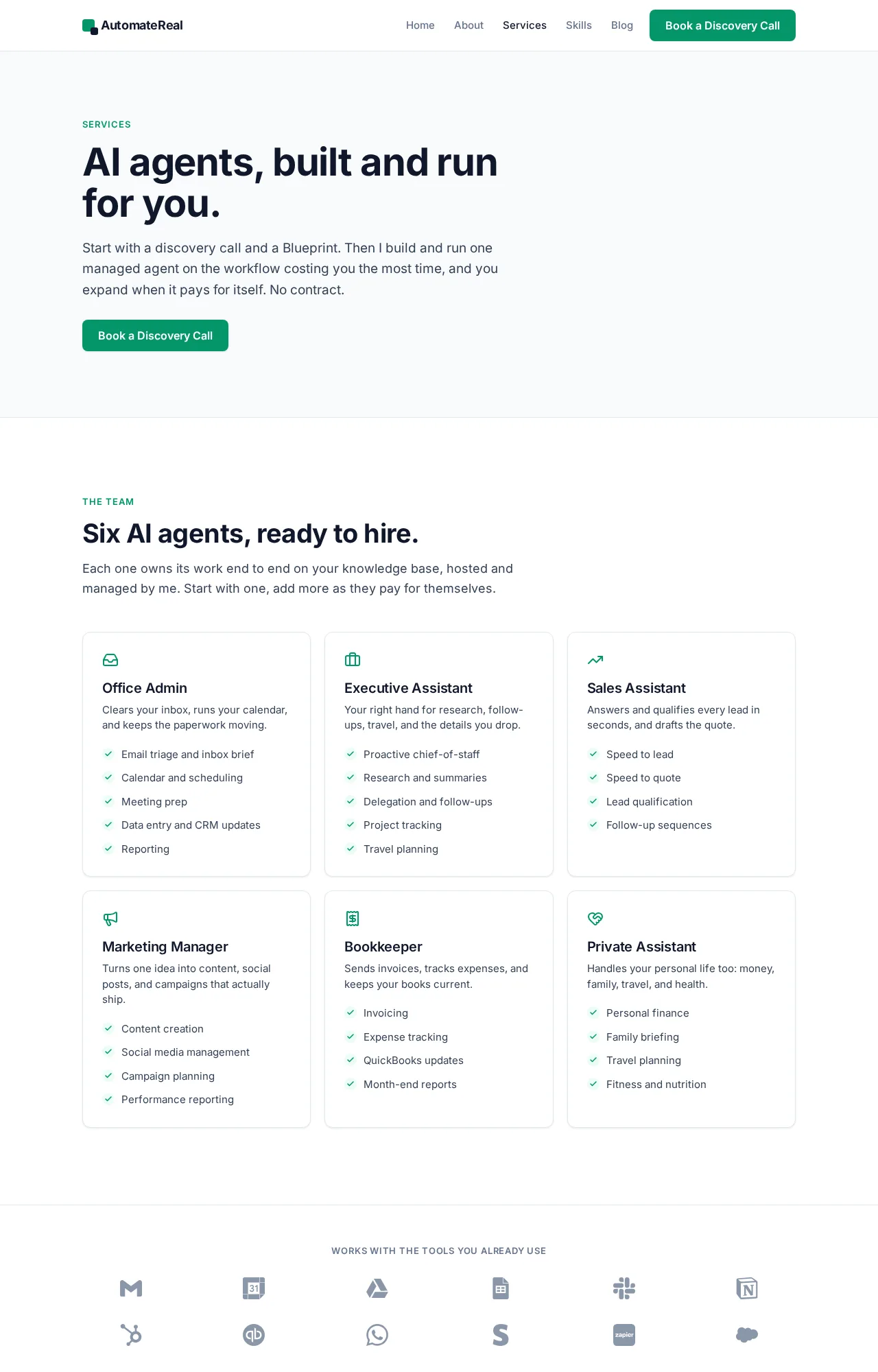
The AutomateReal services page: one workflow scoped, built, and handed over with its log.
A seat fixes the work inside one app. A build fixes the work that crosses 3, and it needs an owner.
FAQ
Do I need to know how to code to build an agent?
No. A no-code builder covers an agent that works inside 1 or 2 apps. Code enters when the task crosses systems, needs custom checks, or has to run on a schedule you control.
The 3 parts are concepts you can describe in plain English. What you cannot skip is the writing: the instructions, the edge cases, and the test cases.
Can I build an agent for free?
You can start free on a tool trial or a self-hosted builder. Model usage is the first real cost, and it shows up as soon as the agent runs on live work.
Free tiers buy the software. The mapping, the instructions, and the check are still yours to do.
How long does it take to get one agent running?
A single-app agent can run on real work the same week. Trust takes longer than the build, which is why the first month runs beside a person.
The build is the short part. The month of supervised runs is where the edge cases show up and become rules.
Can an agent work inside the software I already pay for?
Yes, in 2 ways. The app publishes an API the agent calls, or an MCP server exposes it in a standard shape. Where neither exists, computer use drives the screen.
MCP, the Model Context Protocol, is the connector standard Anthropic introduced to reach outside tools. It saves writing a custom connector for every app.
What is the difference between an agent and an automated workflow?
A workflow repeats the steps you mapped and fails the same way each time. An agent adapts to a messy case and can also wander off. That is why an agent needs a review gate and a stop condition.
One workflow, written down properly, with a person watching the first month, is the whole job for most owners. If you want help finding that first workflow, a discovery call maps it in about thirty minutes.