AI Agent Use Cases: What They Are and Which Pay Off
AI agent use cases: the jobs agents take over in customer support, sales, marketing and admin, which ones pay off first, and what they cost to run.
A form comes in at 6:15pm with a phone number and a one line job description. It sits unread until morning, and by then the homeowner has booked someone else.
Search “ai agent use cases” and the top result runs about 4,500 words across agriculture, disaster response, and hospital administration. Good reading for a hospital. Thin help for a 6 person shop that wants to stop losing quotes.
Most lists of AI agent use cases are written by people who have never run one on a Tuesday. This is the plain version.
AI agent use cases cluster around four jobs: answering customers, chasing leads, producing marketing content, and keeping records current. In a business under 20 people, four use cases pay off first. Missed call text back, quote follow up, appointment booking, and invoice reminders.
That is the catalogue in one paragraph. The rest of this page maps each use case to a job you already pay someone to do.
TL;DR
- Four buckets cover nearly every AI agent use case: customer support, sales and outreach, marketing and content, and internal operations.
- Small shops get paid fastest from four cases: missed call text back, quote follow up, appointment booking, and invoice reminders.
- The famous agents you can name, like Waymo, Netflix, and Siri, are consumer and enterprise products. None of them is a template you can copy into a shop under 20 people.
- Plan on 20€ to 50€ a month for the tool and under a cent per text, n8n’s pricing and Twilio’s US SMS rates show.
What are the most common AI agent use cases in 2026?
AI agent use cases fall into four buckets: customer support, sales and outreach, marketing and content, and internal operations. Inside each bucket sits one job any business can run and one that needs a data team.
Both taxonomies are worth knowing. IBM sorts its cases by industry and function, then by the five central agent types it defines.
Domo counts seven types, from simple reflex agents up to multi-agent systems that coordinate across a network. The bucket decides the risk, and the type decides how much watching it needs.
Here is the work inside each bucket, with one case under it:
- Customer support. Ticket triage, tier-1 questions, and order status. Domo points to Intercom and Zendesk as the platforms shipping support agents, and Olostep puts the average resolution rate for support agents at roughly 67 percent, in its workflow roundup.
- Sales and outreach. CRM lead enrichment is the standard case, where the agent gathers public signals and fills the fields a rep would type by hand, per Olostep’s list.
- Marketing and content. Content creation sits high on both lists, and IBM’s function breakdown covers it from drafted posts to campaign copy.
- Internal operations. Password resets, records, and the Slack pings that ask where a document lives. The Census Bureau now measures AI use across 15 business functions, including finance, customer service, and marketing, in its business survey.
Two more buckets turn up in the enterprise catalogues and rarely in a shop under 20 people. Software work is the first, where agents like Cursor and Devin write and review code for engineering teams. Internal search is the second, where a tool like Glean answers questions from the company’s own documents.
Internal search runs on retrieval, and agentic RAG lets the agent decide what to look up before it answers. Olostep’s guide files that pattern under knowledge retrieval rather than agent work. For the planning loop underneath, the agentic AI breakdown is the place to start.
Pick the bucket before the tool, because the bucket decides who has to approve the output.
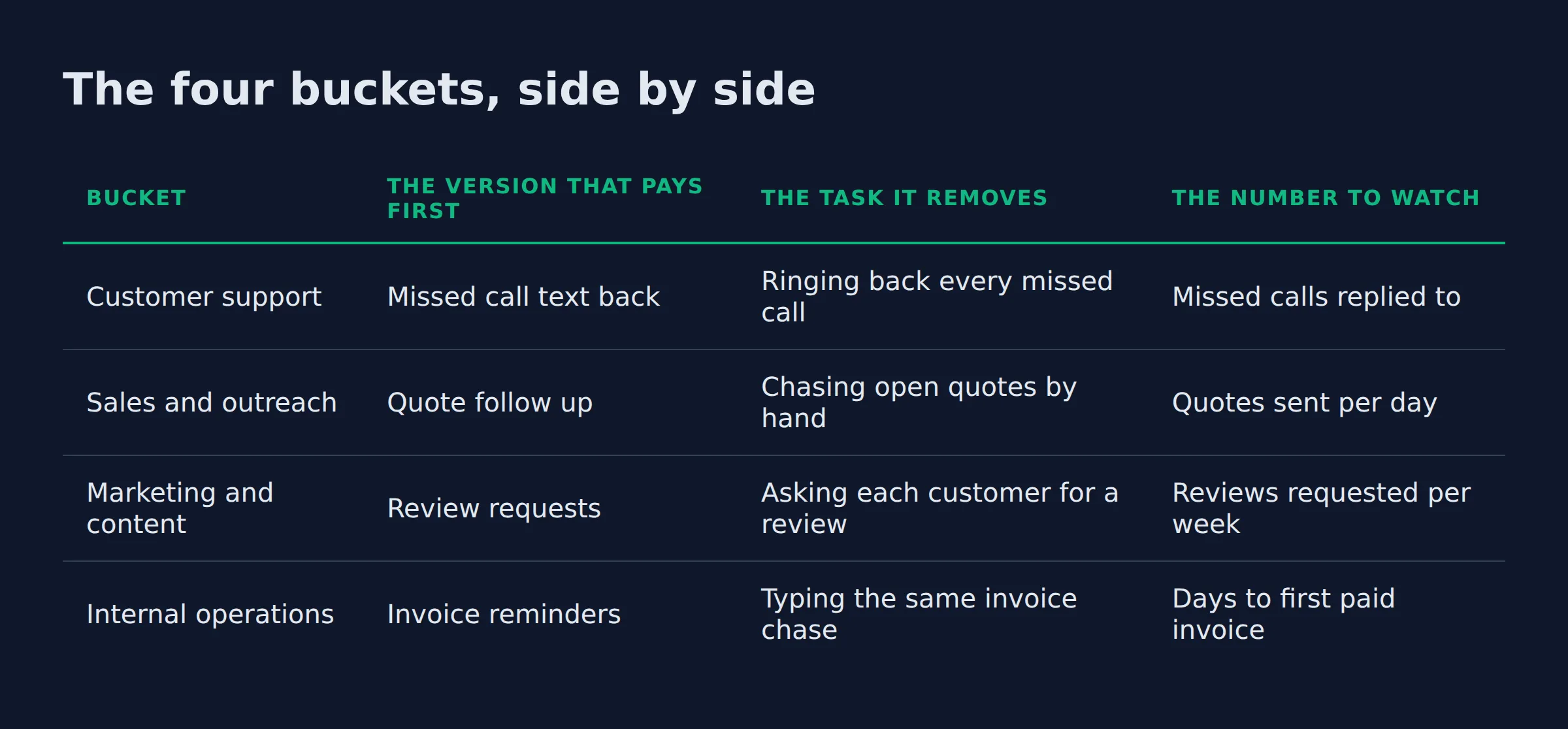
The four buckets, side by side
Here is the whole catalogue in one table, with the version a 5 to 15 person business actually runs.
| Bucket | The version that pays first | The task it removes | The number to watch |
|---|---|---|---|
| Customer support | Missed call text back | Ringing back every missed call | Missed calls replied to |
| Sales and outreach | Quote follow up | Chasing open quotes by hand | Quotes sent per day |
| Marketing and content | Review requests | Asking each customer for a review | Reviews requested per week |
| Internal operations | Invoice reminders | Typing the same invoice chase | Days to first paid invoice |
Read the third column as the job, not the software. Every row in that table is a task someone is paid to do today, which is why these four pay back and the exotic ones wait.
Which AI agent use cases pay off in a business under 20 people?
Under 20 people, four use cases pay off first. Missed call text back, quote follow up, appointment booking, and invoice reminders. Enterprise cases like fraud detection and supply chain planning need data a shop this size does not have.
Firm size decides which cases pay back, and the Census Bureau’s business survey shows the gap. AI use across US businesses hovered between 17 and 20 percent from December 2025 to May 2026. The national rate was 19.8 percent on May 3, 2026, per the Census Bureau’s report on how many small businesses actually use AI.
At the top of the range, 37 percent of firms with 250 or more employees said they use AI. Fewer than 20 percent of firms with four or fewer employees said the same.
Those two numbers sit in the same report as AI use by firm size. That breakdown found use rising among firms with 20 or more employees and flat below that line.
The AI agent use cases for small business that fit this size are the follow up ones. Each reads a form, a calendar, or an invoice you already have, and none of them needs a new data set.
How agents fit a business this size is the subject of the AI agents for small business pillar. It walks the build, buy, and managed paths.
Small shops win on follow up. Nobody pays you back for a dashboard, and every unanswered quote is money walking out the door.
How do these use cases map to the jobs a small business already hires for?
Every use case here maps to a job someone already does. Missed call text back and quote follow up sit on a sales assistant, invoice reminders sit on a bookkeeper, and review requests sit on a marketing manager.
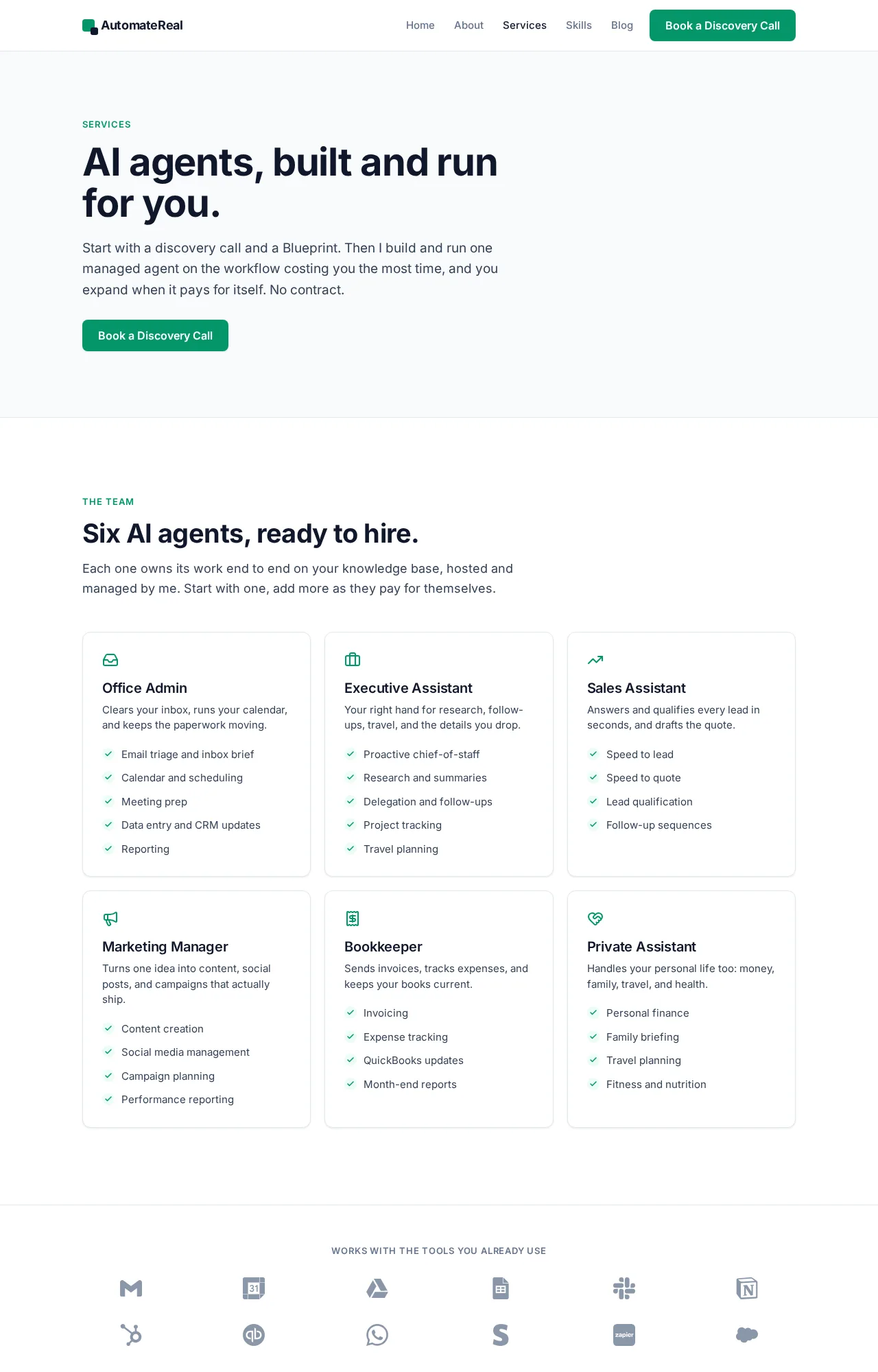
The six jobs below are the productized agents we build and run, and each one is scoped as a job rather than a tool:
- Sales Assistant. Takes speed to lead and speed to quote. The agent answers the missed call by text, qualifies the job, and drafts the quote so the owner only approves it.
- Bookkeeper. Takes invoice reminders, expense notes, and the QuickBooks update nobody wants to type every week.
- Office Admin. Takes inbox triage, CRM entry, and the meeting prep that eats a Monday morning.
- Marketing Manager. Takes content drafting, review requests, and the weekly Google Business Profile post.
- Executive Assistant. Takes research, follow ups, and travel planning.
- Private Assistant. Takes the personal side: family logistics, travel, and money admin.
Those six are the AI agent use cases for business that replace a paid task, and they are laid out on the AI services page. You do not need six to start. Pick the one attached to the task that costs you money when it slips, and let the rest wait.
AutomateReal services
Keep month one to one use case. For what that looks like inside a real shop, AI agent examples carries the case level detail.
Map the use case to a payroll line before you map it to a tool. If nobody is paid to do the task today, the agent has nothing to give back.
What I run on my own business
Two of the four buckets run on my own systems right now. The first is lead follow up.
About 200 form submissions a day land in my outreach system. The follow up runs on autopilot, one reply per form, with no queue of “I will get to it tonight”.
The second is content. The SEO team that wrote this post runs on my own site. Five agents hold it up: a researcher, a planner, a writer, a reviewer, and a publisher.
It ships a post a day. That is one use case in the marketing bucket, and it is the one I would have called impossible two years ago.
I also build free websites for prospects before they pay, and that work carries the same lesson as the follow up agent. The fastest reply and the live site do the same job, which is to show an owner you are real before a competitor calls back.
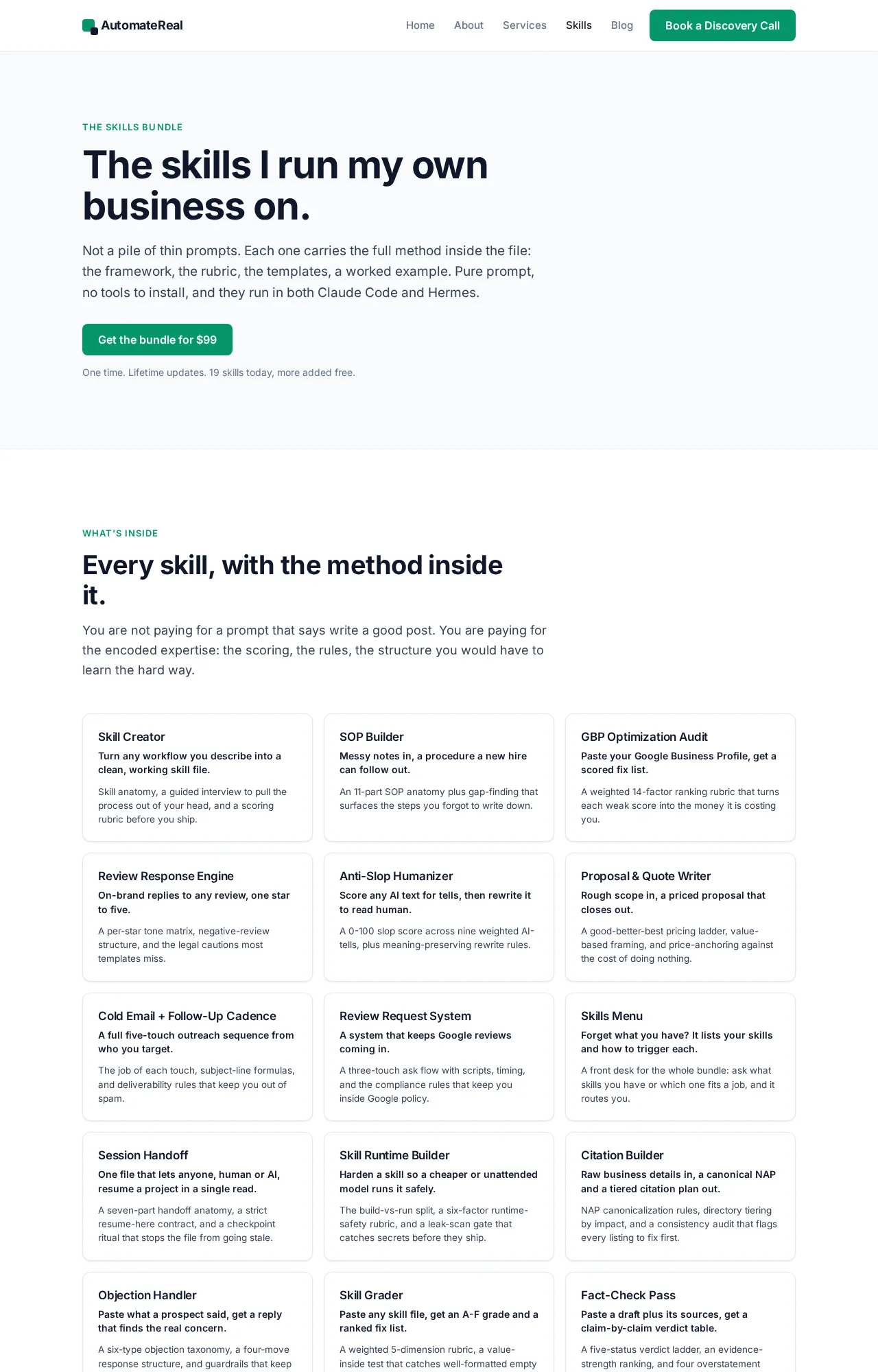
The prompts and workflows I use daily are on the skills page, all of them for $99. The bundle exists because the workflow is the part that pays.
AutomateReal skills
The use case on my own desk wins on timing. It replies in under a minute, which beats every clever thing a competitor might write later.
Which AI agent use cases are overrated, and which should a business skip first?
Skip three things at the start. Fully autonomous customer service with no approval gate. Open ended research with no fixed output. Any workflow where a mistake cannot be undone. Gartner expects more than 40 percent of agentic AI projects to be cancelled by 2027.
Those three share a shape. Each one hands the agent a decision a person used to own, and gives it no way to ask for help.
Olostep’s account of why AI agent projects fail after the demo points at the same thing, since teams reach for fully autonomous customer facing work before the internal workflows hold. The same page reports 57 percent of respondents with agents in production against 25 percent of enterprise AI initiatives hitting expected ROI.
The agents you can name from those articles are consumer and enterprise products. Waymo drives cars, Wealthfront builds portfolios, and Netflix and Spotify rank what you watch next.
Siri, Alexa, and Apple Maps answer or route, and Domo files those as utility based and learning agents. A Roomba is the textbook simple reflex example, which is also why it is a bad model for an invoice chase.
The best AI agent use cases for a small shop are the four in the table above. The rest of the answer is what to leave alone.
Domo notes that healthcare agents answer to HIPAA and financial ones to SOC 2, and those gates apply to a 6 person shop too. Keep a human in the loop on pricing, refunds, and anything a customer would be angry to learn was automated.
The demo is the tell. A use case that only looks good in a five minute video is usually one where the agent talks to customers with nobody checking.
How fast does a use case pay for itself, and how do you measure it?
A follow up use case usually pays back inside the first month, because it returns hours and recovers jobs that were already lost. Four numbers cover it. Hours returned per week, missed calls replied to, quotes sent per day, and days to first paid invoice.
Running a use case costs less than most owners guess. n8n charges 20€ a month on Starter for 2.5K workflow executions billed annually. The Pro plan is 50€ a month for 10K executions, its pricing page shows.
Twilio bills $0.0083 for each 160-character US SMS segment, plus $1.15 a month for a long code number. Carrier fees add $0.0035 at AT&T and $0.0045 at T-Mobile, per Twilio’s US SMS pricing.
Run the same math on my own volume. One text per form at 200 forms a day is $1.66 a day in message fees, which lands near $50 a month before any tool bill. I started with follow up because that is the number I could check in a week.
The number an owner watches in week one is missed calls replied to the same hour, because they can feel that one. Hours returned per week needs a month of data before it means anything.
Days to first paid invoice is the slowest measure and the most honest of the three. A useful AI agent case study reports those four numbers and the month they arrived.
Pick the metric you can check in a week. Days to first paid invoice is the one that shows whether a use case earned its keep.
FAQ
What does one AI agent use case cost to run per month?
Expect a tool bill in the tens of euros a month, plus message or API fees. A missed call setup that fires 1,500 texts a month pays $12.45 in message fees at $0.0083 a segment. Add the upkeep that no subscription covers.
How is an AI agent use case different from a chatbot or plain automation?
An agent picks the next step and takes it across your tools. A chatbot answers inside one window, and plain automation replays the order you recorded, as Domo’s agent examples explain. The agentic AI breakdown carries the longer version.
Can I run any of these use cases for free, or build one without code?
Yes, both. n8n ships a free self-hosted Community Edition, its pricing page confirms. No-code builders like Zapier and Make let you wire an agent by hand.
The free tier covers the tool. Your hours cover the setup, and the fixes when an app changes.
Do AI agent use cases look different at enterprise scale?
Yes, and the difference is data plus headcount. IBM groups its cases by industry and function and sells the orchestration layer as IBM watsonx. Its own research shows 80 percent of executives raising agentic AI investment, with total spend nearly tripling by 2027.
Vendors like ServiceNow, Salesforce, and Airtable bolt agents onto systems those teams already run, and Glean takes the internal search slot.
Can these use cases work for personal use instead of a business?
Some do. Olostep lists job market tracking, real estate watching, and travel price monitoring as personal workflows. The business cases above still need a system to write into, so keep the two lists separate.
If you are not sure which of the four to run first, a discovery call sorts it in about thirty minutes. Bring the task that slips most weeks, and we will work out whether an agent should hold it or a person should keep it.