AI Virtual Assistant for Small Business: What It Really Does
An AI virtual assistant answers, books, and follows up without a hire. What it does, what it costs per month, and the jobs it should never touch.
Nobody misses the call on purpose. It comes at 6:40pm while you are still on the road, and by morning that caller has booked with someone else.
An AI virtual assistant is software that owns a whole task. It reads typed or spoken input, picks the next step, and works in your existing apps. It answers the phone, books the job, and follows up on the quote. You rent it, and it still needs your rules.
Most writing on this phrase comes from vendors who have never run a system that touches a customer. This is the plain version: what the thing does, what it costs per month, and the jobs it should never be given.
TL;DR
- An AI virtual assistant runs a task end to end. A basic chatbot answers what it was scripted for, and stops there.
- It is software you steer with written rules, and it needs a person checking the output.
- Hand over the missed call and the follow-up first. Those two cost booked jobs.
- The seat price is the small number. The setup hours and the monthly repairs decide the outcome.
- Keep a human check in front of anything that reaches a customer for the first month.
What is an AI virtual assistant, and how is it different from a chatbot or an AI agent?
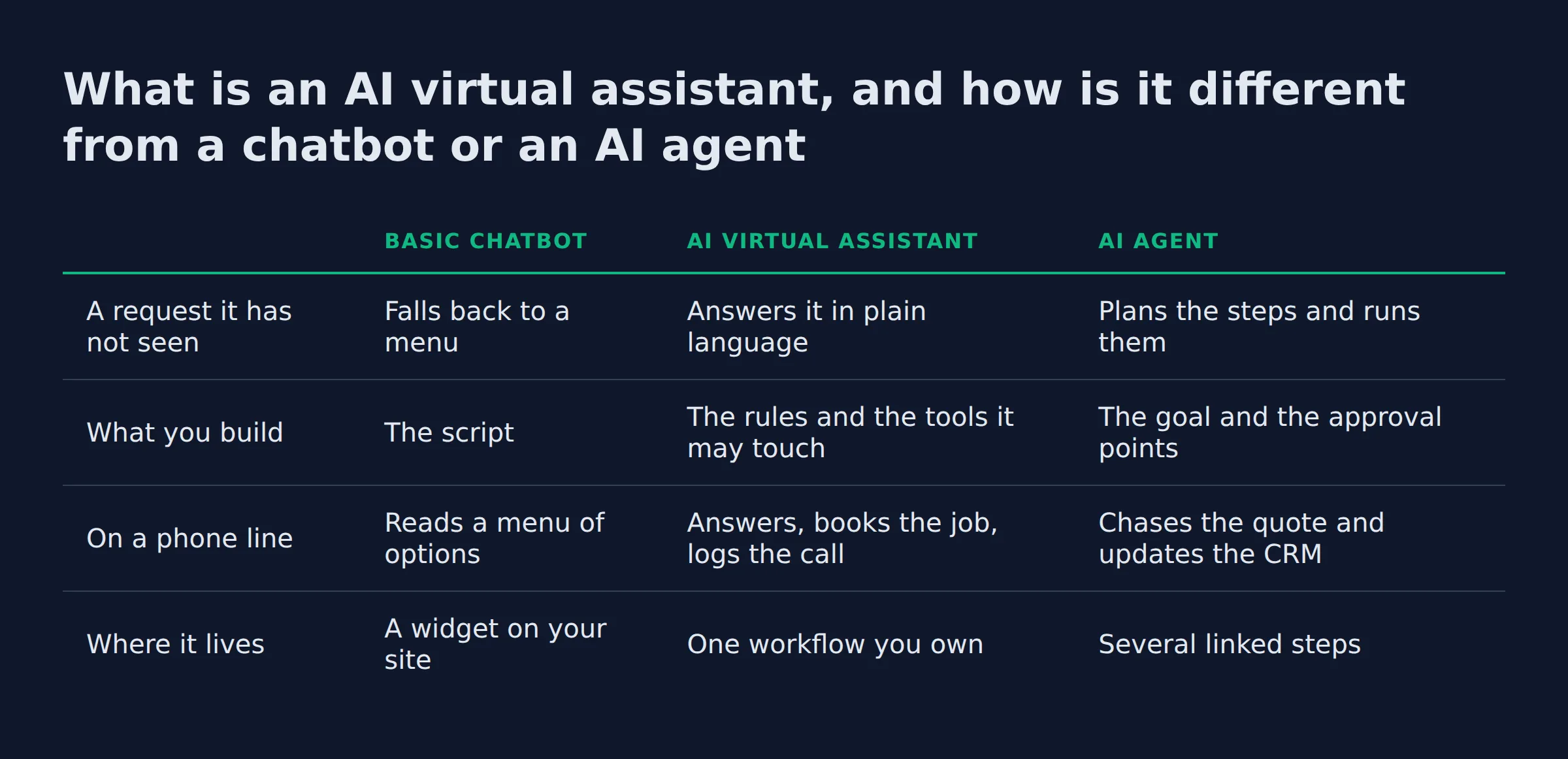
An AI virtual assistant handles requests it has not seen before, and a basic chatbot follows a fixed script. An AI agent goes further and runs a multi-step task with less input from you. The assistant sits in the middle, and it is the practical place to start.
Microsoft’s guide gives the working definition: an assistant completes tasks for you, such as analyzing data or summarizing a long document. Input arrives by typing or speech, and the assistant acts on what it finds.
That same page splits the three rungs by behavior. A chatbot follows fixed scripts. An assistant handles a request it has not seen, and an agent carries out multi-step tasks with less direction.
Dialpad frames the same ground from the contact center side, describing a tool that can respond to human queries and requests whether spoken or typed. It sorts the market into customer service, sales and consumer assistants, which is a fair map of what gets sold.
| Basic chatbot | AI virtual assistant | AI agent | |
|---|---|---|---|
| A request it has not seen | Falls back to a menu | Answers it in plain language | Plans the steps and runs them |
| What you build | The script | The rules and the tools it may touch | The goal and the approval points |
| On a phone line | Reads a menu of options | Answers, books the job, logs the call | Chases the quote and updates the CRM |
| Where it lives | A widget on your site | One workflow you own | Several linked steps |
That middle rung is the one most small businesses should buy first. The wider catalog and the build-or-buy call sit in the AI agents for small business post.
A chatbot answers, an assistant acts, and an agent acts alone. Buy the middle rung first.
Where the assistant reaches into your tools
An assistant can only act where it is connected, and that connection is what turns a chat window into something that books a job.
The open standard doing much of that wiring is the Model Context Protocol. Its own docs describe an open-source standard for connecting AI applications to external systems so they can reach data, tools and workflows. Your calendar, CRM, phone system and invoice tool are the real prize in a demo. Those integrations decide what the assistant can finish.
Vendor pages list speech recognition and natural language processing as the plumbing underneath. Microsoft names natural language processing and machine learning as the two technologies that do most of the work. An owner does not need either term. An owner needs the list of systems the assistant can read and write.
Ask what the assistant can read and write before you ask which model it runs.
What can an AI virtual assistant actually do for a small business?
It takes the repetitive work that leaks money when it slips: the call nobody answered, the quote nobody chased, the review nobody replied to. Start with the task that fails most weeks, and the payback shows inside the first month.
The SBA’s guide for small business points owners at three of those jobs directly. It names a website chatbot that answers common questions, phone service that routes calls to the right department, and courteous replies to online reviews. The same page makes the money case plainly, saying AI can improve efficiency, save time and save on costs.
- The calls you miss. Answer, qualify, book the job, and log it in one pass.
- The quote that goes cold. Draft it, send it, then chase it twice before you would have remembered.
- The review request. Send it while the job is fresh, and reply to what comes back.
- The long document. Read it, pull the fields, hand a person the summary.
- The inbox. Sort it, label it, and draft the replies that follow a pattern.
Which of those pays back first?
The missed call, because that caller is ready to buy today. Follow-up pays back next, then the review request. Leave document reading for a workflow where a person already spends an hour a day on it.
Microsoft’s own five uses are office-shaped by comparison. They cover customer service, email campaigns, receipts and invoices, review mining, and sales trends. Dialpad spreads its benefit list across industries instead, with conversational AI as the layer handling the back-and-forth. Its examples run from healthcare and insurance to utilities, IT and HR.
I run my own outreach system at about 200 form submissions a day. Nobody reads 200 forms. The system sorts them, writes the first reply, and puts the five that need judgment at the top of my list. Volume goes to software, judgment stays with me.
Answering the phone is the most common first job, and the AI agents for customer support post covers that workflow in depth.
The jobs worth handing over repeat every week and follow a rule you can write down.
Which jobs should it take first, and which ones stay with a person?
Hand over the task that repeats weekly, has a written rule, and is cheap to get wrong. Keep anything that carries judgment, a price, or a relationship you cannot rebuild. The missed call is the usual first win.
Guidance on agent adoption makes the same point from the security side. The NCSC tells organisations to start small with agentic AI and keep agents on low-risk tasks. Canada’s cyber centre supplies the reason: agentic systems can take actions without explicit human approval. It recommends human control points and mandatory approval at decision steps, the human-in-the-loop pattern.
The NIST AI Risk Management Framework lists four functions: govern, map, measure, manage. Human oversight is a named control in it.
- Take first: missed-call follow-up, appointment reminders, quote chasing, review requests, document reading.
- Keep with a person: anything with a price on it, anything a customer will read twice, any tense conversation.
- Keep with a person for a month: the output check, even after you trust it.
That is the smallest version of an ai personal assistant for business worth running: one job, one rule, one check.
Start with work the assistant only reads, then move to work where it sends something.
What breaks when the assistant runs out of context?
It restarts the job from the top, and the customer watches it happen. Long threads and long documents fall out of the window first. The fix is a written handoff, where one run saves its state and the next run reads it.
I keep a handoff step in my own pipeline for this reason. When a run hits its limit it writes where it stopped to a short file, and the next run resumes from there. When I forget to update that file after changing a step, the next run repeats work I already paid for. Nobody quotes you that cost.
A human virtual assistant or an AI one, which should you hire?
Hire the person for work that needs judgment, and run software for work that needs volume. The costs move differently too. A person is a block of hours you can exhaust, while an assistant is a small seat price plus usage.
Microsoft’s FAQ names the drawbacks buyers report: data privacy risk, upfront investment cost, and internal resistance to change. The third one ends more small projects than the other two, because the person who has to change how they work is usually the owner.
| Human virtual assistant | AI virtual assistant | |
|---|---|---|
| Best at | Judgment, tone, the difficult call | Volume, speed, the 9pm reply |
| Coverage | A fixed block of hours | Whenever the trigger fires |
| Cost shape | A monthly rate for time | A seat price plus usage |
| Drift | Gets tired, forgets, needs managing | Follows your rules, including the bad ones |
| Blind spot | Volume | Anything without a written rule |
Most small teams end up with one of each, the person on the relationship and the software on the calendar. A person alone leaves the 9pm calls unanswered. Software alone leaves the second question unanswered.
Choose by the work: judgment and repetition are two different jobs.
Which AI assistant is best for a small business, and how do you choose?
There is no best one, because the software matters less than the workflow you point it at. Pick the job first, then the tool that already sits next to your data. The listicles rank by catalog size, and you do not run on their catalog.
The two biggest pages on this phrase take different routes. Microsoft’s is written for someone who already pays for its suite, so its own assistant is the natural answer there. Dialpad writes for the contact center buyer and sorts the market by types of AI virtual assistants instead. Both work as market maps. Neither can tell you which one fits how your jobs actually arrive.
Adoption is already common. The Census business survey reports AI use growing across firm sizes and sectors between December 2025 and May 2026. An earlier read found 3.8 percent of businesses using AI to produce goods and services.
Microsoft’s third FAQ puts bias, privacy and intellectual property on the list of questions to ask a provider, including how the tool was trained and how it handles sensitive data. Ask those before the demo.
Four questions settle the choice faster than any demo:
- What starts the work? Name the trigger, such as a missed call or a form submission.
- What is the rule? Write the steps in plain words, including what happens when the answer is unclear.
- What must it touch? If the assistant cannot reach the calendar and the CRM, the job stays half done.
- Who checks it? Name the person and the check, or the workflow is unfinished.
Match the tool to the workflow you already run, and ignore any ranking that never asked what your work looks like.
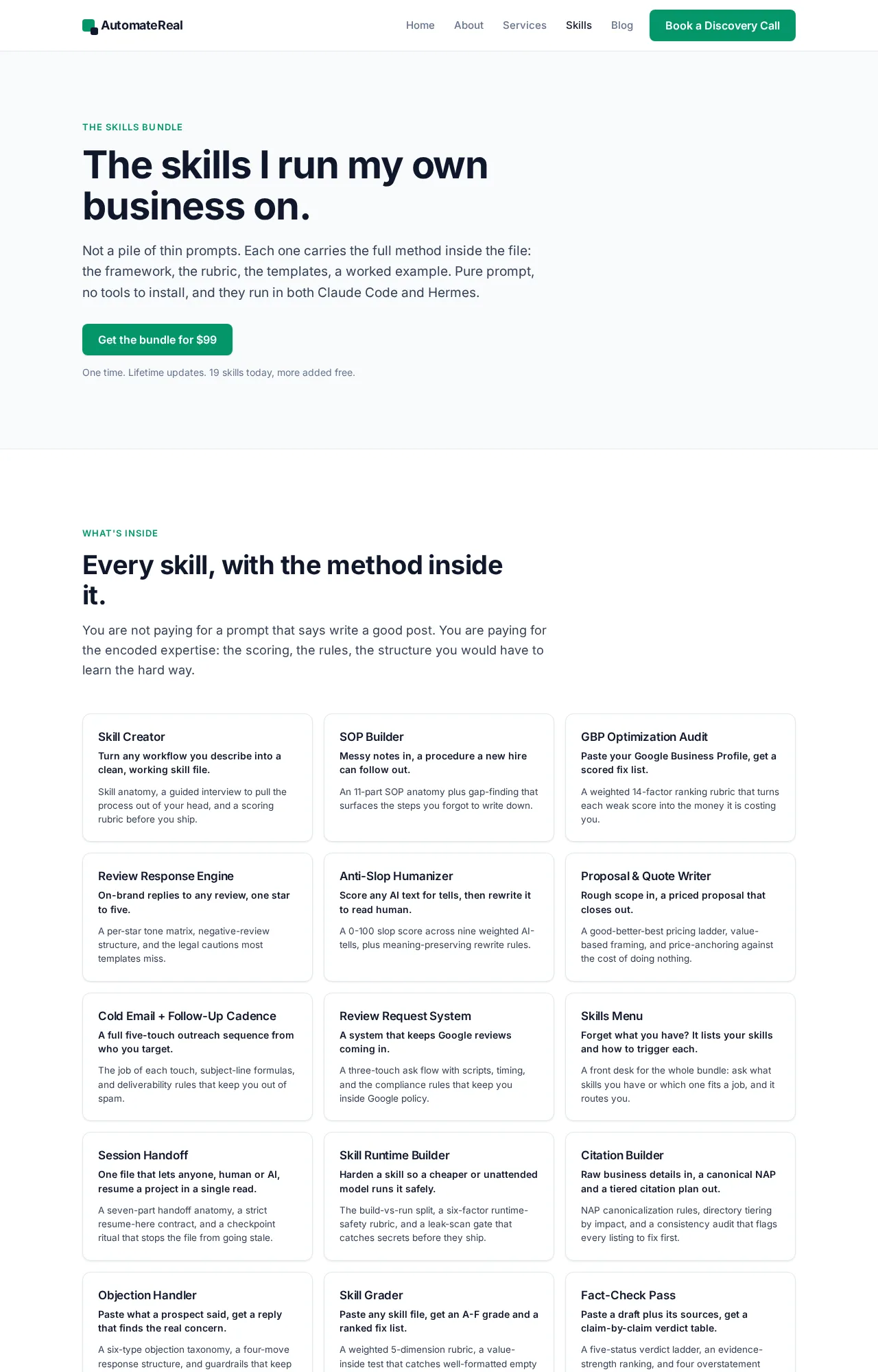
If you would rather write those rules than pay for a build, the prompt skills I use are at automatereal.com/skills, all skills for $99.
AutomateReal skills
What does an AI virtual assistant cost per month?
Plan for two prices: a seat cost and an hour cost. The seat is the small, published number. The hours you spend wiring the workflow and repairing it each month decide whether the project paid off.
Microsoft’s price list is the concrete example. Microsoft 365 Copilot Business is $18 per user per month paid yearly, down from $21, and the version bundled with Business Premium is $32 per user per month. That buys one seat of one office assistant. Nothing on that page covers the wiring.
| What you pay for | Shape | What it buys |
|---|---|---|
| The seat | A published price per user, per month | Access to the tool |
| Usage | Model calls billed per run or per token | The work the assistant does |
| Setup | One-off build hours | Mapping the workflow and writing the rules |
| Upkeep | A few hours a month | Repairing whatever changed underneath |
Why is there no single monthly price?
Because the bill has two halves and only one of them is published. Vendors price the seat and meter the usage, and the setup hours never appear on a page. Price the hours before you compare seats.
Neither of the two top-ranking pages on this phrase prints a monthly figure, and Microsoft’s only cost reference is the upfront investment line in its drawback list. On my own systems the surprise was never the model bill. It was the hours spent repairing a step after a source changed its layout, and that is the cost that decides whether the hours saved beat the money out.
The return on investment is the hours saved minus the seat cost and the upkeep.
The phrase is expensive to buy as an ad too. Our own keyword pull logs 5,400 US searches a month at a difficulty of 26. The cost per click runs $26.22, which is the ad price for the exact question you are reading about.
Budget the hour cost first, because the seat price is the part you can already look up.
Does an AI virtual assistant help a local service business show up on Google?
Only through the signals Google already reads. The Business Profile on Search and Maps is free, and what moves it is hours, photos and reviews. An assistant helps by answering fast, booking the job, and asking for the review while the work is fresh.
Google’s help page is specific about the profile and its cost. It lets you manage how your business shows up on Maps and Search at no charge. The profile holds your hours, website, phone number and location. That location can be a street address or a service area, which matters when you drive to the customer.
Reviews are the surface that moves. A request sent the day the job finishes lands while the customer still remembers the work, and an assistant sends it without you remembering anything. Software cannot rank you on its own. What it protects is the input: the answered call, the booked job, the fresh review.
What should the assistant do with a review once it arrives?
Send the request the day the work ends, then reply to what comes back. A reply that names the job shows the next reader that a person answers, which is the part that turns a listing into a phone call.
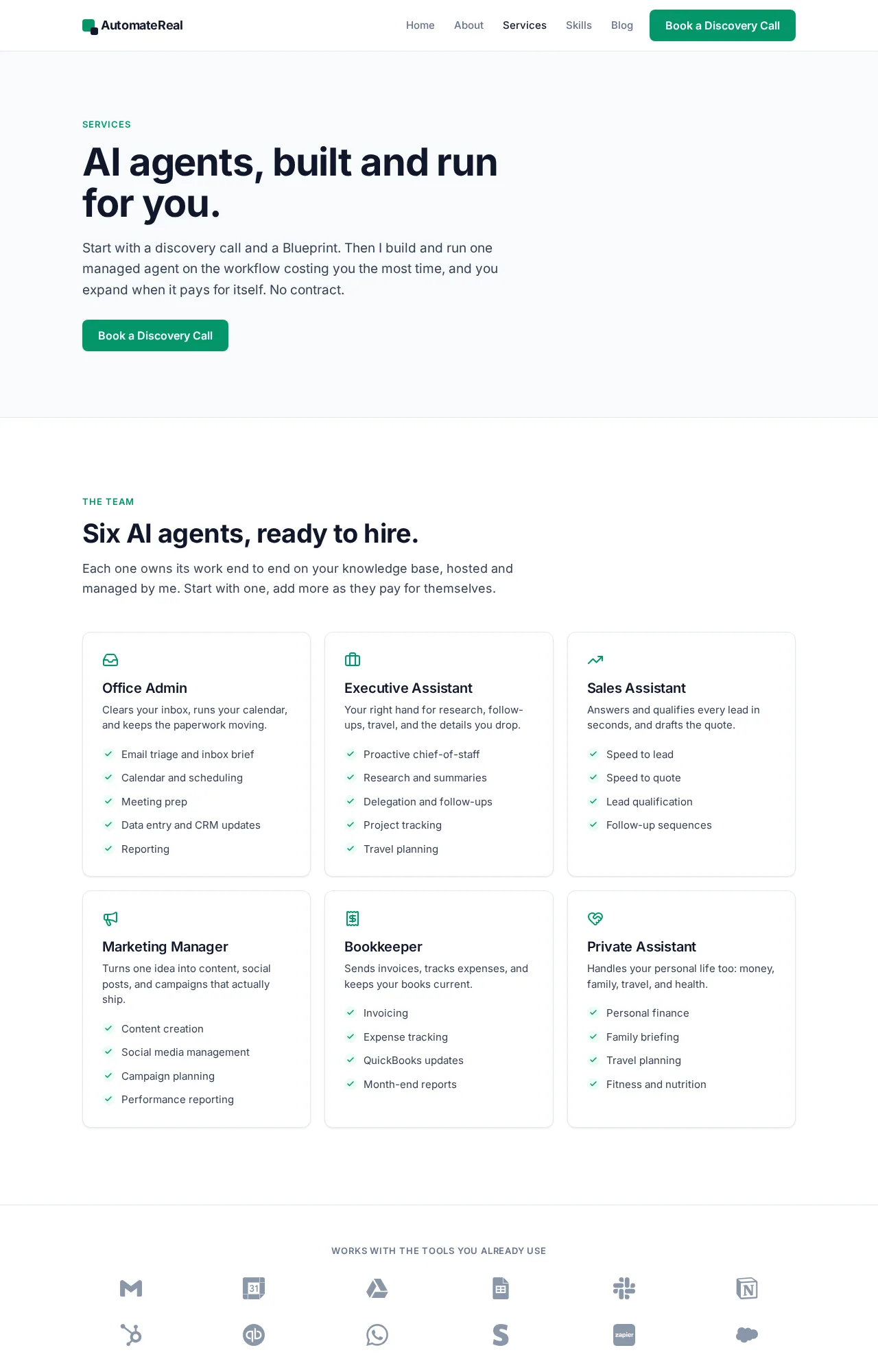
That chain from the missed call to the fresh review is most of what the AI services page works on for a service business.
AutomateReal services
Local visibility runs on answered calls and fresh reviews, and an assistant keeps both moving.
How do you get one running this week, and what breaks in month one?
Pick one job, write the rule it follows, and let a person check every output for a week. Month one breaks on the edges. Expect a duplicate record, a link that points at the wrong page, and a reply that sounds off.
I run an assistant that reads long bid documents and pulls out the fields. It removes duplicate rows and routes one record per job to a team chat.
In week one it produced a duplicate row. One record also carried a link to a directory page instead of the page where the work could be applied for. Both defects came from one gap: nothing had checked the output against the source before it left the box.
The fix is dull and it holds. A record now ships only when the link opens on a page where a person can act on the job, and everything else waits for a human. That check costs a few minutes a day, and it is the difference between a tool the team trusts and one they stop reading.
NIST defines agentic AI as systems that function as autonomous agents able to make decisions, learn from interactions, and adapt. That capability is what you are buying, and it is also why the approval gate exists before anything leaves your building.
Who owns it after month one?
Name that person before you launch, or the workflow dies the first time a tool changes under it. On a small team the answer is usually whoever wrote the rules, because repairing them is the same job as writing them.
Week one is a check, not a launch. Let the assistant fail in front of you first.
The three checks before anything reaches a customer
Three checks catch almost every bad output I have seen, and each one costs less than a single apology.
- Duplicate check. Has this record already been handled? Matching on the job identifier removes the row before a person sees the same job twice.
- Link check. Does the link open on a page where someone can act? A directory page is not a job posting.
- Voice check. Does the reply name the right person, the right job, and the right number? A polite reply with the wrong figure costs more than no reply.
Write the three down before you write the automation. The rules are the part you own, and the model is the part you rent and replace.
The checks are the product, and the model is a component.
Related: Top AI Agents in 2026: What They Do and What They Cost
Related: AI Agents Examples: Real Use Cases for Small Business
Related: How to Build an AI Agent
FAQ
Can I get an AI virtual assistant for free, or build one without code?
Free covers the tool, and the tool is the cheapest part of the project. No-code builders can wire a working assistant without writing code. You still own the setup and the rules, plus the repair work when a page or a tool changes underneath.
Which AI agent is best for small business?
The one pointed at your most expensive repetitive task and kept running. No product wins on fit for a small service business by default, so choose the job first and let the software follow.
Does an AI virtual assistant work with the tools I already use?
Only where it is connected, and that answer is specific to your stack. Ask for the list of systems it can read and write before you look at feature charts, because that list decides what the assistant can finish.
Is it safe to let an AI assistant talk to my customers?
As safe as the check in front of it. Government guidance on agent adoption repeats the same controls: low-risk tasks first, a log of what the agent did, and human approval before anything that changes money or commitments.
Will an AI virtual assistant replace my human virtual assistant?
It removes the repetition from the role, not the person, when the role amounts to more than data entry. The person keeps the judgment calls and the awkward conversations, and gets the volume off their desk.
If your first workflow is still a guess, a discovery call maps it in about thirty minutes. Bring the task that slips most weeks, and we will work out whether software should hold it or a person should keep it.