Claude Code Review Skills: Build One Step by Step
Learn how to build a Claude Code code review skill: the SKILL.md format, where skill folders live, and how it runs a diff review as a slash command.
Your pull request comes back with 12 comments on spacing. None of them ask whether the change does what the ticket wanted.
That gap is what a code review skill fills. Most pages on this term are a vendor explaining itself, or a plugin README. This one is the file you write yourself, for a repo that has no style guide yet.
I run the lead system behind my own business, and it takes about 200 form submissions a day. That repo has 1 reviewer, and it is me.
How do I build a Claude Code code review skill?
A Claude Code code review skill is a SKILL.md file that tells Claude how to review a diff, and it runs as a slash command such as /code-review. Save it in .claude/skills/review/SKILL.md for one repo, or in ~/.claude/skills/review/SKILL.md to reach every project.
TL;DR
- A review skill is 1 folder with 1
SKILL.mdfile inside it. It runs as a slash command, like/review. - Personal skills live in
~/.claude/skills/. Project skills live in.claude/skills/. The folder name becomes the command. - 4 frontmatter lines do most of the work:
description,allowed-tools,disable-model-invocation, andcontext: fork. - Claude Code already ships a
/code-reviewskill. Read it as a free example before you write your own.
What is a Claude Code code review skill?
A Claude Code code review skill is a folder holding 1 SKILL.md file. The instructions inside tell Claude how to read a diff and what to flag. Claude Code loads the skill when your request matches, or you run it by name.
The file follows the Agent Skills open standard, so the same folder works in other tools that adopt it. A custom skill is simply one you wrote, rather than one that ships with Claude Code.
A skill differs from CLAUDE.md in when it loads. CLAUDE.md sits in the prompt on every turn. A skill’s body loads only when it fires, so a long review procedure costs almost nothing until you need it. The parts of the file get a fuller walkthrough in what Claude Code skills are.
A review skill is a written procedure with a trigger. The description line is the trigger.
How do I create a code review skill in Claude Code?
Create a folder named review/ and add 1 file, SKILL.md, with YAML frontmatter and your review steps in markdown. Put it in .claude/skills/review/ for one repo or ~/.claude/skills/review/ for every project, then run /review.
The Claude Code skills documentation requires 2 things: a folder, and a SKILL.md file with YAML frontmatter. The rest is optional. The folder name becomes the command, and the frontmatter name field can override it.
Keep the body short. The same docs suggest holding SKILL.md under 500 lines and moving long reference material into a file beside it. Test the skill in a fresh session, because leftover context hides a gap in the instructions. The how to create a Claude Code skill post walks the body end to end.
I built the agent team that drafts these posts, and the repo is a handful of files. When I changed how the reviewer agent reads a brief, the check I wanted was whether the new code still matched the brief. That is a spec question, and a generic review skill never asks it.
The folder name is the command, so name the folder the word you will actually type.
What goes in the SKILL.md file for a review skill?
SKILL.md has 2 parts: YAML frontmatter between --- markers that says when to run it, and markdown instructions Claude follows. Only description is recommended, and every other frontmatter field is optional.
Here is a review skill example for a repo with no style guide. It leans on Claude’s own baseline when no CODING_STANDARDS.md exists.
name: review description: Reviews a diff against the ticket and this repo’s conventions. Use when asked to review a branch, a pull request, or the changes on this branch. allowed-tools: Read Grep Glob Bash(git diff *) Bash(git log *) disable-model-invocation: true context: fork
Review the diff, not the whole codebase.
Read it with git diff main…HEAD. If the user names a different base, use that. If the diff is empty, say so and stop.
Report 2 lists:
- Spec. Does the diff do what the ticket asked, nothing more and nothing less.
- Standards. Naming, error handling, and dead code in the changed lines.
Cite every finding as file:line. Treat CODING_STANDARDS.md as the rule when it exists. When it does not, use the baseline below.
The frontmatter does 4 jobs, and the SKILL.md frontmatter reference explains each one:
descriptionis the one recommended field. Claude reads it to decide when to fire the skill, and it shares a 1,536-character cap withwhen_to_use. Lead with the main case.allowed-toolspre-approves tools for the turn that invokes the skill, so Claude does not stop to ask. The grant clears on your next message.disable-model-invocation: truestops Claude from running the skill on its own. Use it for a review you want to start by hand.context: forkruns the skill as its own subagent, with its own context window.
Two rules catch people. Claude Code reads the frontmatter only when the opening --- is the file’s first line. A field name it does not recognize is ignored, with no error.
Only description is recommended. Start with that line and allowed-tools, then add the rest when you need them.
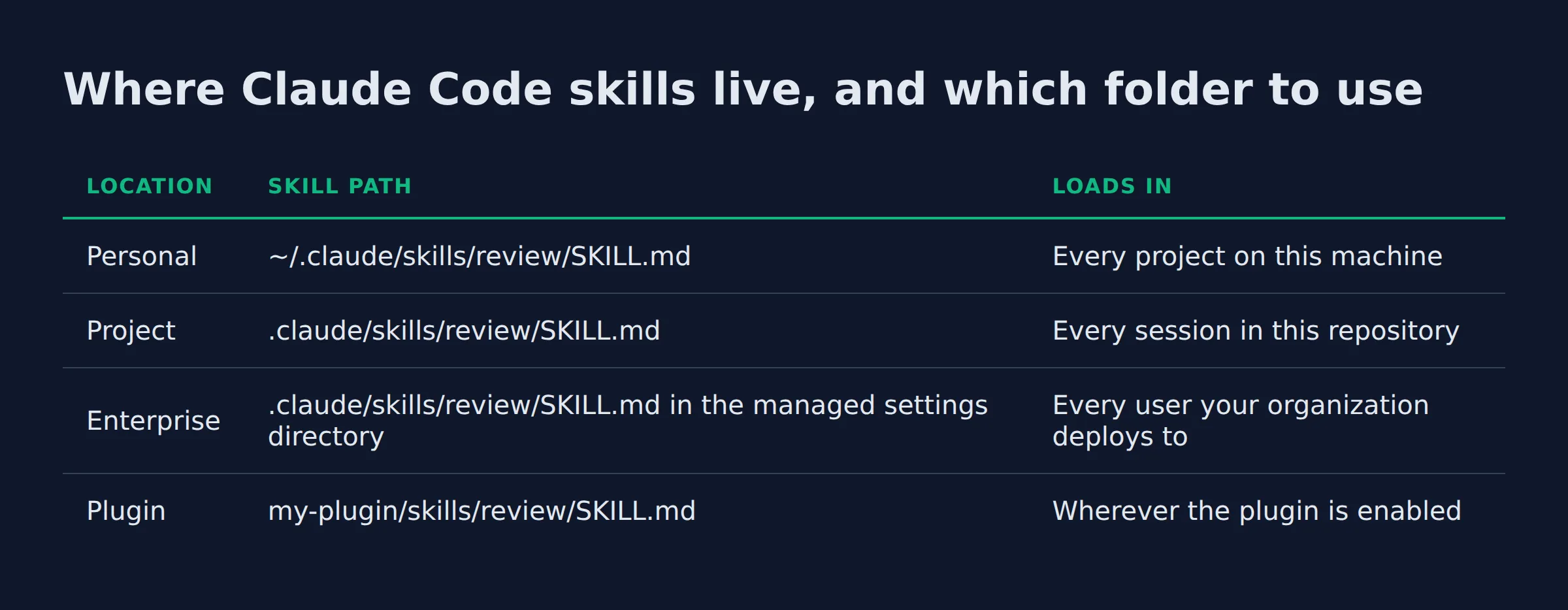
Where Claude Code skills live, and which folder to use
Claude Code loads skills from 4 places: ~/.claude/skills/ for every project on this machine, and .claude/skills/ for 1 repository. A plugin’s skills/ folder and the enterprise managed settings directory are the other 2. A review skill you use everywhere belongs in the personal one.
The path is the whole decision. The Claude Code skills documentation lists every skills directory path and what each one reaches.
| Location | Skill path | Loads in |
|---|---|---|
| Personal | ~/.claude/skills/review/SKILL.md |
Every project on this machine |
| Project | .claude/skills/review/SKILL.md |
Every session in this repository |
| Enterprise | .claude/skills/review/SKILL.md in the managed settings directory |
Every user your organization deploys to |
| Plugin | my-plugin/skills/review/SKILL.md |
Wherever the plugin is enabled |
Personal skills do not reach Cowork or cloud sessions. Those load the skills your claude.ai account has enabled, synced into ~/.claude/skills/synced/.
Collisions have a fixed order. Enterprise beats personal, and personal beats project. A skill and a command file with the same name resolve in favor of the skill. Custom commands were merged into skills, so .claude/commands/deploy.md and .claude/skills/deploy/SKILL.md both create /deploy.
One naming trap is worth knowing. A project skill named code-review replaces the bundled /code-review, but its alias /review still runs the bundled one. Check the live list with /skills, because a skill that never appears there is not installed.
My own review skill lives in the personal folder, so every repo I open gets the same checks with no copy step.
Pick the folder by who needs the skill. Personal follows you into every project, and project follows the repo.
A review skill, a subagent, and an MCP server do 3 different jobs
A review skill is a set of instructions Claude loads and follows. A subagent is a separate run with its own context window. An MCP server is a live process that exposes tools. A review skill can use all 3 at once.
The overlap is the useful part. Add context: fork to a skill and Claude Code runs it as a subagent, with its own context and no view of your conversation. The skills documentation notes the instructions then have to stand on their own. Claude Code’s bundled /code-review works this way. From v2.1.218 it reviews a diff in a background subagent instead of inside your conversation.
| Extension | What it is | What loads | Where it lives |
|---|---|---|---|
| Skill | A folder with 1 SKILL.md |
Name and description at startup, the body on a match | ~/.claude/skills/ or .claude/skills/ |
| Subagent | A separate run with its own context | Its own prompt and tools | .claude/agents/ |
| MCP server | A live process that exposes tools | Tool schemas | Your MCP settings |
CLAUDE.md |
A project brief | Always in the prompt | The repo root |
The difference matters for a review. A review that runs in your own context fills that context with diff text. A forked review keeps the diff out of your session and drops only the findings back in. Skills vs subagents and MCP compares all 4 in more depth.
A skill holds the judgment. context: fork is how you give that judgment its own room.
Can I install or share a ready-made code review skill?
Yes. Claude Code bundles a /code-review skill, Anthropic ships a code-review plugin, and third-party review skills install from a marketplace. You can also copy any folder into your own skills directory.
These 4 options are the ones you will meet first.
| Option | What it is | How you get it |
|---|---|---|
Bundled /code-review |
A review skill shipped in every session | Already installed, and yours to read |
code-review plugin |
4 parallel agents with a confidence filter | Included with Claude Code |
Matt Pocock’s code-review skill |
A Standards axis plus a Spec axis | npx skills@latest add mattpocock/skills --skill=code-review |
| Built-in Code Review | Managed review on your GitHub pull requests | Team and Enterprise plans |
Anthropic’s code-review plugin launches 4 parallel agents. Two audit for CLAUDE.md compliance, 1 hunts bugs, and 1 reads git history for context. It scores each finding from 0 to 100 and keeps only what clears a confidence threshold of 80. By default the review prints to your terminal, and a --comment flag posts the findings on the pull request instead.
Matt Pocock’s two-axis review skill splits the job differently. One axis asks whether the code is built right, and the other asks whether it is the right thing. Each axis runs in its own subagent. The Standards axis reads your CODING_STANDARDS.md or CONTRIBUTING.md, and falls back on 12 code smells from Fowler’s Refactoring.
That skill has to find the spec before it can check against it. It looks at issue references in the commit messages first, then a path you pass in. If neither exists, it checks for a docs/ or specs/ file, and finally asks you.
The managed product is separate. The Code Review research preview reads your pull requests and posts findings as inline comments on the lines it flagged. Each finding carries a severity level of Important, Nit, or Pre-existing. A review finishes in about 20 minutes on average.
You tune what it flags with a CLAUDE.md or REVIEW.md file. REVIEW.md is freeform, so you can cap nits, skip generated files, and set a verification bar.
To share your own, commit the folder to the repo, ship it in a plugin, or deploy it through managed settings.
Anthropic’s official marketplace is claude-plugins-official. Claude Code adds it on first run, and the marketplace lists a skill-creator plugin to build yours.
The skills bundle I ship follows the same shape. Every skill is 1 folder with 1 SKILL.md, so a review skill installs like the rest.
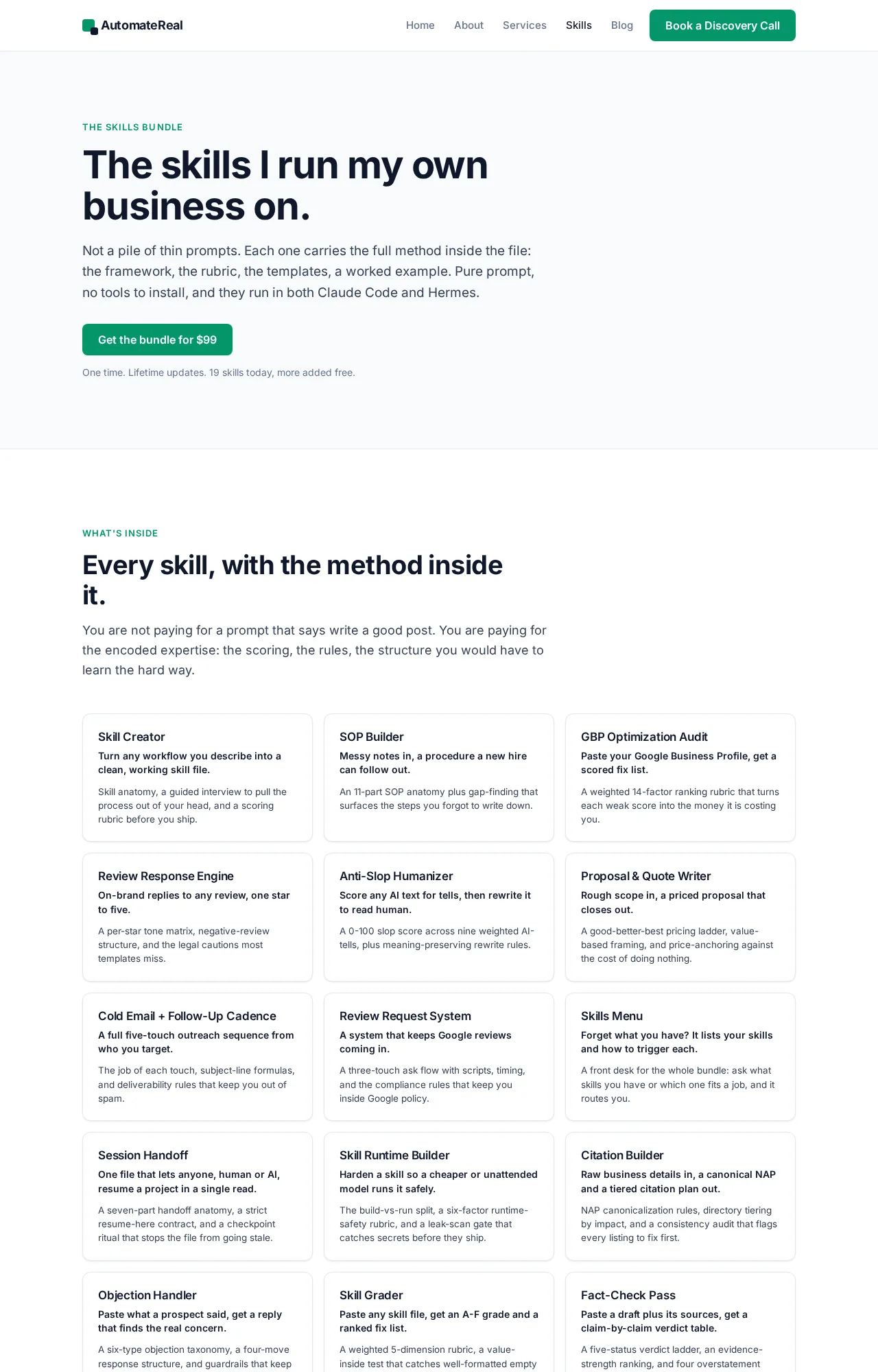
AutomateReal skills
Read the bundled /code-review before you write yours. It is a working example you already have.
Related: How to Add Skills to Claude Code
Related: How to Use Claude Code Skills
Related: The Best Claude Code Skills to Install in 2026
FAQ
Does the /code-review command work on a diff I have not committed yet?
Yes. The local /code-review command reviews your branch’s commits ahead of its upstream plus any uncommitted changes, per the Code Review docs. It needs work on the branch or in the working tree to have something to report. Pass a file path, a PR number, or a ref range like main...my-feature to review something else.
Can a code review skill run automatically on every pull request?
No. A local review skill runs only when you or Claude start it. To review every pull request, run Claude in your own CI with GitHub Actions. The managed service triggers when a PR opens or on each push.
How do I stop a review skill from reporting false positives?
Tighten the description so the skill fires on the right requests. Then tighten the instructions so they name what to skip. With the managed service, the Code Review docs show how to add skip rules and a verification bar in REVIEW.md. Locally, run at a low effort level, which reports only the findings the review is most sure of.
Do I need the paid Code Review feature to use a review skill?
No. The local /code-review command works on any plan and reviews a diff in your terminal. The managed service is a research preview for Team and Enterprise, and it is not available with Zero Data Retention or the HIPAA configuration.
Can I share my review skill with my team?
Yes. A skill is 1 folder. Commit it to the repo so everyone who clones it gets it. Ship it in a plugin for a wider install, or deploy it through managed settings for your whole organization, per the skills documentation.
Start with 1 folder
Pick the location, make the folder, and write the frontmatter plus a short body. Restart, then check /skills. The first pass is the slow one, because you are deciding what to flag. Later review skills are a copy of that folder.
If you want help turning the review you already do by hand into a skill, a discovery call maps it in about thirty minutes.
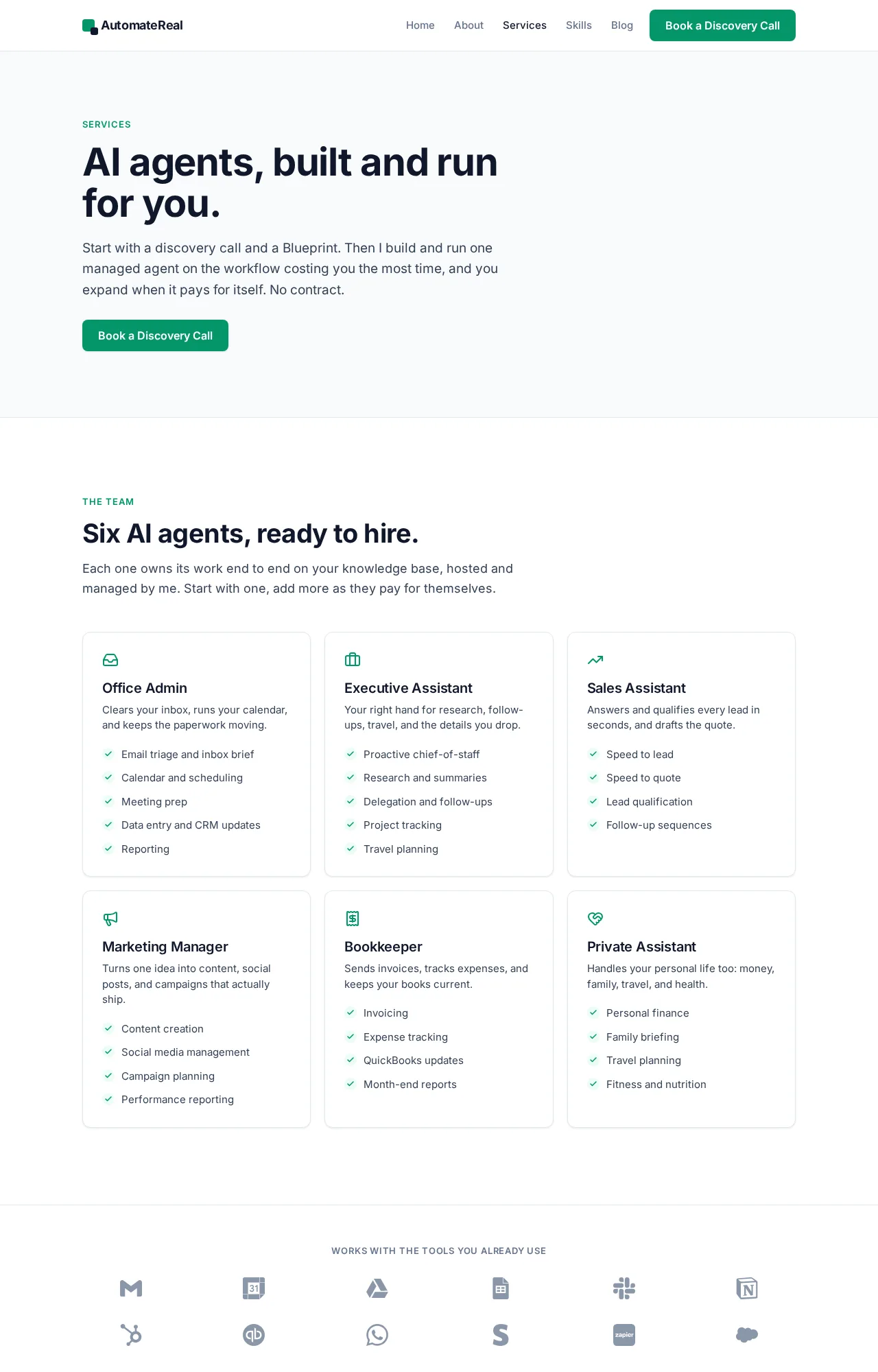
AutomateReal services