How to Add Skills to Claude Code (Step by Step)
Add a skill to Claude Code in minutes. Where skills live, the SKILL.md to write, the commands to run, and how to confirm it loaded.
You make the folder. You write the file. You restart Claude Code and type the slash command.
Nothing happens.
That silence is where most guides stop. The official Claude Code skills page reads like a reference table. I ship a skill bundle and run Claude Code every day, so here is the plain walkthrough and the ways an install fails without telling you.
How do I add a skill to Claude Code?
To add a skill to Claude Code, create a folder inside ~/.claude/skills/ for personal use or .claude/skills/ in your project. Add a SKILL.md file with YAML frontmatter that says when to use it. Claude loads it automatically, or you invoke it with /skill-name. Commit the folder to share it.
TL;DR
- A skill is 1 folder with 1
SKILL.md. Personal skills go in~/.claude/skills/, project skills in.claude/skills/. - Two frontmatter lines do most of the work:
nameanddescription. - Confirm the load with
/skills. A skill that is missing has a reserved name, a name clash, or broken YAML. - A marketplace install updates itself. A folder you copy by hand stays frozen.
Where do Claude Code skills live on disk?
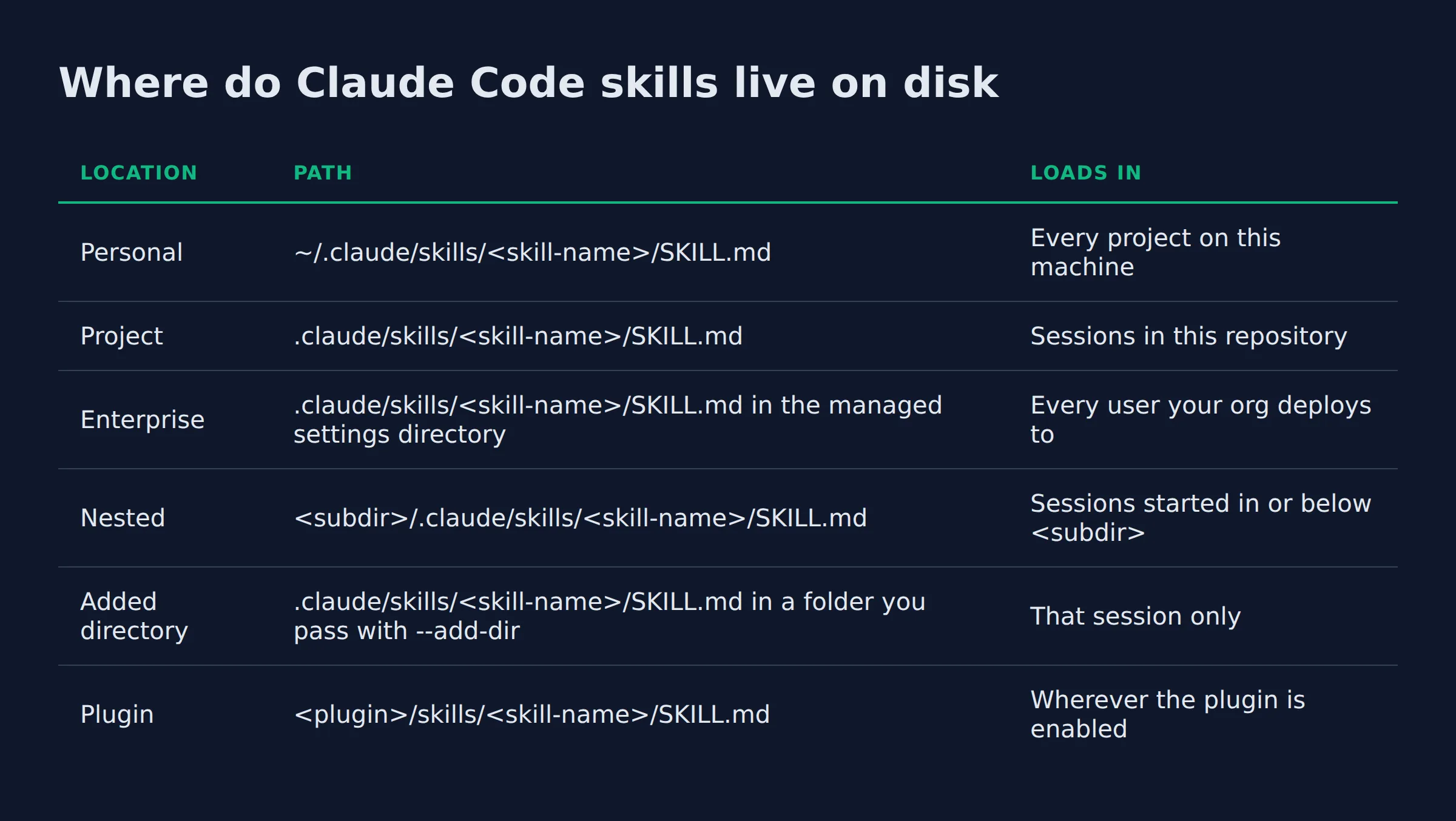
Personal skills live at ~/.claude/skills/<skill-name>/SKILL.md and load in every project on this machine. Project skills live at .claude/skills/<skill-name>/SKILL.md inside 1 repository. Plugin skills mount as /plugin-name:skill-name.
Pick the location before you write a line, because it decides which sessions ever see the skill. The Claude Code skills documentation lists 6 places a skill folder can sit.
| Location | Path | Loads in |
|---|---|---|
| Personal | ~/.claude/skills/<skill-name>/SKILL.md |
Every project on this machine |
| Project | .claude/skills/<skill-name>/SKILL.md |
Sessions in this repository |
| Enterprise | .claude/skills/<skill-name>/SKILL.md in the managed settings directory |
Every user your org deploys to |
| Nested | <subdir>/.claude/skills/<skill-name>/SKILL.md |
Sessions started in or below <subdir> |
| Added directory | .claude/skills/<skill-name>/SKILL.md in a folder you pass with --add-dir |
That session only |
| Plugin | <plugin>/skills/<skill-name>/SKILL.md |
Wherever the plugin is enabled |
Personal skills do not reach Cowork or cloud sessions. Those sessions read the skills your claude.ai account has enabled.
A list of paths still leaves the real question open. Here is the rule I use.
- Testing a skill for yourself: use personal. It follows you into every repo with no copy step.
- Sharing with a team that works in 1 repo: use project. Commit the folder so everyone gets it.
- Installing a set someone else built: use a plugin or marketplace, so their updates land on their own.
Pick the folder for the people who need the skill.
How do you create and add your first Claude Code skill?
Create the folder ~/.claude/skills/<skill-name>/, then add 1 file named SKILL.md inside it. Put name and description in YAML frontmatter at the top. Save it, restart Claude Code, and run /skill-name.
The folder name becomes the command, so a folder called deploy gives you /deploy. The whole tree is 2 lines:
~/.claude/skills/deploy/is the folder~/.claude/skills/deploy/SKILL.mdis the file Claude reads
You can make that folder in your file manager. The docs show the same step as mkdir -p ~/.claude/skills/summarize-changes in a terminal.
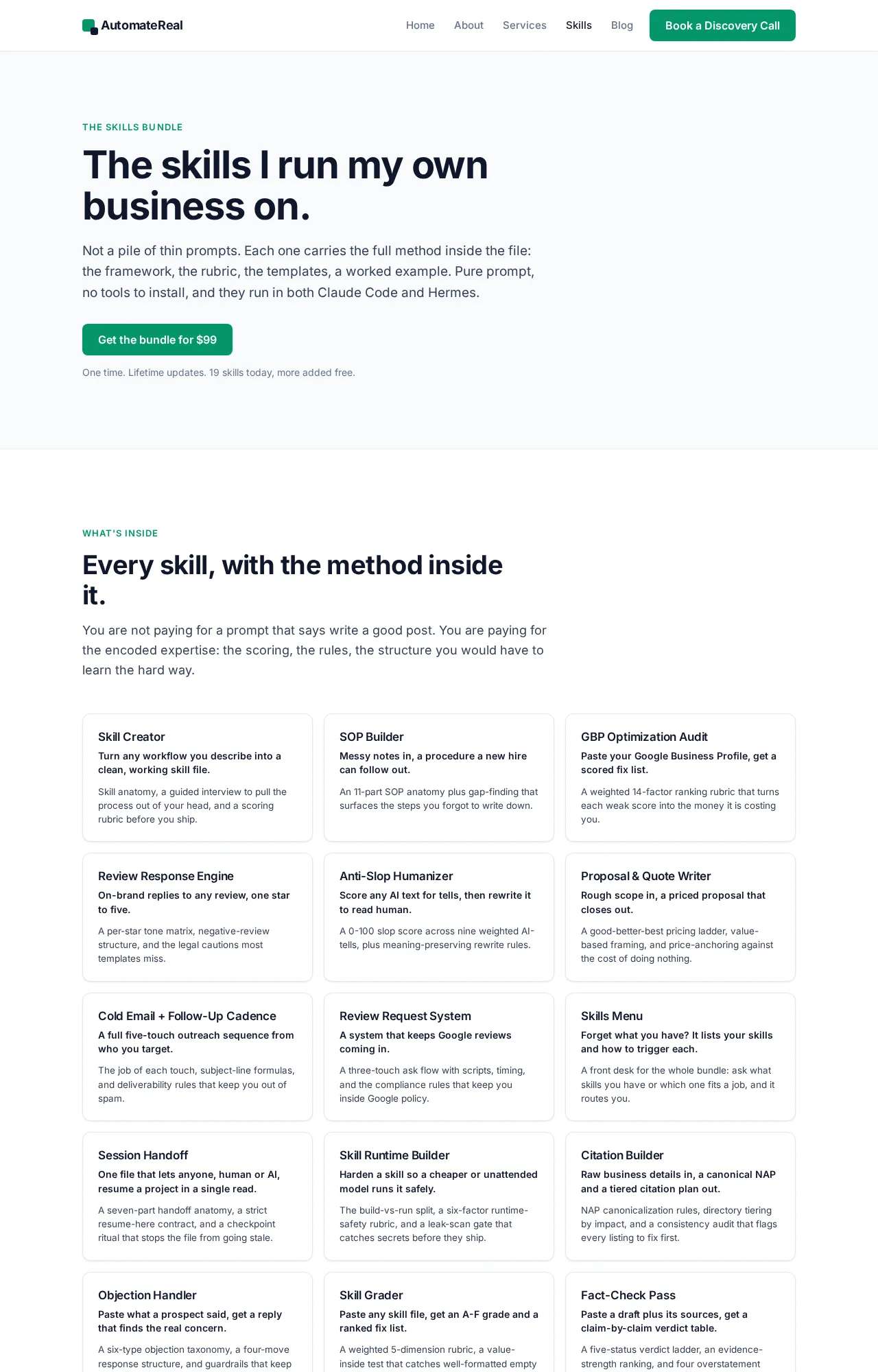
Every skill in my skills bundle started life as a folder I copied into ~/.claude/skills/. The bundle ships 1 folder per skill, each holding 1 SKILL.md, plus an install.sh that copies every folder into $HOME/.claude/skills/. I copy 1 folder to add a skill and restart. Nothing else moves. The whole bundle is $99.
AutomateReal skills
The folder name is the command, so name it the exact thing you will type.
Inside the SKILL.md file
SKILL.md has 2 parts: YAML frontmatter between --- markers, then the markdown instructions Claude follows. Only description is recommended. Every field is optional.
Claude Code reads the frontmatter only when the opening --- is the file’s first line. If it is not, the whole file loads as plain instructions. Keep the body short, because once a skill loads, its content stays in context across turns.
Five fields cover almost every skill:
name: the command shown in the/menu. It defaults to the folder name.description: what the skill does and when to use it. Claude reads this to decide when to fire the skill.allowed-tools: tools Claude can use without asking during the turn that invokes the skill. The grant clears on your next message.disable-model-invocation: set it totrueto stop Claude firing the skill on its own. Use it for anything you want to run by hand.paths: glob patterns that limit the skill to matching files.
The description and the optional when_to_use text share a 1,536-character cap in the skill listing, so lead with the main use case.
That cap is why I pull instructions out of CLAUDE.md and into skills once they stop being facts. CLAUDE.md sits in the prompt on every turn. A skill’s body loads only when it matches, so the same words cost nothing until the day you need them. For the authoring side, how to create Claude Code skills covers writing the body in depth.
Write the description like a trigger, because it is the only line Claude reads before it decides.
How do you install a skill from a marketplace or plugin?
Add the marketplace once with /plugin marketplace add <owner>/<repo>, then run /plugin install <plugin>@<marketplace>. In a session that opens the /plugin panel so you pick a scope before it installs. Run /reload-plugins to apply it.
A marketplace is a catalog of plugins. Claude Code has to know about one before you can install from it. The plugin overview defines it as a repository or directory holding a .claude-plugin/marketplace.json file.
Scope decides who gets the plugin and which settings file records it:
| Scope | Who gets it | Settings file |
|---|---|---|
| User | You, in every project on this machine | ~/.claude/settings.json |
| Project | Everyone who works in this repository | .claude/settings.json |
| Local | You, in this repo only | .claude/settings.local.json |
Local overrides project, and project overrides user. To browse instead of typing a name, run /plugin with no argument and it opens the Discover tab. Anthropic’s official marketplace, claude-plugins-official, is added the first time you start an interactive session.
Confirm the install from the Installed tab in /plugin, or run claude plugin list in your shell. The install and manage plugins page prints Version, Scope, and Status for each one.
Third-party skills run with your permissions, so vet them. The NVIDIA SkillSpector scanner reports that of 31,132 skills in its analyzed set, 26.1% carried a vulnerability and 5.2% showed likely malicious intent. Snyk’s ToxicSkills audit found 13.4% of 3,984 scanned skills held at least 1 critical issue.
Three checks before any install:
- Open the
SKILL.mdand any script in the folder. Read what they actually do. - Run an unknown skill through a free scanner first. Tayla Burrell’s walkthrough uses the Bitdefender AI Skills Checker, which takes a GitHub link or a ZIP and returns a plain risk verdict.
- Read the source. A skill from a person or vendor you already trust beats a popular one you have never checked.
My own lead-gen system takes about 200 form submissions a day, and the skills behind it read files and write rows into my sheets. A bundled script that sends data somewhere is a real risk there, so I open every script before the first run.
Install from a marketplace when you want updates. Install by hand when you want a frozen copy.
Confirming the skill loaded
Run /skills in the session. Your skill appears in that list under its folder name. When it is missing, the cause is a reserved name, a name clash, or broken YAML.
The /skills menu is the surface to check. It also groups skills by where they came from, including the ones synced from claude.ai. My own bundle answers that question from inside Claude too. Ask “what skills do I have” and its Skills Menu skill prints each one with its trigger.
Four misses to rule out:
- Reserved names. Never name a folder
synced. Claude Code keeps~/.claude/skills/synced/for skills it downloads from claude.ai and skips a skill you author at that name.anthropic-skillsis reserved too. Outside a plugin, a folder or command file by that name does not load. - A name clash. Enterprise beats personal, and personal beats project. With a
deployskill in both~/.claude/skills/and the project’s.claude/skills/,/deployruns the personal copy. - Broken YAML. When the frontmatter does not parse, the skill still loads but with no fields set, so it fires on nothing.
- A sync overwrite. A file you or Claude edit under
~/.claude/skills/synced/is not saved to your claude.ai account. A later sync can overwrite or remove it, so edit a synced skill on claude.ai instead of on disk.
A nested skill is a 5th trap. A skill in a .claude/skills/ folder below where you started the session does not load at startup. It loads the first time Claude reads or edits a file in that folder. Run /add-dir with that path to load it early.
A skill that never shows in /skills is not installed, no matter what the folder on disk looks like.
To remove one later, delete its folder. Claude Code drops it from /skills in the current session.
How are skills different from subagents, commands, and MCP servers?
A skill is a folder of instructions Claude loads when a task matches. A subagent runs in its own context window with its own tools. An MCP server is a live process that exposes tools. A command file is the older skill format and still works.
| Extension | What it is | What loads | Where it lives |
|---|---|---|---|
| Skill | A folder with 1 SKILL.md |
Name and description at startup, the body on a match | ~/.claude/skills/ or .claude/skills/ |
| Subagent | A separate agent with its own context | Its own prompt and tools | .claude/agents/ |
| MCP server | A process that exposes tools | Tool schemas | Your settings |
CLAUDE.md |
A project brief | Always in the prompt | The repo root |
| Command file | The older skill format | The same support as a skill | .claude/commands/ |
Custom commands were merged into skills. A file at .claude/commands/deploy.md and a skill at .claude/skills/deploy/SKILL.md both create /deploy, per the Claude Code skills documentation.
The load order is the part that matters. Only the name and description of each skill load at startup, and the body loads on a match. That is why a folder of many skills stays cheap until 1 fires. For the deeper comparison, see skills vs MCP vs agents.
A skill teaches the steps. MCP hands over the tools. A subagent gives each room without crowding your session.
Related: The Best Claude Code Skills to Install in 2026
Related: Claude Code Skills Examples: Real SKILL.md Files to Copy
Related: How to Use Claude Code Skills
Related: claude code agent skills
FAQ
Do Claude Code skills work with plugins?
Yes. Add a .claude-plugin/plugin.json file to a skill folder and it loads as a plugin. From there it can bundle agents, hooks, and MCP servers. Plugin skills are namespaced as /plugin-name:skill-name, so they never clash with a plain skill.
Can I share or publish a Claude Code skill?
Yes. A skill is 1 folder with a SKILL.md. Commit it to a repo for your team, or push it and add a .claude-plugin/marketplace.json so others install it by command. My bundle ships that way, as 1 folder per skill.
Do Claude Code skills work in Cowork and cloud sessions?
Not from ~/.claude/skills/. Cowork and cloud sessions do not read the personal skills on your machine. They load the skills enabled for your claude.ai account, and cloud sessions also load project skills committed to the repo. Desktop scheduled tasks run locally, so they do load ~/.claude/skills/.
Can I add a skill from my claude.ai account to Claude Code?
Yes. In a terminal session signed in with your claude.ai account, Claude Code downloads your account skills into ~/.claude/skills/synced/. The /skills menu lists them under claude.ai sync. Set syncClaudeAiSkills to false to stop the sync on a machine.
How do I remove or disable a skill?
Delete the skill’s folder, ~/.claude/skills/<skill-name>/ or .claude/skills/<skill-name>/. Claude Code drops it from /skills in the current session. To keep it but stop Claude firing it on its own, set disable-model-invocation: true in its frontmatter.
Start with 1 folder
Pick the location. Make the folder. Write 2 frontmatter lines and a short body. Restart and check /skills.
The first pass takes about 15 to 30 minutes, per Anthropic’s guide to building skills. The next skill is a copy of the first folder, so it takes less.
I turn one repeating workflow at a time into a skill for the agent team that runs this site, and I run that team on these same folders. If you want help turning a workflow you repeat every week into a skill, a discovery call maps it in about thirty minutes.
AutomateReal services