claude-plugins-official: Anthropic's plugin marketplace
claude-plugins-official is Anthropic's official Claude Code plugin marketplace. What it holds, how to install from it, and how to publish your own.
You run /plugin install code-review@claude-plugins-official, and Claude Code opens a panel instead of installing anything. That pause is the marketplace doing its job. It wants you to see what the plugin adds before you pay its token cost.
Where do Claude Code’s official plugins come from?
claude-plugins-official is Anthropic’s official Claude Code plugin marketplace, a catalog defined in the anthropics/claude-plugins-official GitHub repository. It listed 315 plugins when I checked. Claude Code adds it in your first terminal session, and you install from it with /plugin install <name>@claude-plugins-official.
Most pages on this topic are a README or an auto-generated list. Neither shows the screen you meet after the install or the token bill that follows. This is the operator’s version, from someone who installs, tests, and sometimes removes these plugins on his own machine.
TL;DR
- claude-plugins-official is Anthropic’s official Claude Code plugin marketplace, added for you on your first interactive terminal session.
- It held 315 plugin entries when I checked, and most come from partners rather than Anthropic.
- Install with
/plugin install <name>@claude-plugins-official, then pick a scope: user, project, or local. - Auto-update is on by default for this marketplace. Every other marketplace starts with it off.
What is claude-plugins-official?
claude-plugins-official is a catalog file inside a git repository. Claude Code reads that catalog and registers the marketplace from it. Anthropic publishes 2 other marketplaces beside it, a community one and a small demo one.
Most people find it by searching for the Claude Code skills marketplace. The marketplace itself installs nothing, and nothing lands on your machine until you pick a plugin and a scope. Claude Code adds the marketplace the first time you start an interactive terminal session, per Anthropic’s marketplace docs, unless a managed policy or the CLAUDE_CODE_DISABLE_OFFICIAL_MARKETPLACE_AUTOINSTALL variable blocks it.
Here is the catch most people hit. The claude plugin shell commands install plugins but never register the marketplace for you. If you have only ever used Claude Code through the VS Code extension, the auto-add may not have run at all.
The shell commands never register the marketplace. Only an interactive terminal session does that.
The 3 marketplaces Anthropic publishes
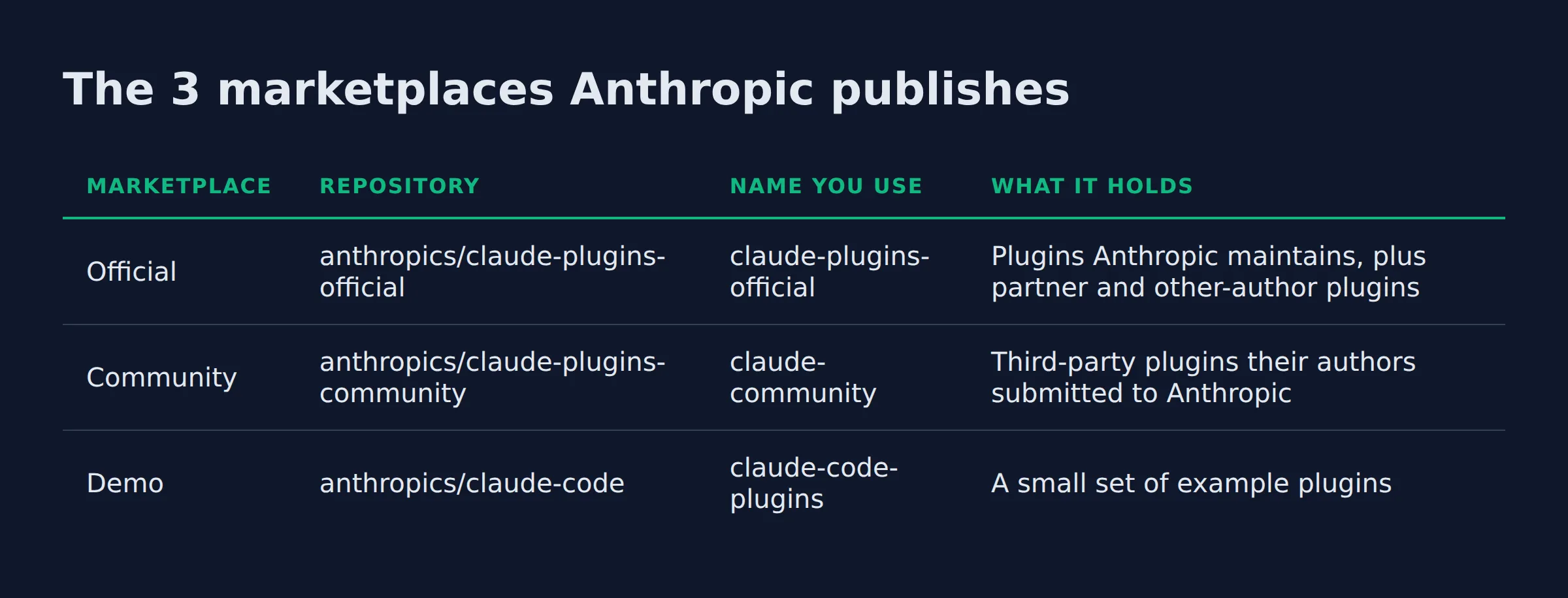
Anthropic publishes 3 marketplaces, and they are easy to confuse. Claude Code adds the official one for you. You add the other 2 by hand.
| Marketplace | Repository | Name you use | What it holds |
|---|---|---|---|
| Official | anthropics/claude-plugins-official |
claude-plugins-official |
Plugins Anthropic maintains, plus partner and other-author plugins |
| Community | anthropics/claude-plugins-community |
claude-community |
Third-party plugins their authors submitted to Anthropic |
| Demo | anthropics/claude-code |
claude-code-plugins |
A small set of example plugins |
The community marketplace hides a trap. Its name is claude-community, and that is not its repository name. The name is what you type after the @, so the wrong spelling fails the install before it starts.
Older tutorials tell you to run /plugin marketplace add anthropics/claude-code. That adds the demo marketplace, not the official one. Most demo plugins also live in the official marketplace under the same names, including code-review, feature-dev, and commit-commands.
Install those from claude-plugins-official so you never hold 2 copies of one plugin.
What is inside the official marketplace?
The official marketplace held 315 plugin entries when I pulled the catalog, and most come from partners rather than Anthropic. Anthropic’s name appears on 39 of them. The rest come from vendors, tool makers, and individual authors.
The plugin names are the proof that the catalog is real, not a stub:
commit-commandsadds commit, push, and pull request commands.code-reviewruns a multi-agent review on pull requests.feature-devwalks a feature from exploration to implementation.skill-creatorbuilds and improves skills.plugin-devis a toolkit for plugin authors.code-simplifierrefines code for clarity and consistency.security-guidancewarns on risky edits and reviews diffs.typescript-lspandpyright-lspadd language-server intelligence.
Partner and vendor publishers sit in the same list:
- SAP
- Amazon Web Services
- Shopify
- Grafana
- Oracle NetSuite
- Carta Engineering
Reading the catalog directly is the only way to see the real size. The marketplace.json catalog held 315 plugin entries and 9 rename mappings when I pulled it. It carried 146 named authors, and plenty of entries list no author at all.
Partner and third-party plugins make up the bulk of the 315 entries. Anthropic wrote about 39 of them.
How do you install a plugin from claude-plugins-official?
Run /plugin install <name>@claude-plugins-official inside a session. That opens the plugin’s details and installs nothing yet. You review what it adds, choose a scope, and confirm. From your shell, claude plugin install <name>@claude-plugins-official does the same with a --scope flag.
Three scopes decide who gets the plugin and which settings file records it, per the install docs:
| Scope | Who gets it | Settings file |
|---|---|---|
| User | You, in every project on this machine | ~/.claude/settings.json |
| Project | Everyone who works in this repository | .claude/settings.json |
| Local | You, in this repository only | .claude/settings.local.json |
The scope writes an entry into enabledPlugins. A committed project entry turns the plugin on for your collaborators, but it does not download the plugin to their machines. Each of them still runs the install once with --scope project.
Context cost is the number to check first. For a plugin in the official marketplace, the details pane shows two token estimates. Every turn is what the plugin adds to each message you send. When invoked is what its skills and agents add once Claude loads them. In the shell, claude plugin details <name> prints an Always-on line with the tokens the plugin adds to every session.
Auto-update is on by default for claude-plugins-official. After a session starts, Claude Code refreshes the marketplace and updates the on-disk copies of the plugins you installed from it. The community and third-party marketplaces start with auto-update off, so you turn it on per marketplace when you want it.
Pick the scope on purpose. User scope taxes every project on the machine with that plugin’s context cost.
What is a plugin made of?
A plugin is a folder of components plus a manifest. The manifest is plugin.json at .claude-plugin/. It names the plugin and can add a version and a description. The components load together as one unit.
The folder layout is fixed, per the official plugins repository:
.claude-plugin/plugin.json, the required manifest..mcp.json, MCP server config, optional.commands/, slash commands, optional.agents/, subagent definitions, optional.skills/, skill definitions, optional.README.md, documentation.
A plugin’s skills are SKILL.md files, the same format a standalone skill uses. A plugin can also declare a skills bundle instead. Set strict: false and list the skills when a repository ships SKILL.md files without a manifest of its own.
The manifest names the plugin. Everything else in the folder is a component Claude Code loads with it.
How is a plugin different from a standalone skill or subagent?
A skill is one procedure Claude loads when a task matches. A subagent is one definition Claude delegates to. A plugin is the package that holds skills, agents, hooks, and MCP servers. It installs them as one unit and ships versioned updates.
| Standalone skill | Subagent | Plugin | |
|---|---|---|---|
| What it is | One SKILL.md file |
One agent definition | A folder of components plus a manifest |
| Where it lives | ~/.claude/skills/<name>/ or .claude/skills/<name>/ |
An agents/ folder in a project or plugin |
Its own repository or folder, installed by name |
| How you share it | Copy the folder | Copy the folder | Install by name, with updates |
| When to use it | One procedure you repeat | One task Claude delegates | A bundle others install and update |
Skills, agents, and hooks all work on their own in a project or home directory. Anthropic’s create-a-plugin guide says make a plugin when you want to share the setup, install it in several projects, or publish versioned releases.
On my own machine, almost everything stays a skill file. My outreach system sends about 200 form submissions a day, and the follow-up behind it is a couple of skill files I drop into a project. No manifest to write and no marketplace to keep in sync. A plugin earns its manifest only at the point where someone else has to install it.
A skill is for you. A plugin is for other people. That is the whole line between them.
How I decide what to install from the official marketplace
The catalog is big enough that browsing it is a trap. I run the same 4 questions before I install anything.
- Does this replace a procedure I repeat every week? If not, skip it.
- Does it need MCP or a secret to work? Then read the details pane and expect setup after install.
- Is someone else maintaining it? That is the reason to use a marketplace at all.
- Is it my own workflow? Then it stays a skill file, and the marketplace never enters the picture.
The last question does the most work. I would rather own the file than track an update.
Install a plugin when someone else maintains it. Keep your own workflows as skill files.
How do you add your own skill or plugin?
Write a folder for a skill, or add a manifest for a plugin. A skill is a SKILL.md file, personal at ~/.claude/skills/<skill-name>/ or per-project under .claude/skills/. A plugin adds a .claude-plugin/plugin.json to that folder. Load one from disk for a session with claude --plugin-dir <path>.
No registry and no account sits between you and a working skill. The folder is the whole unit. Inside a plugin, skills and agents carry the plugin name as a prefix. A skill named hello ships as /my-plugin:hello, so 2 plugins can each offer one without colliding.
One formatting note that bites people. Write placeholders like <skill-name> inside backticks. A bare angle bracket in prose or in a table cell gets parsed as an HTML tag and silently deleted on the live page.
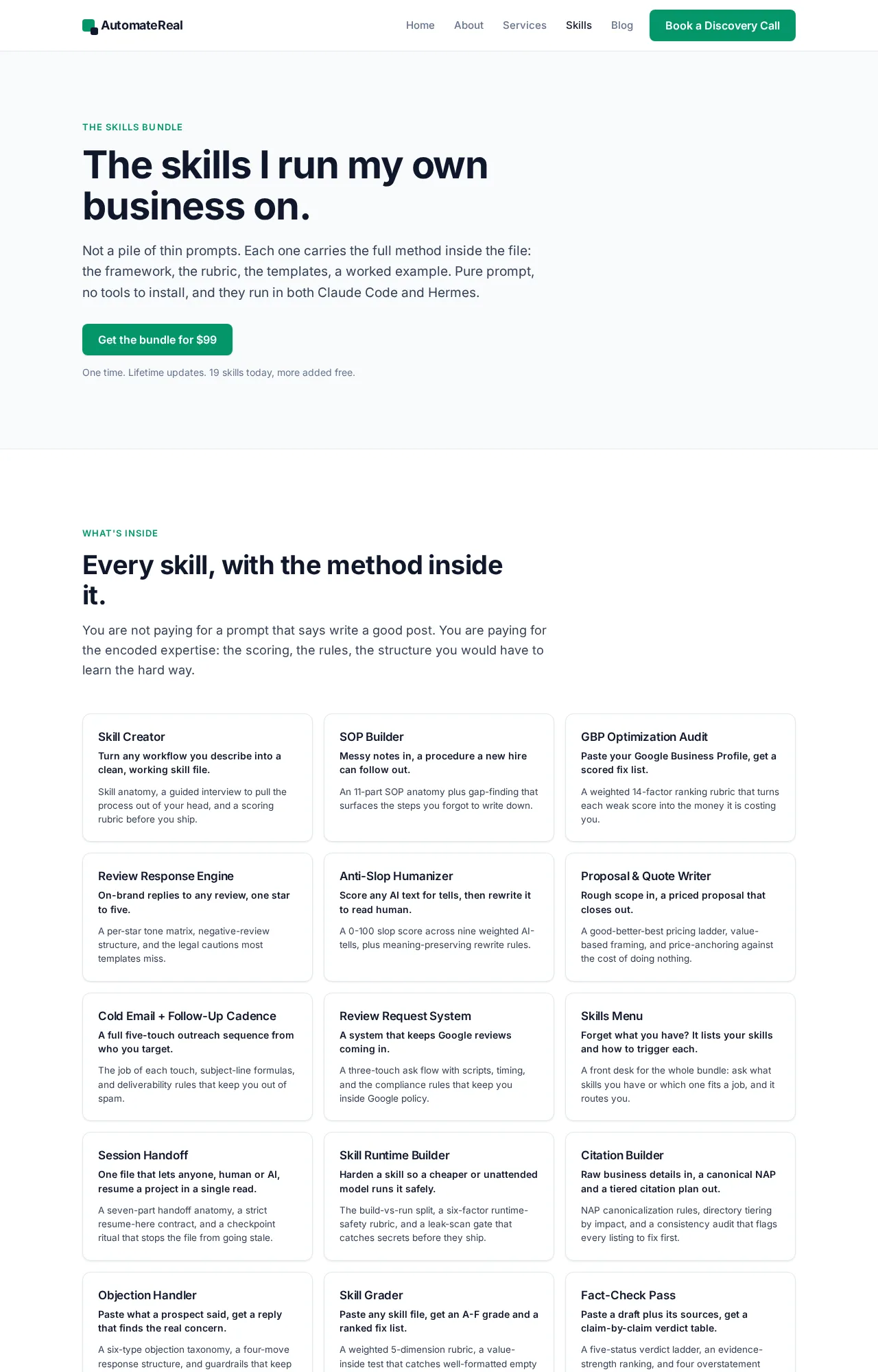
I write the same way for my own work. The skills I lean on every day, from the Review Response Engine to the Anti-Slop Humanizer, ship as files in the skills bundle. If you want the format first, what Claude Code skills are covers the SKILL.md file in plain terms. If you would rather start from someone else’s catalog, the Claude skills marketplace breaks down the community side.
Nothing reviews or approves your own skill. It works the moment the file is on disk.
AutomateReal skills
How do you publish a plugin to claude-plugins-official?
Anthropic lists 2 kinds of plugins here. Internal plugins come from Anthropic’s own team. External plugins come from partners and other authors, who submit them and clear a quality and security review.
Submissions go through the plugin directory submission form that the official plugins repository points to. Anthropic’s directory on claude.ai is a separate catalog, and submissions there run through the developer portal on claude.com, per the publish guide.
You can also skip review entirely and publish your own marketplace. Commit a .claude-plugin/marketplace.json to your repository, and the plugin is published with no submission form.
One rule decides how you name things later. The official plugins repository treats the name field as an immutable slug. Once a plugin is published, that field cannot change, because users have it installed under that slug. To change the label in the UI, set displayName instead. Use the top-level renames map only when the slug truly has to move, so existing installs migrate on their next sync.
The name field is permanent. Change the label with displayName, and reserve the renames map for real moves.
For a managed version, see the skills bundle.
FAQ
Is claude-plugins-official free to use?
Cost depends on the plugin, not the marketplace. The catalog itself adds no separate fee. Each plugin links its own LICENSE file, so check the one you install. The plugins still add skills, agents, hooks, and MCP servers to your sessions. That work runs on your Claude Code plan.
Where is the claude-plugins-official GitHub repository?
It is at github.com/anthropics/claude-plugins-official. The catalog file, .claude-plugin/marketplace.json, sits in that repository and holds the full plugin list. The repository also ships a README with the folder layout and the submission process.
What is the difference between claude-plugins-official and claude-community?
Both are Anthropic-run marketplaces. The official one holds plugins Anthropic maintains plus plugins from partners, and Claude Code adds it for you. The community one holds third-party plugins their authors submitted, and you add it with /plugin marketplace add anthropics/claude-plugins-community. Its marketplace name is claude-community.
Why does Claude Code say “Marketplace claude-plugins-official not found”?
The official marketplace is not registered on that machine yet. Claude Code normally registers it in your first interactive terminal session. It skips or defers that step when a policy blocks the source, when CLAUDE_CODE_DISABLE_OFFICIAL_MARKETPLACE_AUTOINSTALL is set, or while a failed attempt waits to retry. The shell claude plugin commands never register it. Fix it with /plugin marketplace add anthropics/claude-plugins-official.
How do I get my own plugin into claude-plugins-official?
Submit it through the plugin directory submission form and pass the quality and security review. Every external plugin in the marketplace came in that way. Anthropic’s own team writes the internal plugins, and those are not something you submit.
Related: Claude Code Skills for Agencies: The 2026 Guide
Related: How to Add Skills to Claude Code
Related: The Best Claude Code Skills to Install in 2026
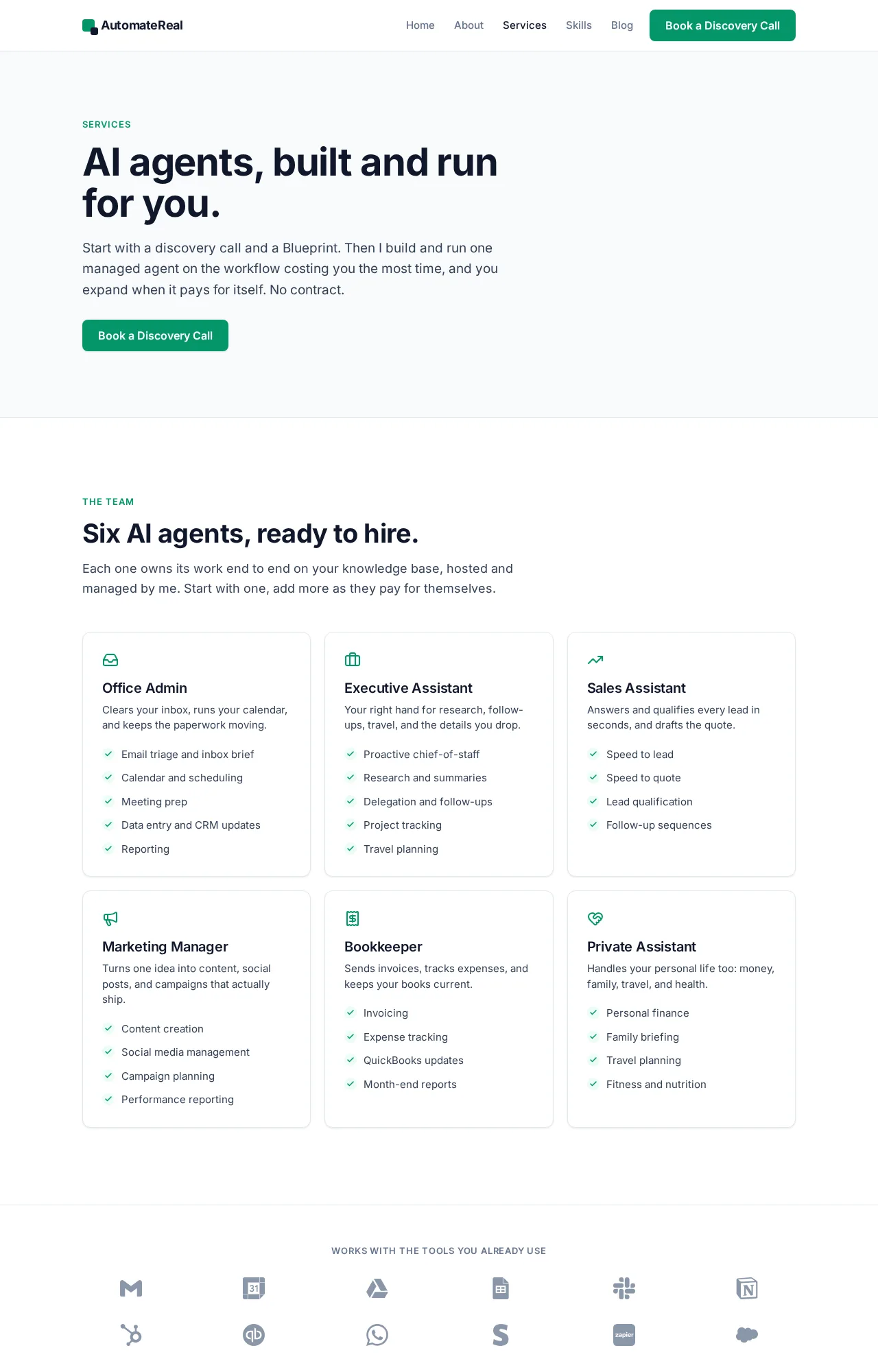
If you want help turning one repeated workflow into a skill or a plugin you can ship, a discovery call maps it in about thirty minutes.
AutomateReal services